

A context repository works perfectly for one person. You write the README, commit a few PRDs, point your agents at it, and every session starts smart. Then a second person joins, edits the positioning doc, and commits straight to main. Now two people are rewriting the same source of truth with no one reviewing what changed.
This is the moment a personal knowledge base becomes a team system. The fix is the workflow engineers have used for fifteen years: branch, commit, open a pull request, review, merge. The difference in 2026 is that some of the commits come from your AI agents, not your teammates.
This guide shows how to share one context repository across a team, open it next to your project in a single workspace, and put every change to your product knowledge through review before it lands on main.
Why a shared context repository changes how teams work
If you read the first two guides in this series, you already have a private Git repository holding your product knowledge and a Cursor workspace where Claude Code, Codex, and Gemini read the same files. That setup was built for one operator. Scaling it to a team adds one requirement: no change reaches main without someone seeing it first.
Here's why that matters more for context than it does for code. A bug in code breaks a feature. A bad edit to your context repository quietly poisons every agent session that runs after it. If someone overwrites "Current focus" with stale priorities, every Claude Code and Codex run that day starts from the wrong premise and produces confident, wrong output. Context errors compound silently. Code errors throw exceptions.
So the team needs two things working together: one repository everyone reads from, and a review gate so changes to that repository are deliberate. Git gives you both. The repository is the single source of truth. Pull requests are the review gate.
There's a second payoff that shows up fast. When the context is written down and version-controlled, onboarding a new PM to the full AI workflow drops from a week to a day. The README, the conventions, and the skills are already in the repo, so there's no institutional knowledge left to hunt for.
Teams report that the audit trail is the real win. When every context change is a pull request, you can answer "who changed our ICP definition and why" by reading the PR, instead of guessing from a Notion page with no history.
Open your knowledge repo alongside your project in Cursor
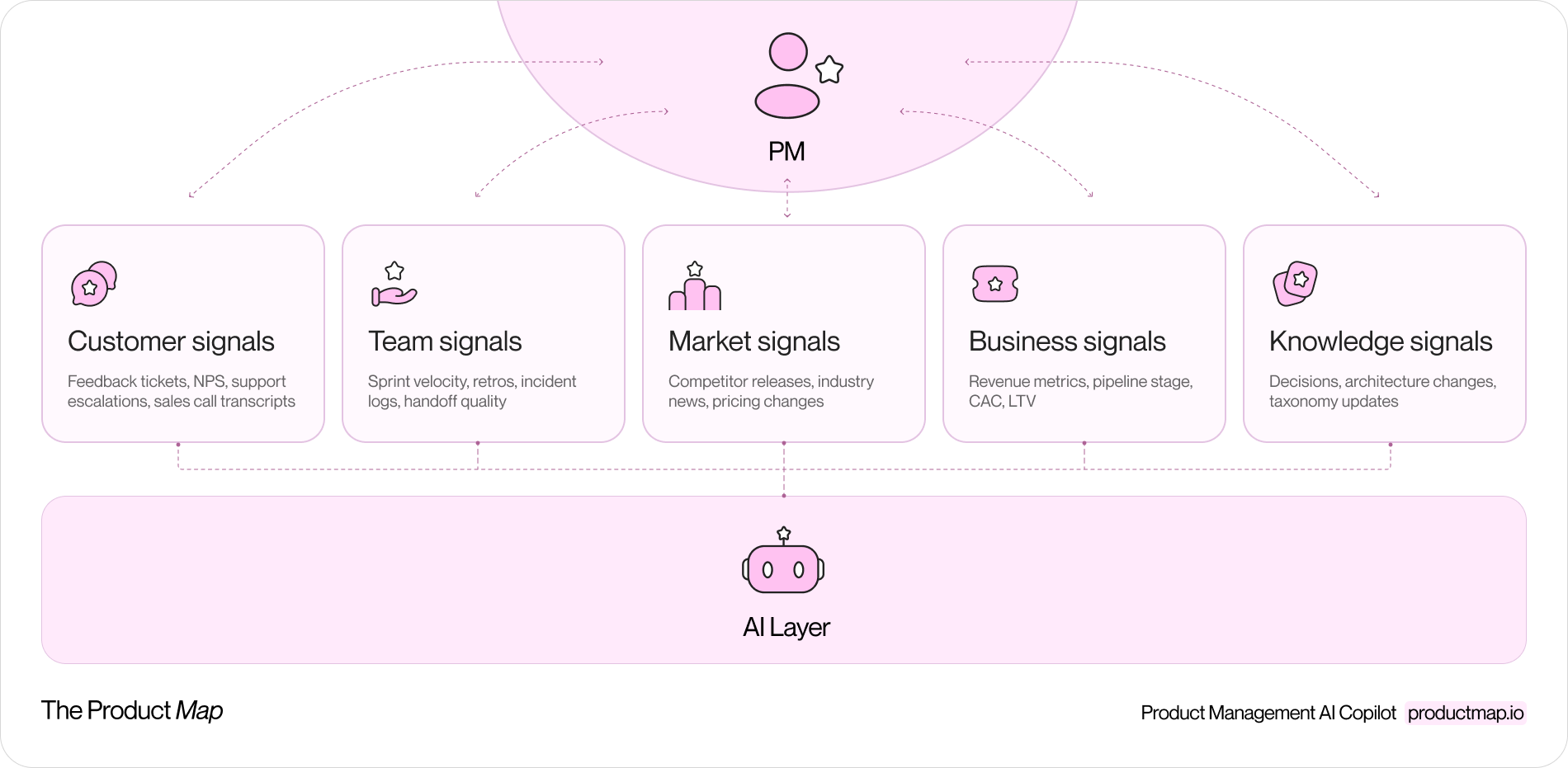
The key move for teamwork is keeping product knowledge in its own repository, separate from any single project, so the whole team reuses it everywhere. Your context repository holds the README.md, the domain folders, and your reusable agent skills. Your product or code repositories are separate. You then bring both into one Cursor workspace so agents read context from one repo while doing work in another.
In Cursor, open your project folder first. Then use File → Add Folder to Workspace and select your context repository. Both now sit in the Explorer panel as top-level folders. Save the workspace with File → Save Workspace As so the layout reloads next time.
What this buys you:
- Agents read your shared context (positioning, ICP, OKRs, conventions) from the knowledge repo while editing files in the project repo.
- The same skills, the reusable prompt files you wrote once, are available in every project the team opens, not copied into each one.
- A teammate clones two repos, opens the saved workspace, and gets the full picture without you explaining the setup.
Keep the two repositories distinct on purpose. Project code changes daily and is often public. Product context is private and changes deliberately. Mixing them buries your strategy docs inside a code repo's commit noise and breaks the clean review flow you're about to set up.
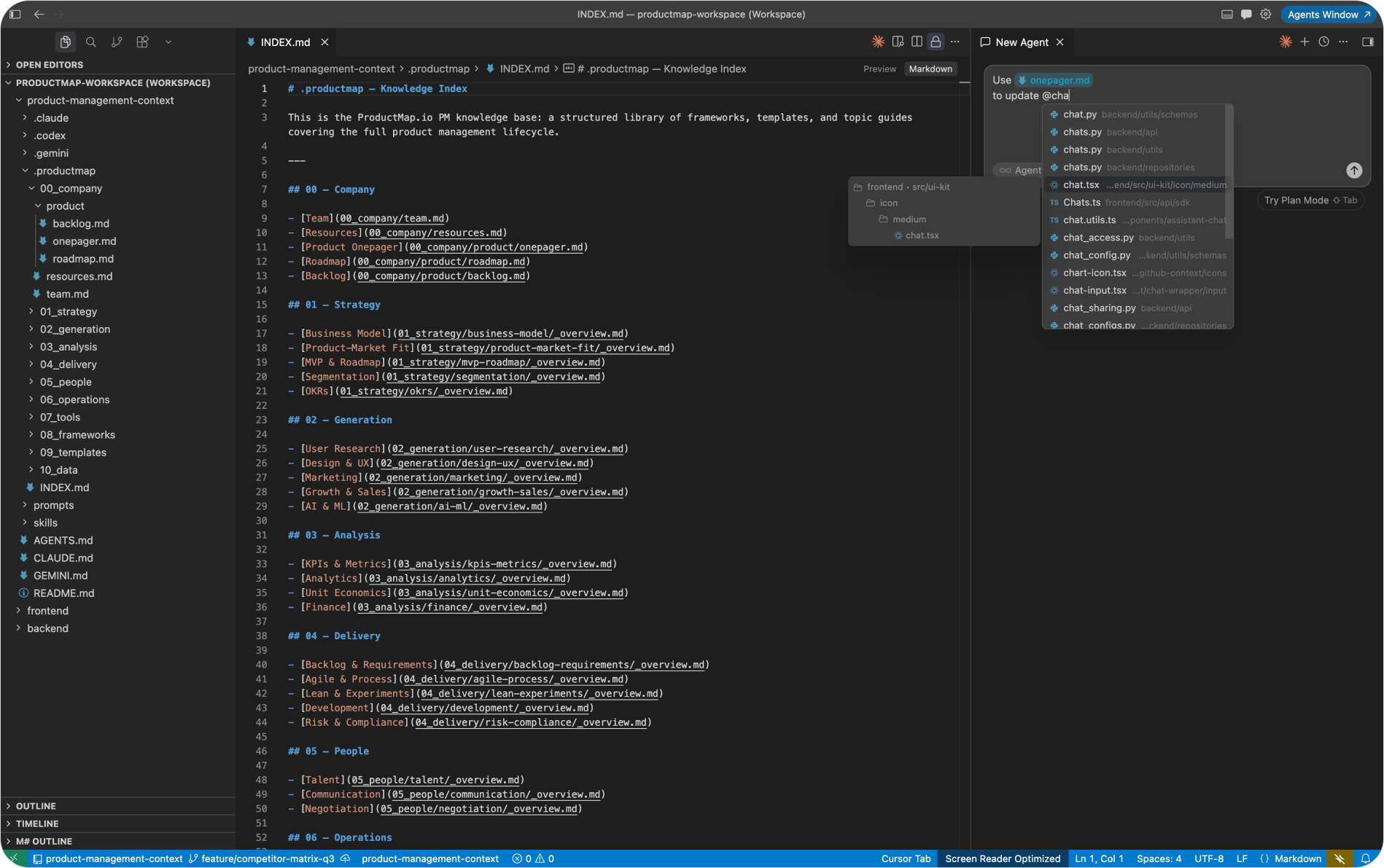
Branch before you commit: the git flow for context
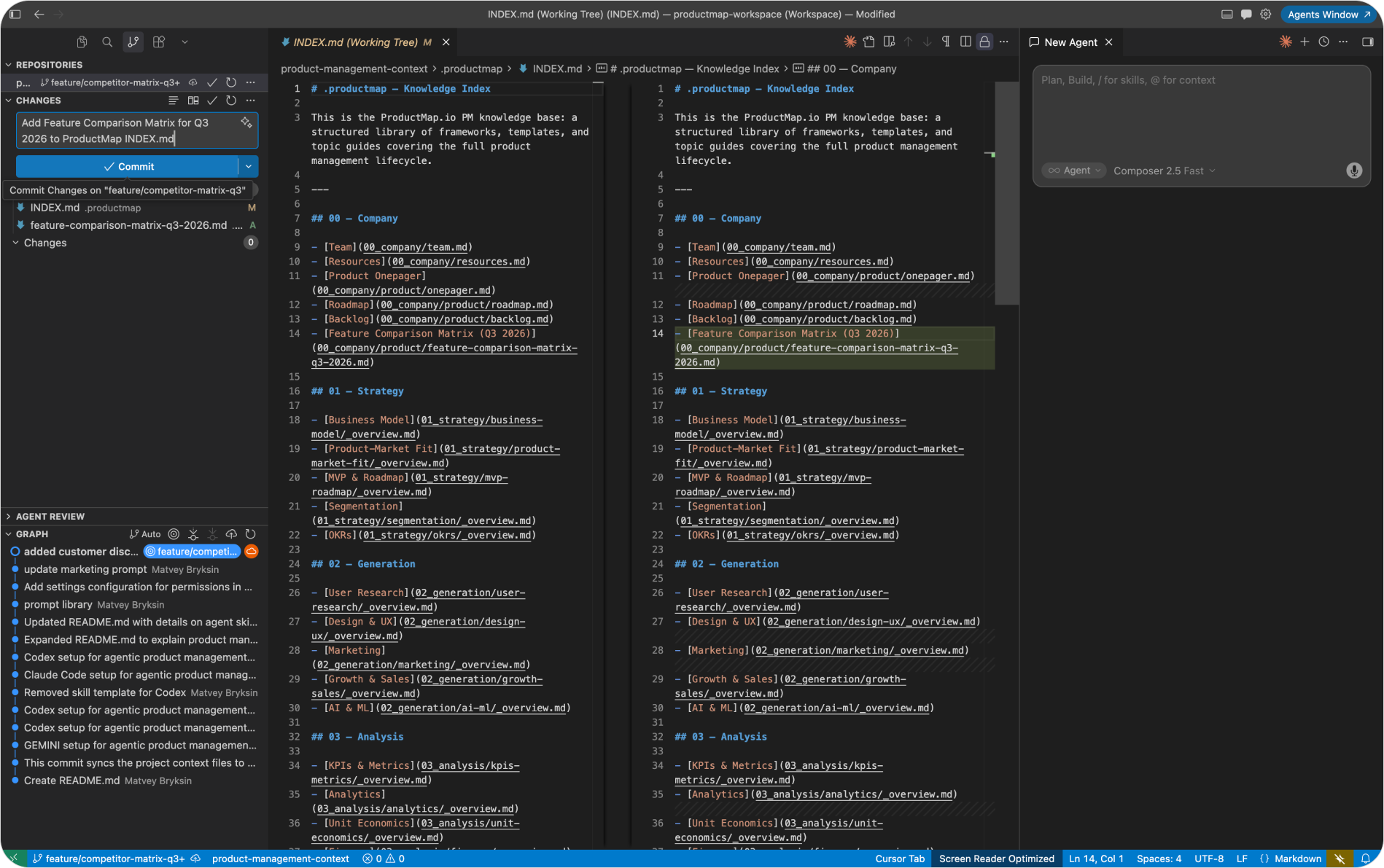
The main branch holds the latest agreed version of your context. Everyone can create their own feature branches off it. You might also keep release branches for stable snapshots, or other branches for specific workstreams. Every commit you make is tied to a branch.
Here's the flow when you change context files. Say you've edited several files for a new research workstream. Before committing, switch off main:
- Create a new branch and name it for the work, for example "synthetic-users". In Cursor's source control panel or the terminal, this is a single command or click.
- Your staged changes move with you onto the new branch. Anything you commit now lands on "synthetic-users", not on main.
- Stage the files and write a commit message. Cursor can generate one from the diff. Commit, and your changes are recorded on the feature branch.
- Sync with the remote. On GitHub you'll see main still shows its last update, and a new branch has appeared carrying your latest work.
This is the whole point of branching. Main stays clean and stable while your in-progress edits live safely on a branch only you are touching. Nothing you commit affects what your teammates' agents read until the change is reviewed and merged.
A small habit that saves real pain: name branches after the change, not the person. "competitor-matrix-q3" tells a reviewer what's inside; "alex-edits" tells them nothing and ages badly.
Open a pull request so the team can review the change
A pushed branch isn't a request to change anything yet. The pull request is. It's where you say "here's what I want main to become" and the team gets to look before it happens.
Find your feature branch on GitHub and open it. GitHub shows a Compare & pull request button. Click it and you're comparing your feature branch against main. Write a short description of what changed and why, then create the pull request.
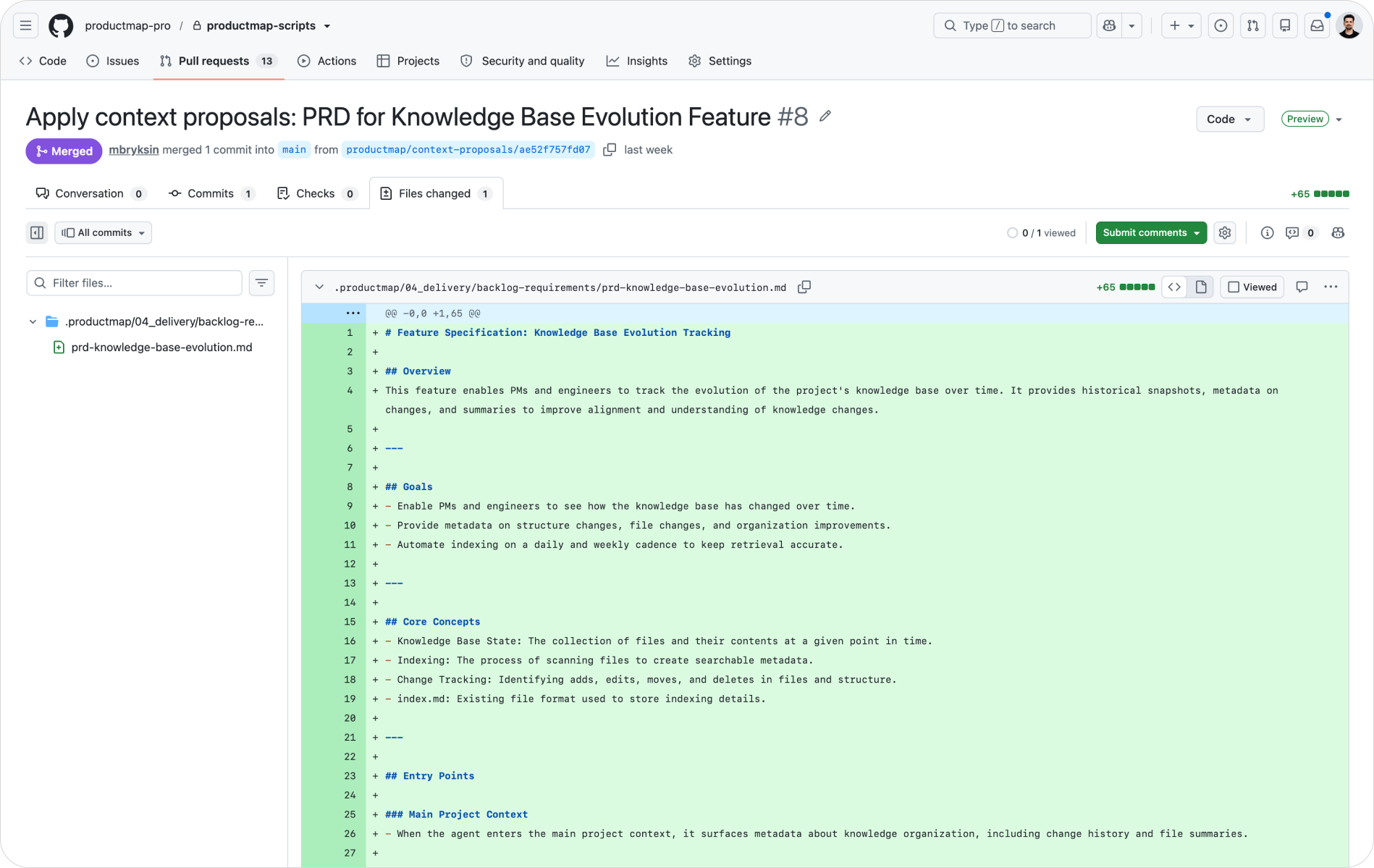
Now the review starts. The PR shows every file that changed with the exact lines added and removed. A teammate reads the diff, leaves comments on specific lines, and either approves or requests changes. This is review on your product thinking, line by line, before it becomes the version every agent reads.
The review lens is different from code review, and it trips up teams that treat the two the same. You're not checking logic or syntax. You're checking whether the change reflects what the team currently believes, whether it conflicts with another file, and whether the framing still holds against your ICP and product stage. A positioning claim that contradicts the ICP doc. A persona that no longer matches the latest research. A skill file that duplicates one already in the repo under a different name. These conflicts are easy to miss when you commit alone and easy to catch in a diff.
Once the change is approved, merge it. When you close the pull request, prefer Rebase and merge to keep a clean, linear history without extra merge commits. After merging, the latest commit is on main, and everyone can pull it. Once teammates pull and sync, all the commits show up in one graph: every context change the team made, in order, with authors and reasons attached.
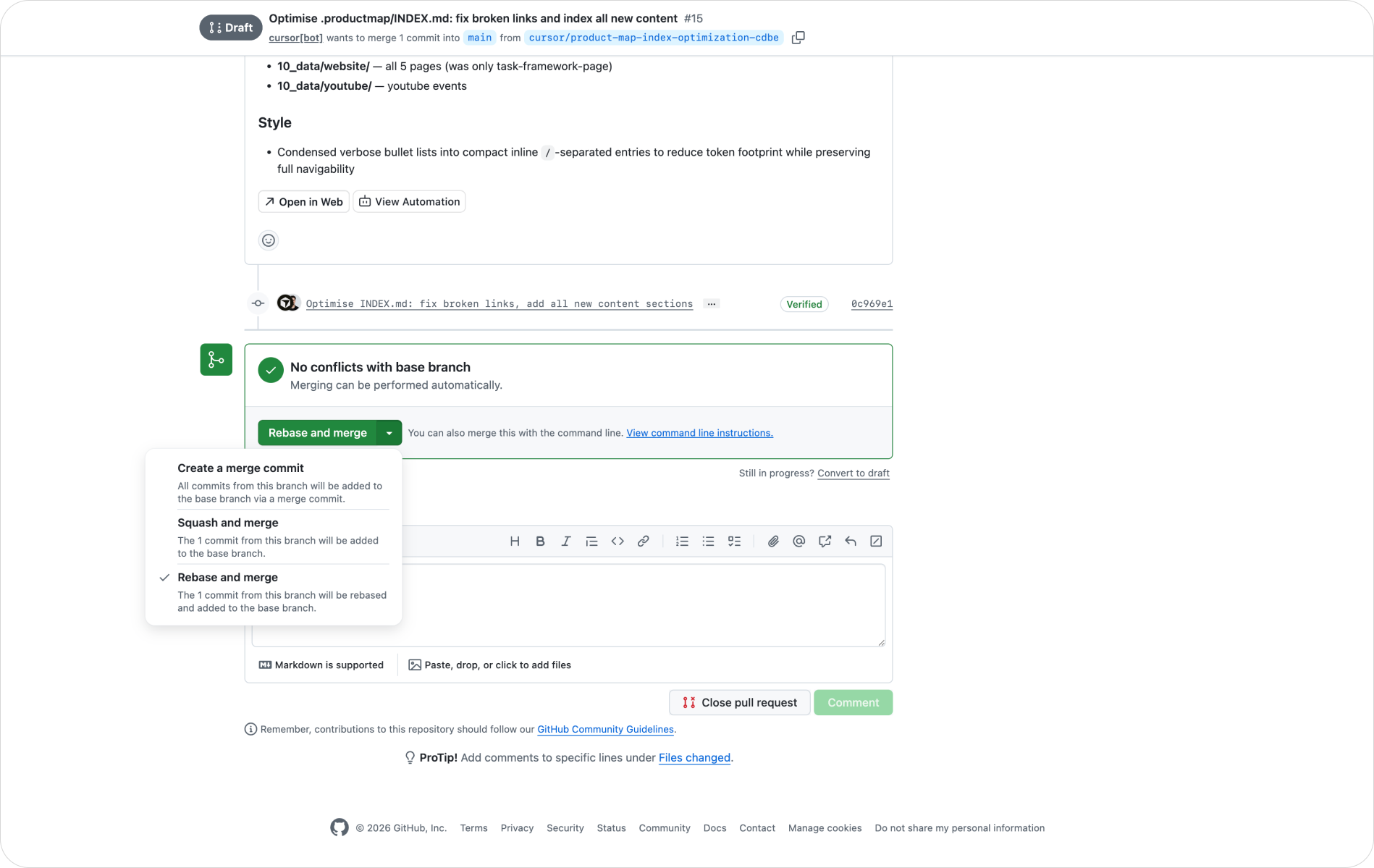
Let each agent propose context changes
Your AI agents commit to this repository the same way your teammates do. When Claude Code synthesizes ten interviews into a research brief, it doesn't paste the result into chat and forget it. It writes the Markdown into the right domain folder, commits it to a feature branch, and the change goes through the same review as a human edit.
This is where the workflow earns its keep. Each agent proposes a context change and commits it. A Codex run that updates a metrics definition, a Gemini session that drafts a competitor scan, a Claude Code session that revises the PRD; each lands as a reviewable commit, not as an untracked message that disappears when the tab closes.
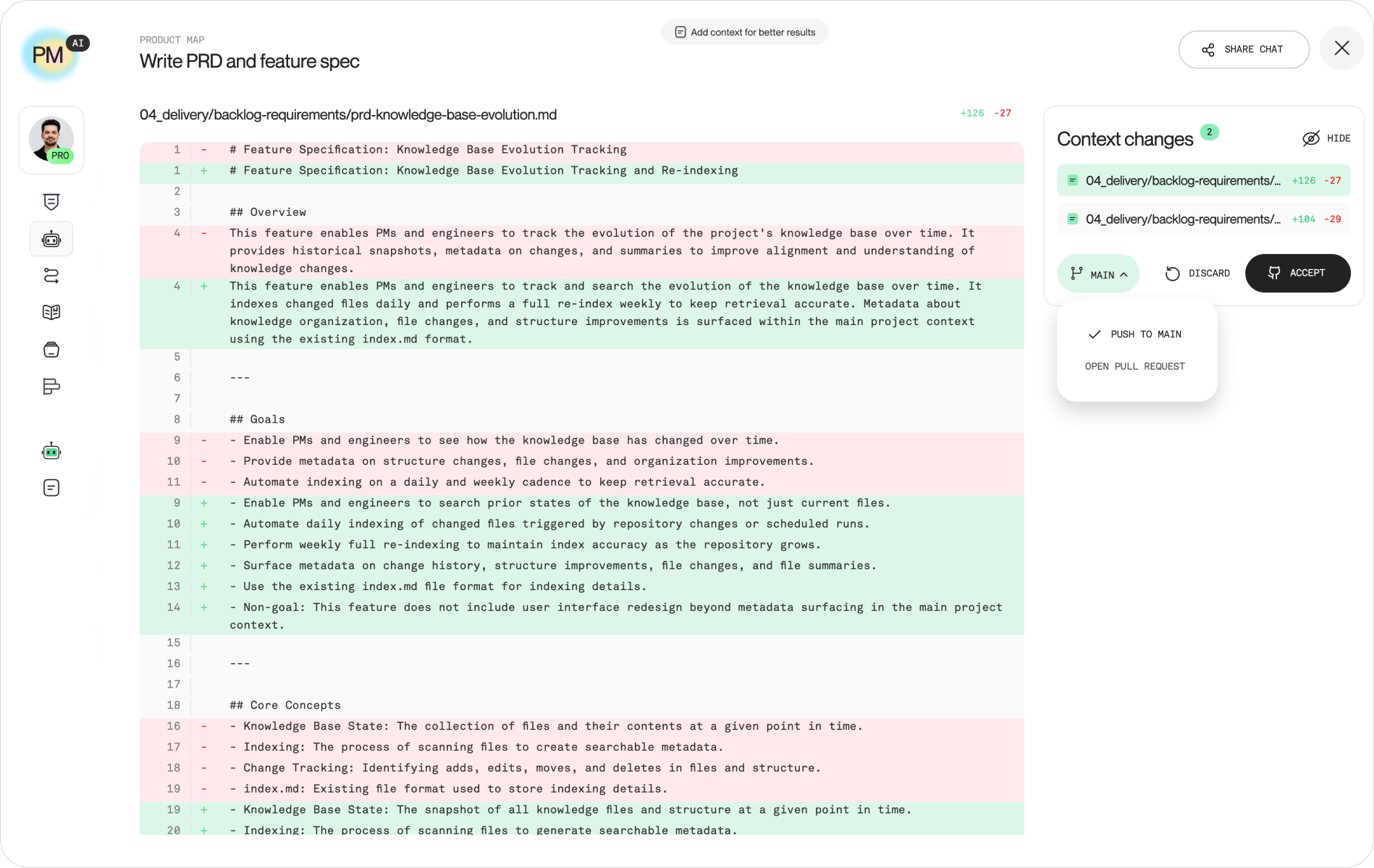
Product Map fits directly into this loop. When you work in Product Map, you can manage context changes and choose how they reach your repository: push small, low-risk fixes straight to main, or send a pull request for the team to review larger or higher-stakes changes. The same two paths your engineers already use, applied to product knowledge.
A practical split that works:
- Push to main directly: typo fixes, link updates, formatting, low-risk additions where review adds no value.
- Send a pull request: changes to positioning, ICP, OKRs, "Current focus", or anything an agent generated that a person hasn't verified yet.
The judgment call is simple: if a wrong version of this file would mislead the team or its agents, it goes through review.
The review most teams skip
Here's the part most guides leave out, and it's the part that decides whether this works. Instruction files do not enforce behavior. You can write in CLAUDE.md and AGENTS.md that every change must go through a pull request, and an agent will still open a PR and merge it with its own approval two seconds later if nothing stops it. Intent in a Markdown file is necessary; it is not a guarantee.
The rule is: enforce, don't instruct. Make the workflow mechanical, not behavioral.
- Protect the main branch. In your GitHub repository settings, turn on branch protection: require a pull request before merging, and require at least one approving review from someone other than the author. This makes "we agreed not to push to main" into "it is not possible to push to main."
- Block self-approval on important changes. Require the approving review to come from a different person. An agent's PR cannot merge on the agent's own say-so, and neither can yours.
- Audit for drift on a cadence. Once a week, check that your context files still match reality. The highest-risk file is "Current focus"; if it says activation but the team has spent three weeks on onboarding, every agent session starts wrong. Fix it the moment priorities shift, not at the next quarterly cleanup.
One role makes the gate hold: a context owner. Usually the PM who set up the repo, a product lead, or whoever runs context engineering as part of their job. The owner reviews PRs to main promptly; same-day is the right target, because a PR that sits open for three days pushes people back toward committing straight to main. The owner isn't a gatekeeper. Anyone can open a PR. The owner is the quality bar that keeps what merges into main coherent: no deprecated positioning docs, no old OKR files nobody archived, no skill files for workflows the team retired.
Decide one thing explicitly that most teams never name: who is allowed to push to main without review. For a context repository, the honest answer for most teams is "no one for strategy files, anyone for typos." Write that rule down, then enforce it with branch protection so it survives a busy week.
The branching model matters less than the gate. Whether you run something close to GitHub Flow with short-lived branches or a stricter release flow, the thing that protects your context is the same: nothing reaches the source of truth without a human seeing the diff.
Where to start with your team
You don't need the full system on day one. Start with the repository and the gate, then add agents.
If you want the fastest path to a shared context repository with the right structure already in place, create your context repository in Product Map and let it seed the domain folders, templates, and frameworks your team will edit. Then build a Git knowledge repository that holds all your reusable skills for Claude, Codex, Gemini, and any other agent your team runs, so a skill written once works in every project the team opens.
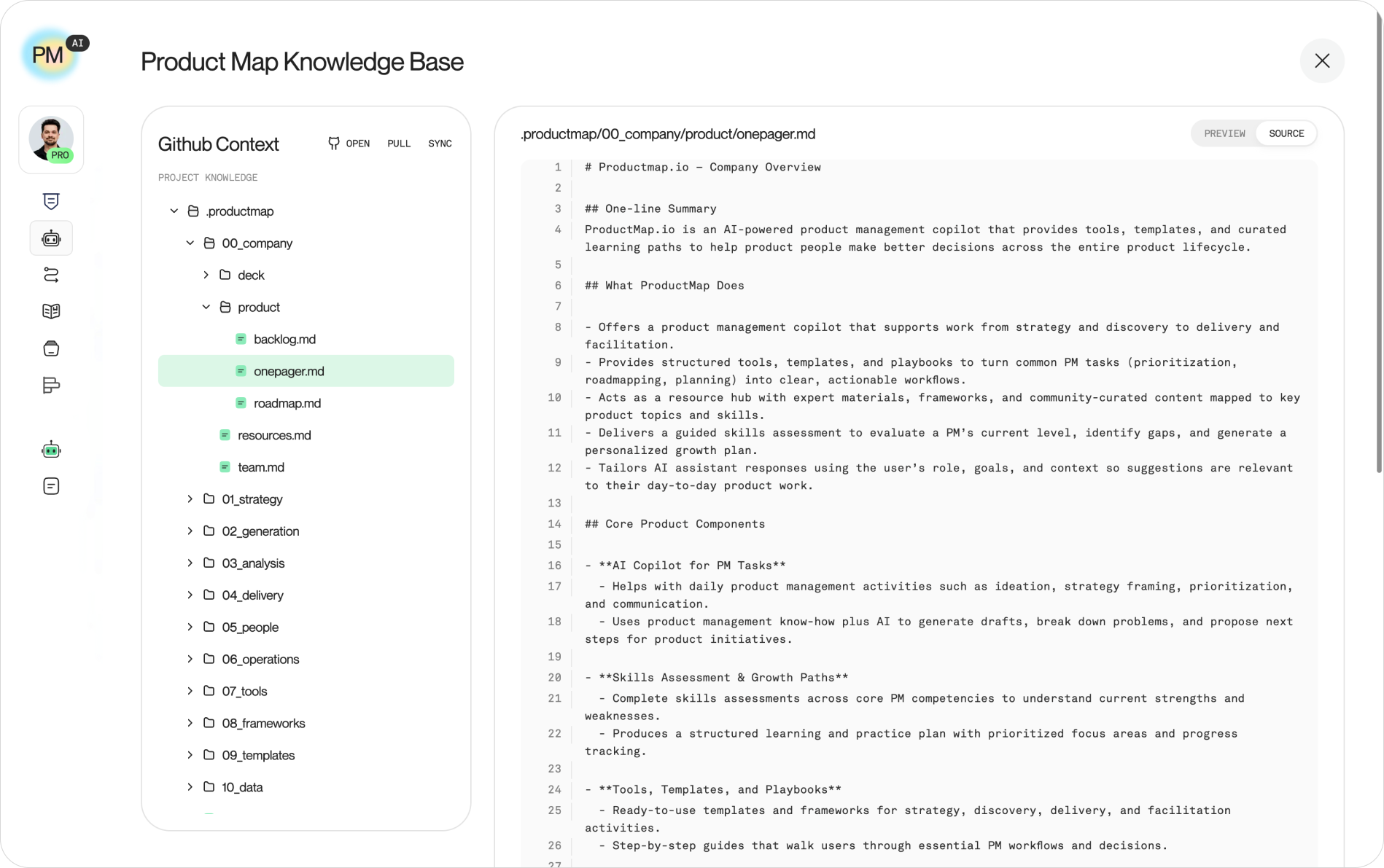
The PM agents on Product Map are built to draft and revise that context for you. Point them at your repository, let them propose changes as commits, and review the pull requests the same way you'd review code. You can set them up at app.productmap.io/profile/assistant.
One repository the whole team reads. One review gate every change passes through. Human edits and agent edits held to the same standard. That's the setup where a team's product context gets sharper over time instead of drifting apart.