




Most product teams already have a knowledge base. Strategy docs in Google Slides. PRDs in a wiki or Confluence. Research in Dovetail. Decisions buried in Slack threads.
The problem isn't that the knowledge doesn't exist. It's trapped in tools your AI agents can't read without custom integrations, auth flows, and fragile API wrappers. Every new pipeline starts with plumbing work instead of product work.
There's a simpler architecture: plain-text Markdown files in a private Git repository. Every current coding agent, agentic IDE, and MCP server already speaks Git natively. Set it up once. Every agent on your team then reads from the same source of truth on every run, without setup.
Teams using shared Git context report 35 to 50% shorter onboarding time for new engineers and contractors, because the context they need is already written down and version-controlled, not trapped in someone's memory or an undiscoverable wiki page.
Why a wiki fails AI agents
A team wiki is built for people. It's a weak foundation for an agentic workspace. Four reasons:
- Access requires authentication. Every agent that wants to read your wiki needs an API token, permission scopes, and a connector. That's setup work on every new project, for every new agent.
- Exports are lossy. Wiki-to-Markdown exports produce inconsistent formatting, broken links, and layout noise that inflates token counts and degrades model reasoning.
- No version history agents can read. Git gives you diffs and a full commit timeline. Most wikis lock page history inside the UI.
- No peer review for prompts. In Git, a teammate can comment on a specific line of your system prompt before it ships. In a wiki, you can't.
As of 2026, AGENTS.md is read natively by Claude Code, OpenAI Codex CLI, Cursor, Aider, Devin, Sourcegraph Amp, Google Jules, Zed AI, GitHub Copilot, Gemini CLI, Windsurf, and Amazon Q. Every one of these reads from Git. None reads natively from a hosted wiki.
Set up a private product context repository on GitHub
Don't create a local folder and run git init. Start on GitHub and clone down so the remote is your source of truth from the first commit.
Step 1: Create the repository
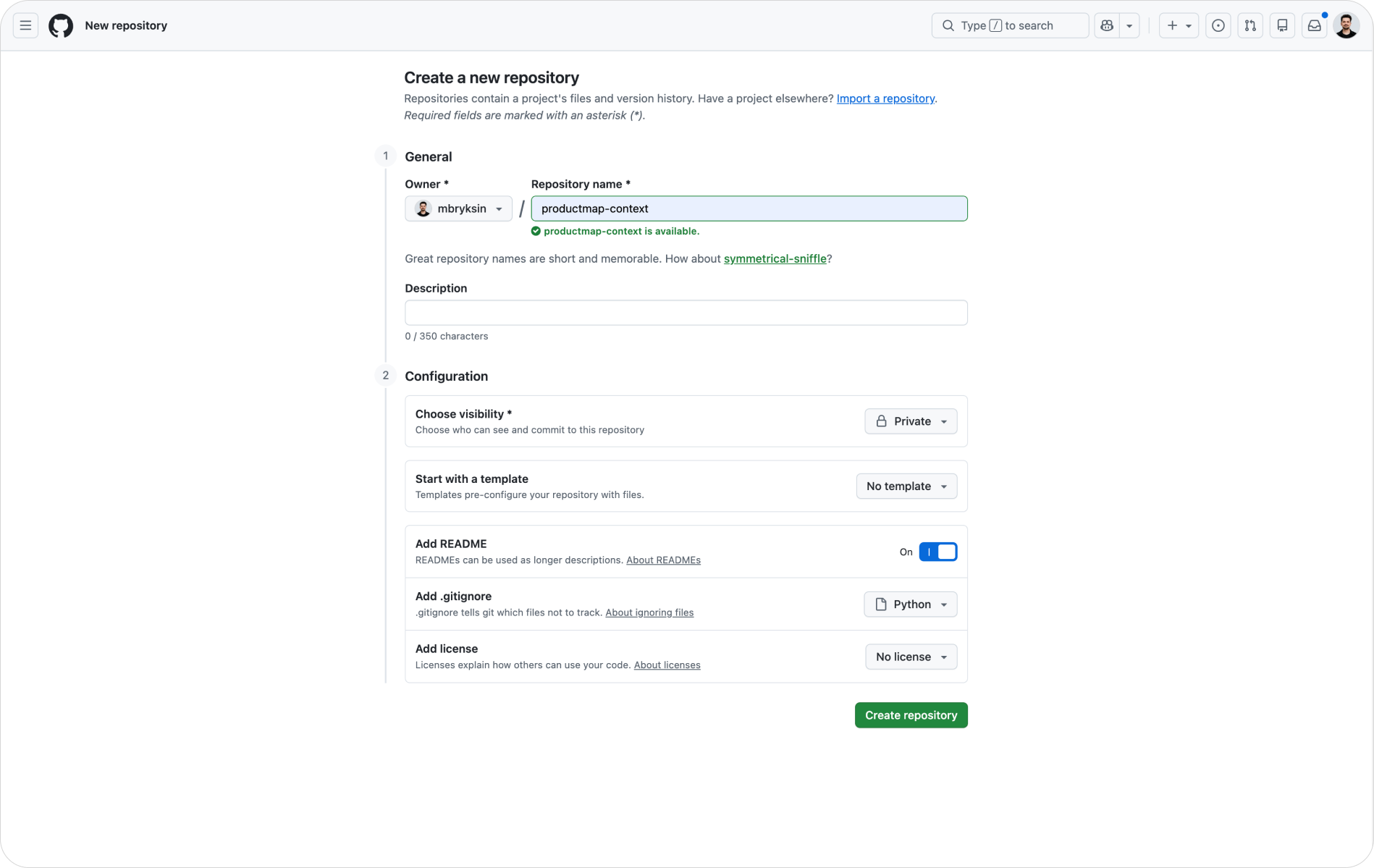
- Log into GitHub and click New repository
- Give it a clear name:
product-context,pm-knowledge-base, or your product name - Set visibility to Private. Your positioning docs, customer research, and roadmap should never be public
- Check Add a README file (a draft is fine; you'll rewrite it)
- Check Add .gitignore and choose any starter template (Python works well for PM repos that include scripts)
- Click Create repository
Step 2: Clone it to your machine
On macOS open Terminal; on Windows open Command Prompt or PowerShell. Navigate to the parent folder where you want the repo to live, then run git clone with the HTTPS URL from the green Code button on your new repo. Git prompts for credentials on first clone. Once inside the folder, run git status to confirm the remote is wired and you're on the main branch.
Write a README that agents use as their primary context
The README.md is the first file any agent reads when you point it at your repo. Write it as a product one-pager and a repo guide in one document. An agent reading only the README.md should be able to answer: "What is this product?", "Who is it for?", and "What is the team working on right now?"
Structure it with these sections:
- One-line summary: what the product is, in one sentence
- Purpose of this repository: why this repo exists, as the single source of truth for product context, readable by both the team and AI agents
- What the product does: 3 to 5 bullets covering core capabilities or user-facing functions
- Target users: primary segment first, then adjacent ones
- Value proposition: the outcome for the user, not a feature list
- Current focus: what you're working on right now, in one short paragraph or 3 to 5 bullets; update this as priorities shift
- How this repo is used: plain-text Markdown, agent-readable, version-controlled
- Links and references: key external resources, like the product site, design files, dashboards, and your team wiki
- Maintainers: names, roles, and how to reach them
Keep the rendered README.md to about one screen. Depth goes in dedicated files. The README.md is the map, not the territory.
Optional additions that pay off early: a Glossary of 5 to 10 domain-specific terms (helps both new hires and agents interpret artifacts), Open questions (the top unknowns you're resolving), and Decisions to date (the 3 to 5 most important calls already made).
Add a .gitignore that keeps secrets out of the repo
The .gitignore file tells Git what not to track. For a product knowledge base, ignore OS clutter, editor files, secrets, and generated artifacts. Your .gitignore should cover:
- OS files:
.DS_Store,Thumbs.db,desktop.ini - Editors and IDEs:
.vscode/,.idea/,.cursor/, swap files (*.swp) - Secrets and local config:
.env,.env.*(keep.env.example),credentials.json,secrets/ - Python artifacts:
__pycache__/,.pycfiles,.venv/,venv/ - Node and web:
node_modules/,.next/, log files
Rule of thumb: ignore anything generated, anything local, and anything secret. Commit everything a future collaborator or agent needs to reproduce your context.
Structure folders by domain
Folder structure shapes what agents can find and how they reason. A flat repo with 40 Markdown files works for one person. It fails for a team, and it fails for agents that need to understand what kind of document they're reading.
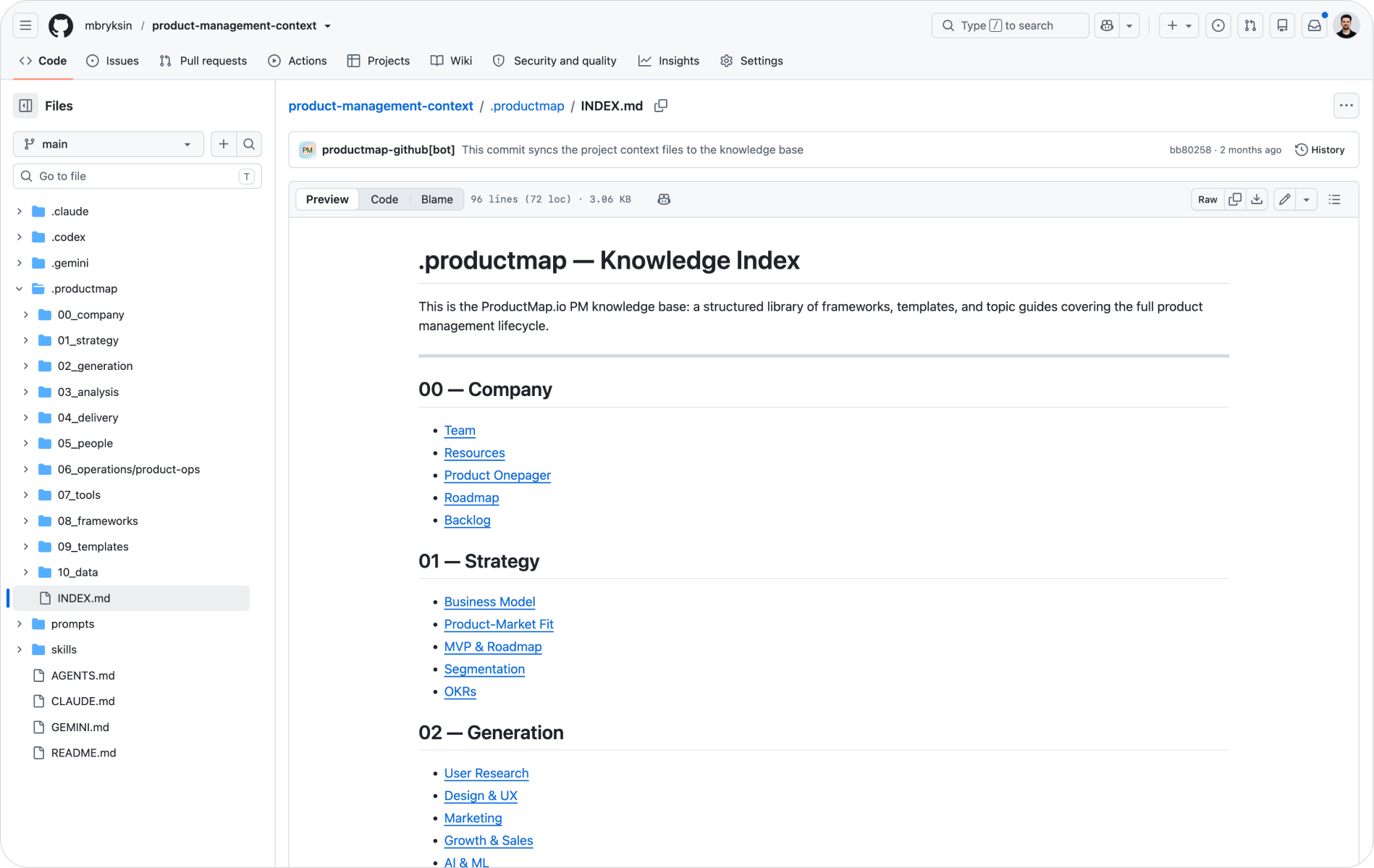
Organize by product domain, not by tool or role. This mirrors how the TASK framework structures product work, and it lines up almost one-to-one with the Product Map topic catalog:
prompts/: reusable agent prompts, one file per workflow01_strategy/: OKRs, roadmaps, business model, ICP, positioning02_generation/: user research, discovery, GTM, growth experiments03_analysis/: KPIs, dashboards, experiment results, unit economics04_delivery/: PRDs, specs, ADRs, sprint artifacts, backlogs05_people/: stakeholder maps, team rituals, communication docs
A short README.md inside a folder pays off too: editors like Cursor pick up a .cursor/README.md as folder-level context, so a one-line note on what belongs in each domain keeps agents writing to the right place.
Don't create all folders upfront. Create each one on first use, when you commit the first real artifact in that domain. An empty skeleton signals nothing to an agent. Real content signals everything.
The folder structure is your taxonomy. When an agent drafts a competitor analysis, it looks in 01_strategy/ by convention. When it drafts a PRD, it writes to 04_delivery/. Consistent folder names produce consistent agent behavior across your team, because every agent reads the same map.
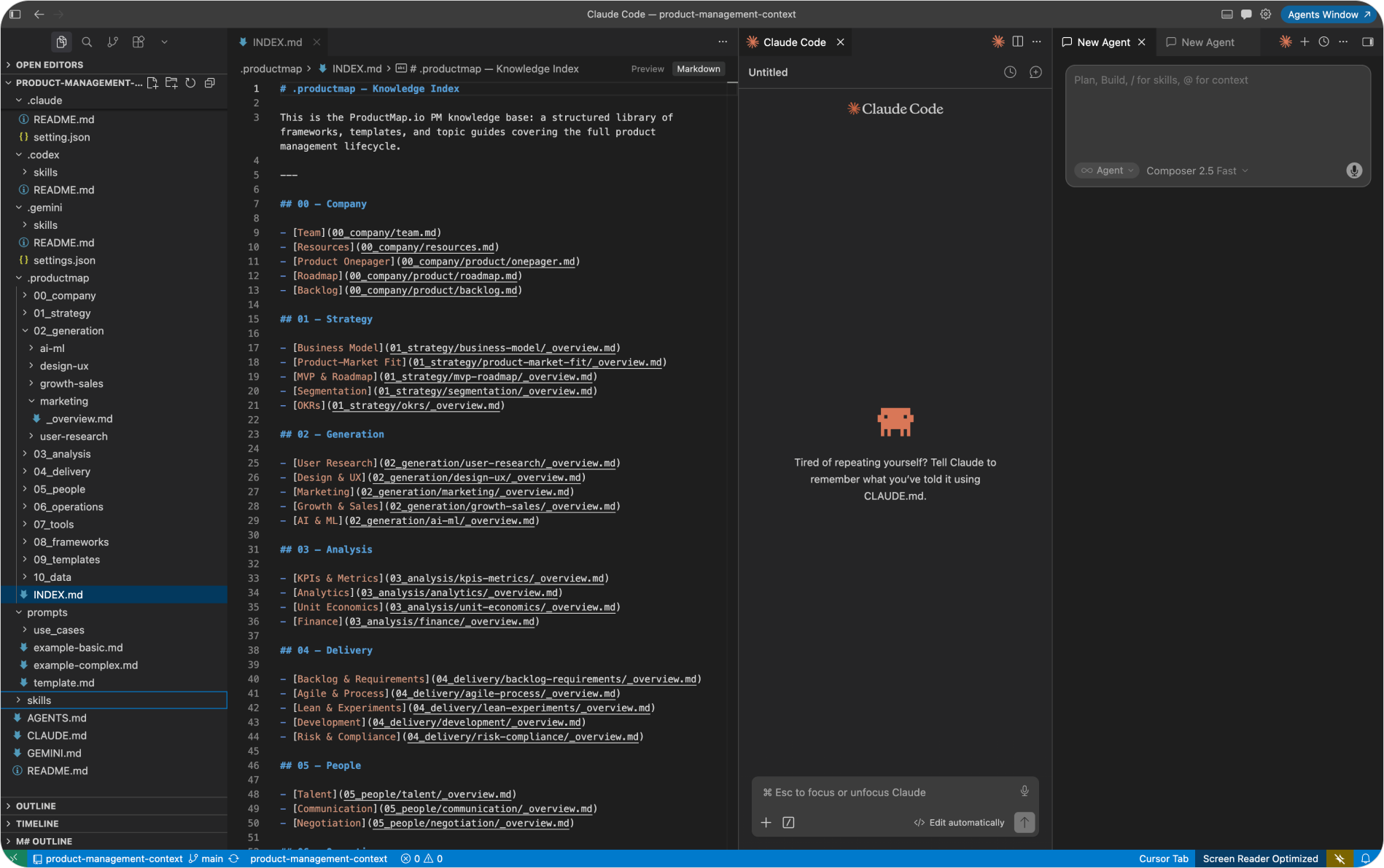
Generate your context repo structure with Product Map
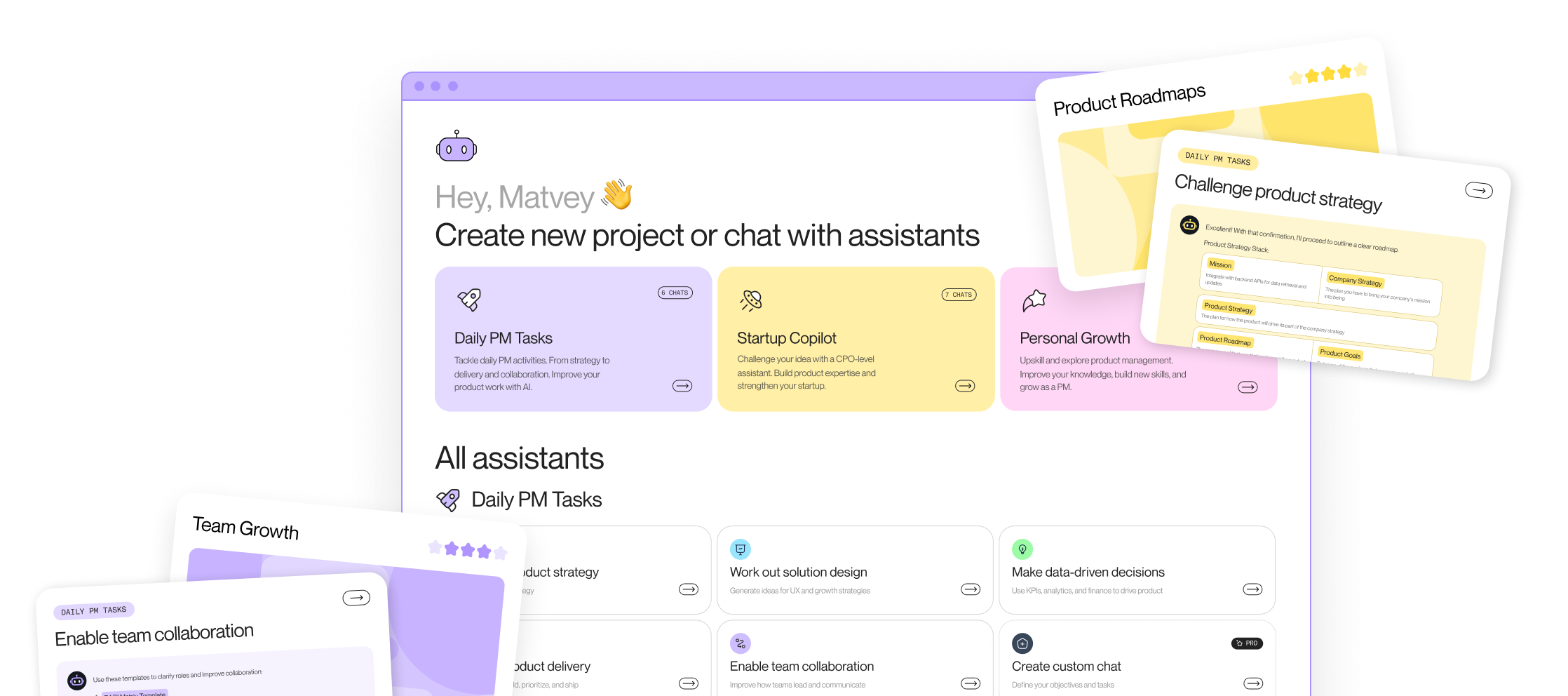
Product Map's topic catalog covers 60+ PM domains across the same five areas as your repo structure. Instead of building the taxonomy and templates by hand, let Product Map seed the structure for you and generate it straight into your repository.
- Go to productmap.io, create a free account, and create your first project.
- Give the project some basic context. Attach a link to your product, or fill in the project canvas: who your target audience is and what you're building. Product Map uses this to tailor the structure to your product type and lifecycle stage.
- Connect your GitHub. Once the repository is linked, the Product Map bot generates the full structure for you, automatically. You'll find everything under the
.productmapfolder in your repo.
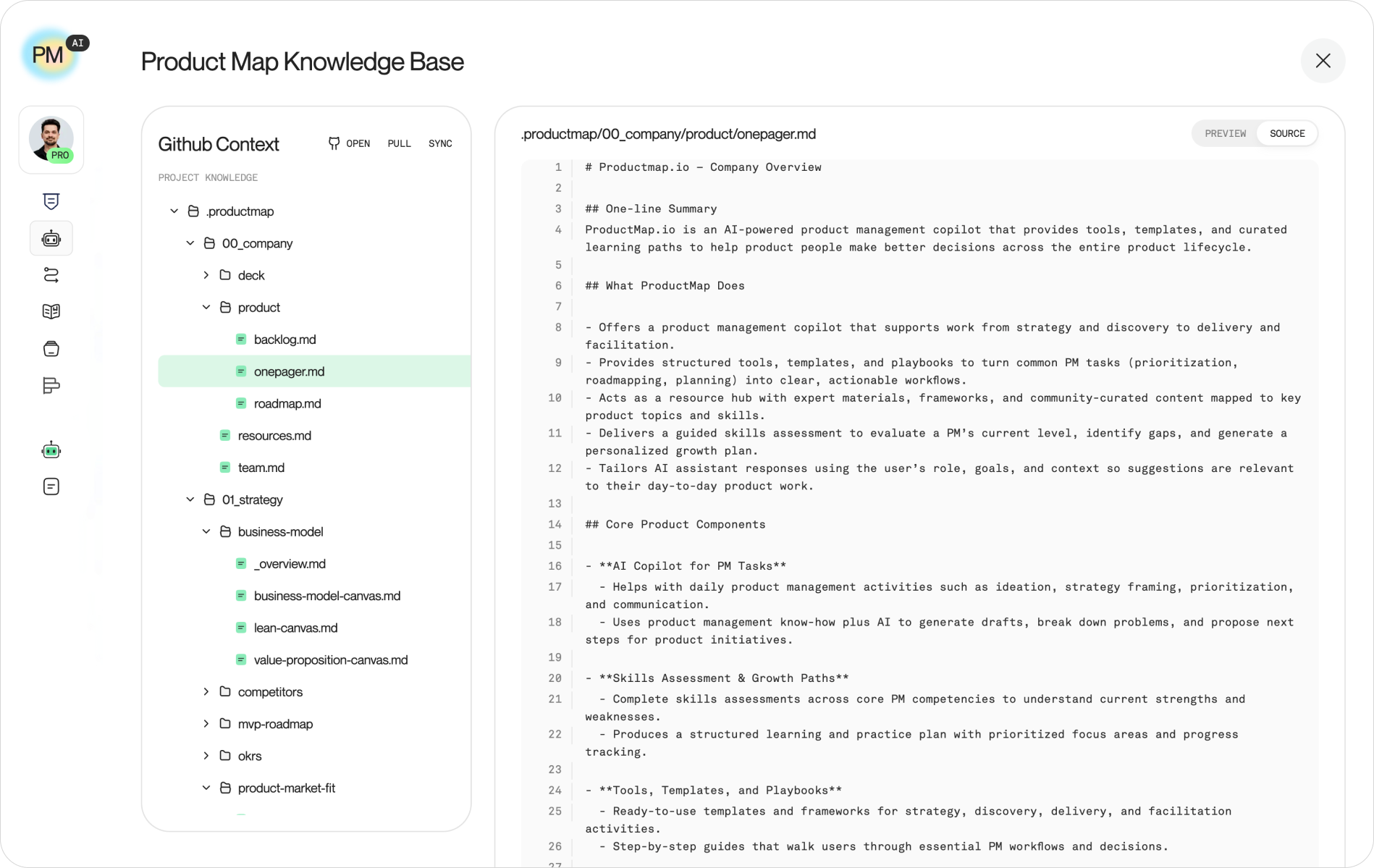
Product Map doesn't stop at empty folders. It creates blank templates and starter files with the right structure and a short proposal in each one describing what you need to fill in. Every agent that reads the repo then sees a clear map of what artifacts belong where and what format they take.
For deeper guidance on keeping context aligned across your team, see the Context Engineering topic on Product Map.
Configure agents to read your repo on every session
Two context files at the repo root wire your agents to your product knowledge on every session: CLAUDE.md for Claude Code and AGENTS.md for Codex. Without these files, you paste context by hand on every run. With them, every session starts from a shared baseline.
CLAUDE.md at the repo root should tell Claude to read README.md and relevant files before answering rather than relying on assumptions; to produce PM artifacts as plain-text Markdown so they can be committed back; to apply skill directives from the matching prompt in prompts/ when drafting PRDs, research briefs, or strategy docs; and to prefer clarity and specificity over hedging. Add a Conventions section noting that artifacts live in domain folders (created on first use) and that secrets are never committed.
AGENTS.md at the repo root should tell Codex to read relevant files before answering and not guess at conventions; that PM artifacts are Markdown and scripts default to Python (PEP 8) with minimal dependencies; and that any script touching external APIs must read credentials from environment variables, never hardcoded. Outputs that belong to the knowledge base go into the matching domain folder.
.claude/settings.json controls what Claude Code can do without asking. Create the .claude/ directory at the repo root, then add a settings file that allows Read, Write, Edit, Grep, Glob, and read-only git commands (git status, git diff) freely, but requires confirmation for git commit and git push. The agent then reads and edits files freely while you stay in control of what goes into the version history.
Product Map's AI agents read every update you push to the main branch of the knowledge repository, so the context they reason over is always current. When an agent has a change to propose, it can write straight to main or open a new feature branch and raise a pull request, so your team reviews the edit before it lands.
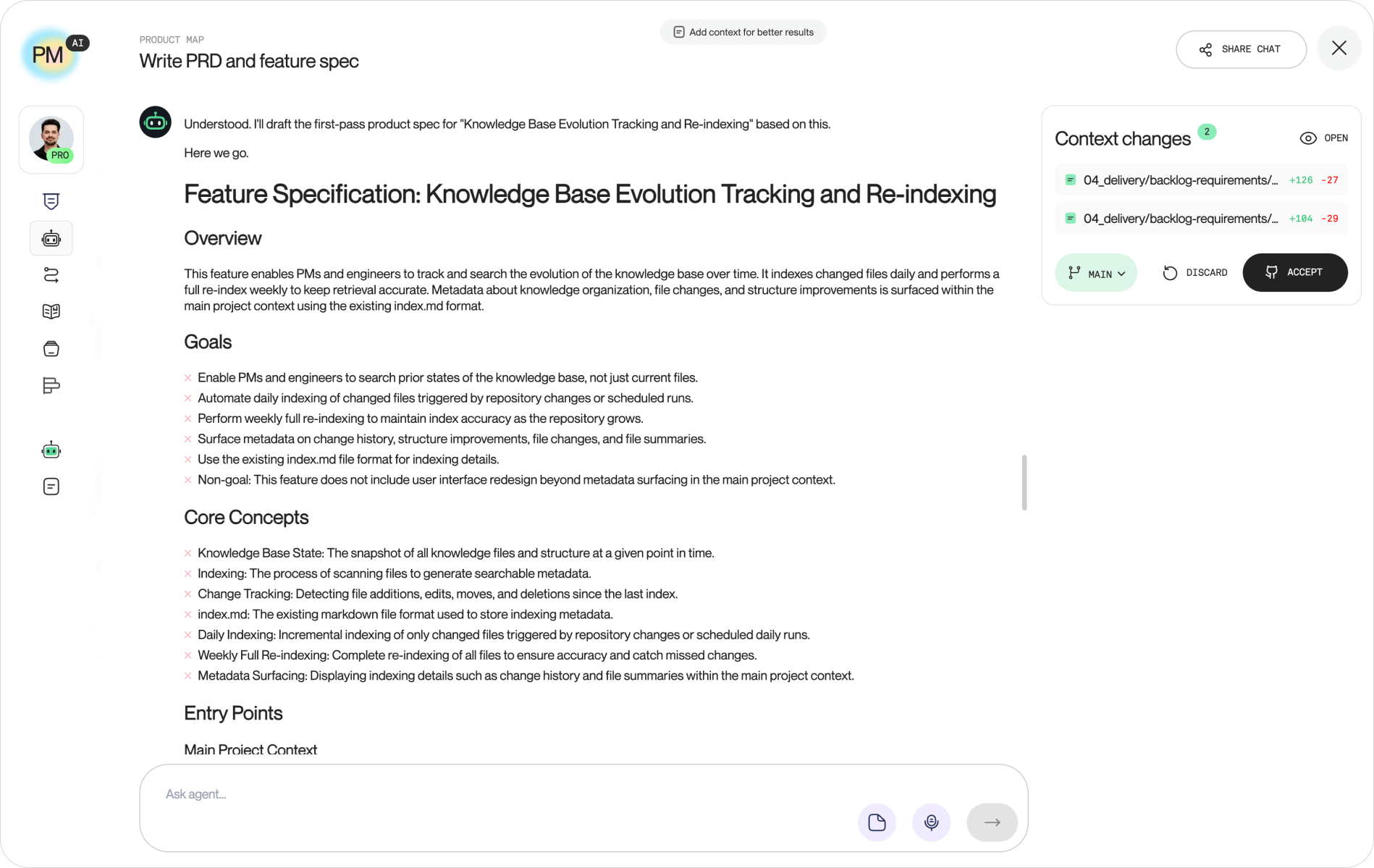
Once all files are in place, stage and commit them together: README.md, .gitignore, CLAUDE.md, AGENTS.md, and the .claude/ directory. Then push to main. Any team member who clones the repo and opens it in Cursor, VS Code, or any Claude Code or Codex session gets the full product context loaded automatically. No pasting. No re-setup.
The discipline most teams skip: keeping the repo current
Setting up the repository is the easy part. The harder habit is keeping it current, because agents read what's there, not what you meant to update.
Commit artifacts after every session. After a planning meeting, a sprint retro, or a research synthesis, the Markdown output goes into the repo. Treat PM artifacts the way engineers treat code: if it isn't committed, it doesn't exist for the next agent that runs.
Update Current focus on every priority shift. The current focus section in the README.md is the highest-value file in the repo for agents. If it says you're focused on activation but you've spent three weeks on onboarding, every agent session starts with the wrong context. Update it the moment priorities change.
The compounding benefit is real. A repo updated consistently for six months holds the full history of how your product thinking evolved: old OKRs, past experiment results, deprecated positioning calls. An agent can read across all of it in one pass and return synthesis that would take a human analyst days.