




Every PM tool shipped an "AI agent" button in the last year. Most of them are not agents. They're autocomplete with a confident tone.
The distinction matters because it changes what you can trust the software to do. A copilot suggests the next sentence. An agent takes a goal, breaks it into steps, calls tools, and comes back with a finished draft. One saves you keystrokes. The other does the assembly work you used to do by hand.
This guide covers what an AI agent is for product work, the four ways they show up in a PM stack, the use cases worth automating first, and how to decide between building your own and buying a prebuilt one. The through line: agents replace assembly, not judgment.
An AI agent does not replace PM judgment. It replaces the assembly work between the decision and the artifact: the drafting, the formatting, the first-pass synthesis you were doing by hand.
What is an AI agent?
An AI agent is software that takes a goal, plans the steps to reach it, uses tools to act, and produces a result with limited human input. The three parts that separate an agent from a chatbot are memory, tool use, and multi-step planning.
A chatbot answers one prompt at a time. You ask, it responds, the exchange ends. An agent holds a goal across many steps. Ask it to write a PRD and it reads your context, pulls the relevant research, drafts each section, checks its own output against a template, and hands you a document. You gave one instruction. It ran ten.
The practical test: can the software act, or only suggest? If it can read a source, decide what to do, and write an artifact back without you steering each step, it's an agent.
AI agents vs assistant bots and copilots
These three terms get used as synonyms in marketing copy. They describe different levels of autonomy.
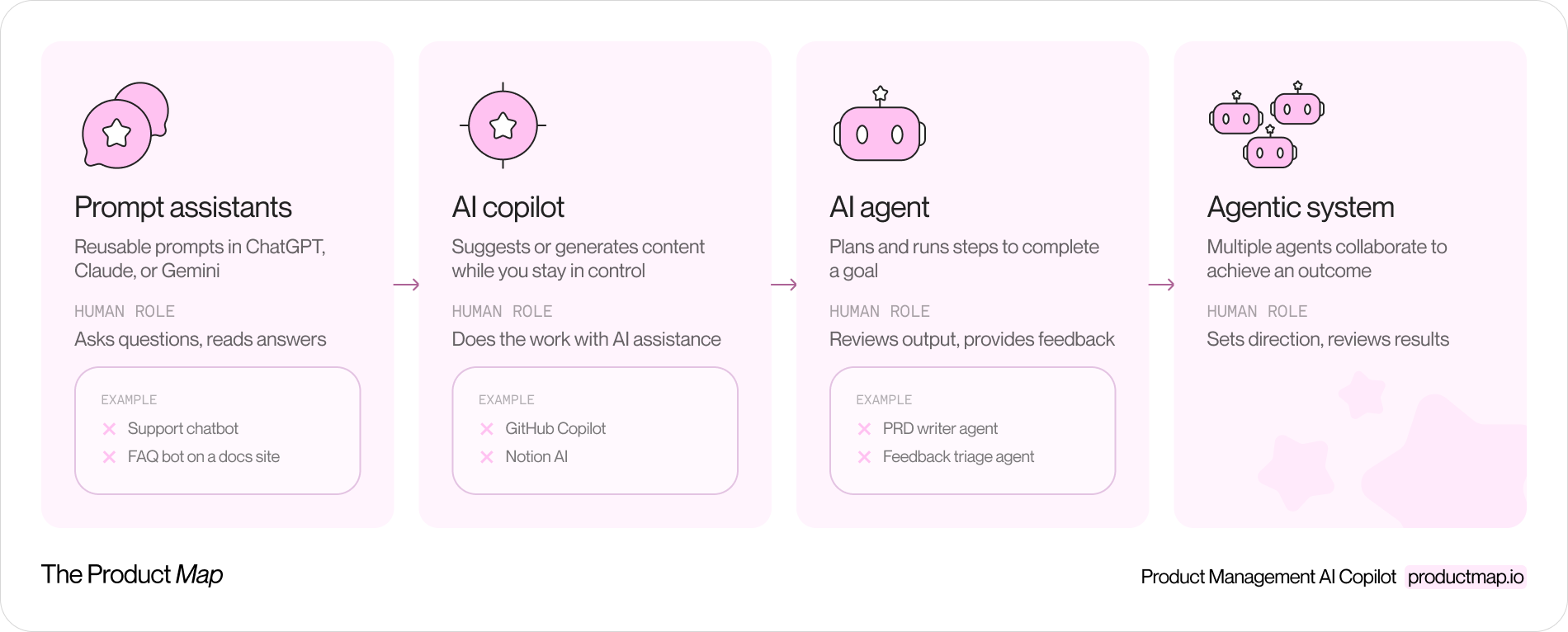
- Assistant bots answer questions. You type, they reply. Think of a support chatbot or a Q&A box bolted onto a docs site. No goal, no memory, no action.
- AI copilots work inside a task you're already doing. They autocomplete, rewrite a paragraph, or suggest a next step while you stay in the driver's seat. GitHub Copilot and the writing assistants in Notion or Google Docs sit here.
- AI agents own an outcome, not a keystroke. You hand off a goal and they run the steps to complete it, then return for review. The human moves from operator to reviewer.
The line that matters for a PM: with a copilot you do the work faster; with an agent you review work that's already done.
AI agents vs agentic AI
"Agent" and "agentic AI" get treated as the same word. They point at different things.
An AI agent is a single unit of software doing a job: one agent that writes PRDs, one that triages feedback. Agentic AI is the broader design pattern where systems plan, act, and coordinate, sometimes across several agents working together. A team of agents that research, draft, critique, and revise a document among themselves is agentic AI. One agent drafting that document is an agent.
For most product managers in 2026, the practical unit is the single agent. You'll run several of them for different jobs before you ever orchestrate a swarm.
Types of AI agents for product managers
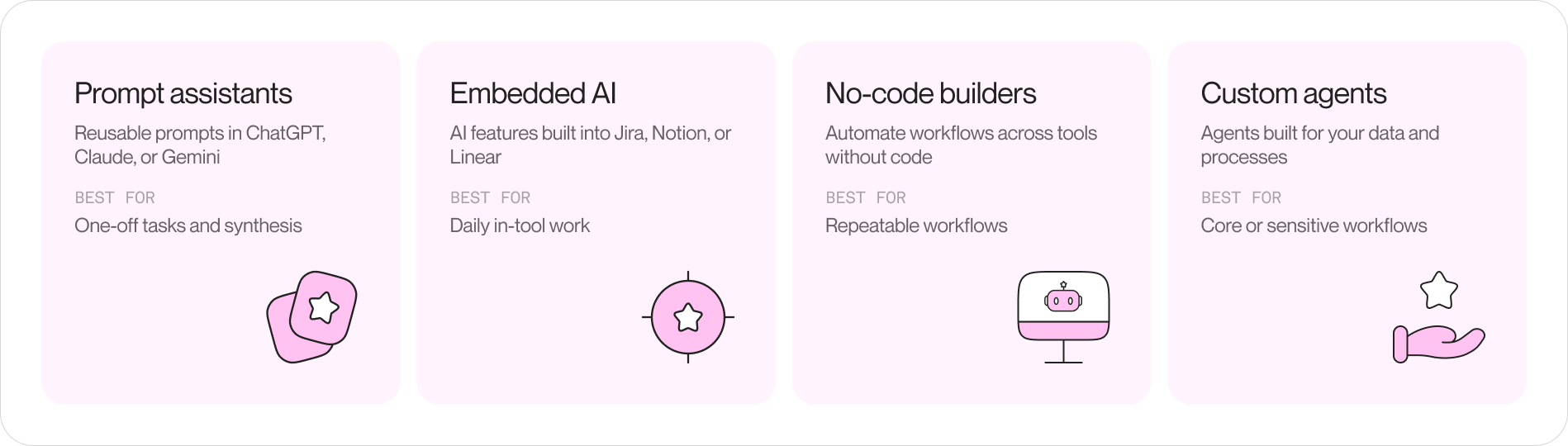
Agents reach your desk through four channels. Each trades setup effort against control.
Prompt-based AI assistants
The lowest-effort agent is a well-scoped prompt in Claude, ChatGPT, or Gemini, often saved as a custom GPT or a project with instructions and reference files. You write the goal, the constraints, and the output format once, then reuse it.
This is where most PMs should start. A saved prompt that turns raw interview notes into a synthesis, or a rough idea into a structured one-pager, delivers value the same afternoon you write it. No procurement, no engineering ticket.
Embedded AI features in PM tools
Jira, Notion, and Linear each ship AI features inside the product you already pay for. Jira drafts tickets and summarizes epics. Notion Q&A answers questions across your workspace. Linear suggests issue titles and groups related work.
The upside is zero setup and native access to your data. The limit is scope. These features do what the vendor decided to build, and they only see the data inside that one tool. They won't cross from your Linear backlog to your Dovetail research.
No-code AI agent builders
When you want an agent that runs on a trigger and touches several tools, no-code builders like Zapier Agents, Lindy, Gumloop, and n8n let you wire one up without writing code. Connect a feedback source, add a step that classifies each item, route the output to Linear or Slack.
These fit repeatable workflows with clear inputs and outputs: every new support ticket gets tagged and summarized, every Friday a digest of new feature requests lands in a channel. You own the logic without owning a codebase.
Custom AI agents for enterprise product teams
At the top of the effort curve sit custom agents your engineering team builds on frameworks like LangChain, the OpenAI Agents SDK, or the Claude Agent SDK. These read your proprietary data, follow your exact process, and enforce your guardrails.
Custom is the right call when the workflow is core to your business, touches sensitive data, or needs to run at a volume no seat-based tool will price sensibly. It's the wrong call when a saved prompt would have done the job. Most teams overbuild here. Start small and graduate only when the prebuilt option runs out of room.
Best AI agents for PMs by use case
The fastest path to value is matching an agent to a job you already dislike doing. Four use cases return the most for the least setup.
Customer feedback and voice-of-customer agents
Feedback arrives faster than any PM can read it: support tickets, app reviews, sales call notes, survey responses. A voice-of-customer agent reads the stream, clusters it into themes, tags sentiment, and surfaces the requests gaining momentum.
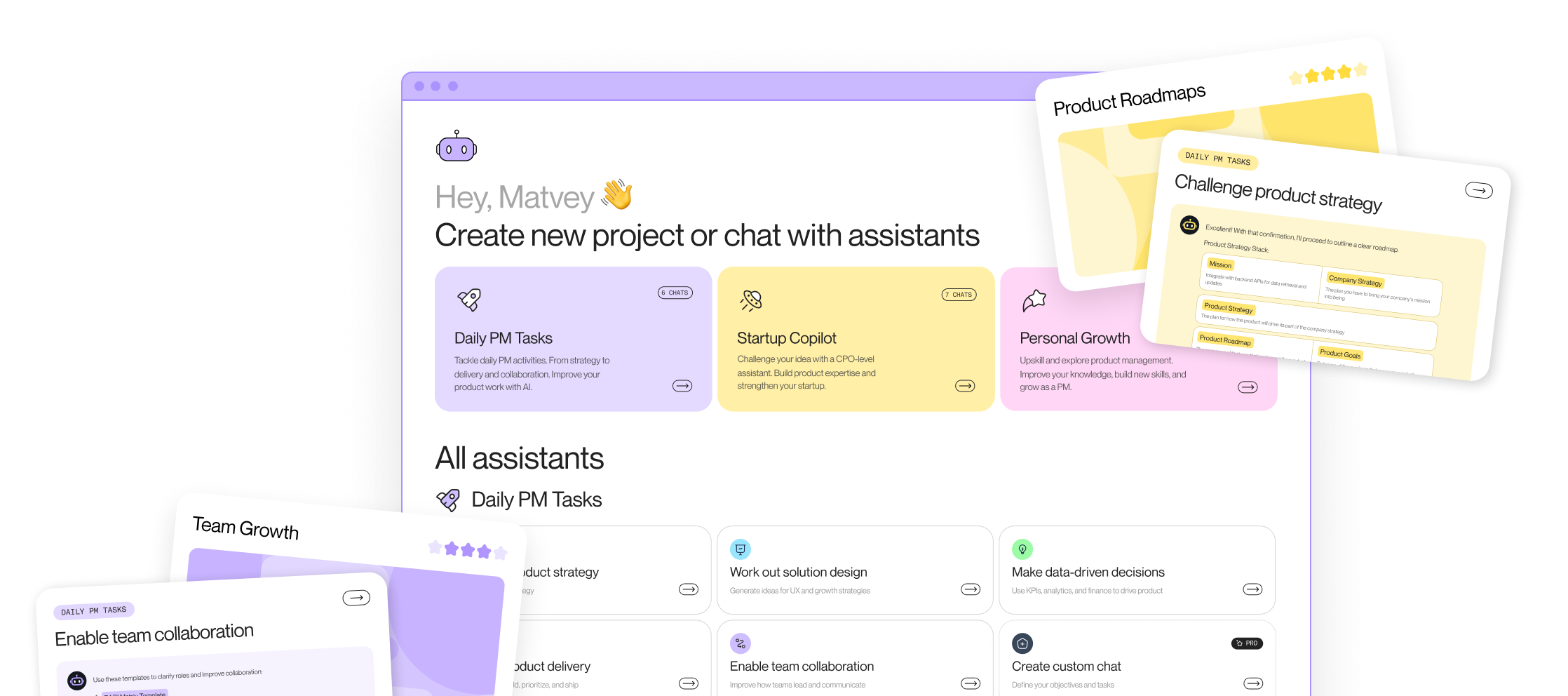
The job it replaces is the weekly slog of pasting quotes into a spreadsheet. The judgment it doesn't replace is deciding which theme deserves a roadmap slot. Product Map runs AI agents tuned for exactly this kind of synthesis, turning raw customer input into structured themes you can act on.
PRD and documentation agents
Writing the first draft of a PRD is assembly work: pull the problem statement, restate the goal, list the requirements, format to the template. An agent that knows your PRD structure and reads your product context can produce a solid first draft in minutes.
You still own the hard parts: the tradeoffs, the scope cuts, the call on what not to build. But you start from a draft instead of a blank page, and the draft already follows your house format.
Roadmap prioritization agents
A prioritization agent scores your backlog against a framework you choose, RICE, weighted scoring, or a custom rubric, and explains each score. It won't set your strategy. It will do the arithmetic and flag where two items you rated differently look identical on the evidence.
The value is consistency and speed across a long list. The risk is treating the output as the decision. The score is an input to your judgment, not a replacement for it.
Sprint planning and backlog agents
Backlog grooming is repetitive: split oversized stories, flag missing acceptance criteria, spot duplicates, estimate rough effort. A backlog agent runs that pass before your planning meeting so the team walks in to a groomed list instead of grooming live.
How to get started: build or buy an agent
The build-versus-buy call comes down to how core the workflow is and how much control you need. Buy when a prebuilt agent covers 80% of the job. Build when the workflow is your competitive edge or touches data you can't send to a third party.
Two habits make either path work.
Define the goal, not the task
The most common setup mistake is instructing an agent like a to-do list instead of briefing it like a teammate. "Summarize these tickets" produces a summary you then have to interpret. "Group these tickets by underlying user problem and rank the groups by how often they block a paid workflow" produces something you can act on.
Agents run on the goal you give them. A vague goal returns vague work. Spell out the outcome, the constraints, and what a good result looks like, the same brief you'd give a new hire.
Write an agent playbook
An agent is only as good as the context it reads. A playbook is a short document that tells the agent who your users are, what your product does, which frameworks you use, and what format its output should take. Store it where the agent reads it on every run.
This is where context engineering separates the teams getting real value from the ones getting generic output. An agent with no context writes like a stranger. An agent that reads your positioning, your ICP, and your past decisions writes like it works on your team. The difference is not the model. It's the context you feed it.
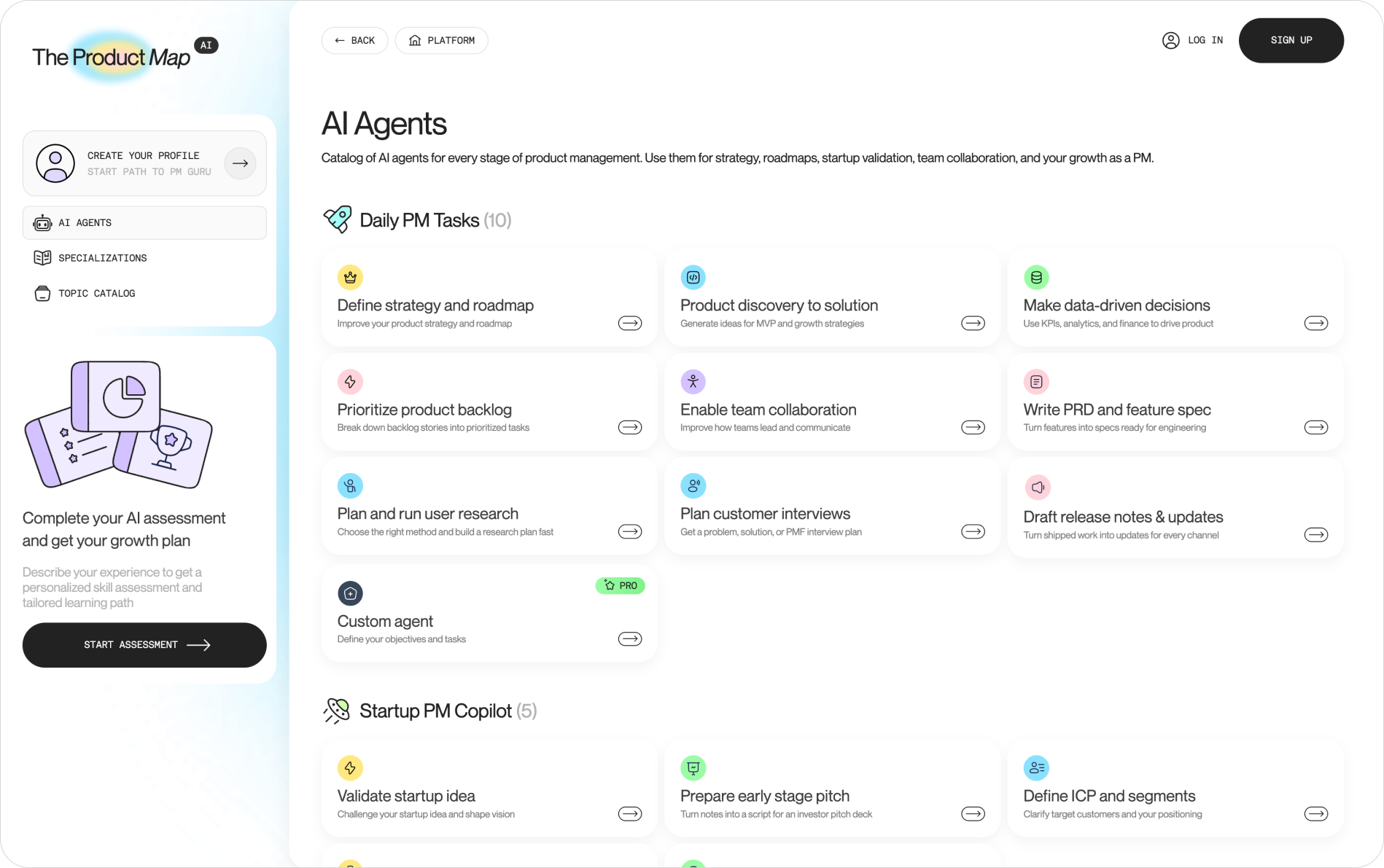
Product Map builds this context layer for you. Instead of hand-writing a playbook per agent, you structure your product knowledge once with Product Map and every agent you run reads from the same source of truth. Connect your project, fill in the canvas, and Product Map generates the structured context your agents need to produce work that sounds like your team, not a template. Start free at app.productmap.io.
Keep a human in the loop
An agent that acts without review is a liability, not a productivity gain. The guardrail is simple: the agent drafts, a human approves, and nothing reaches a customer or a commitment without that approval.
Set the review bar by stakes. Low-stakes output, an internal summary, a first-draft ticket, can run with a light glance. High-stakes output, anything a customer sees or that commits the roadmap, needs a real review before it ships.
Three safeguards worth building in from day one:
- Scope the agent's reach. Give it read access broadly and write access narrowly. An agent that can draft a PRD is useful. An agent that can publish one without review is a risk.
- Log what it did. Keep a record of the agent's inputs, steps, and outputs so you can trace a bad result back to its cause.
- Check confident wrong answers. An agent fails without erroring. A wrong summary looks exactly like a right one. The review step is what catches it, so don't automate the review away.
Common mistakes to avoid
The failures cluster in a few predictable places.
- Automating a broken process. An agent runs your workflow faster, including the parts that were wrong. Fix the process first, then hand it to an agent.
- Buying custom when a prompt would do. Teams reach for an engineering build when a saved prompt in Claude or ChatGPT would have shipped the same value that afternoon. Start at the low-effort end and graduate.
- Skipping the context layer. An agent with no product context returns generic work you spend more time fixing than you saved. Feed it your context or expect template output.
- Treating output as decision. A prioritization score, a synthesis, a draft: these are inputs to your judgment. The moment you ship them unread, the agent is making product calls no one reviewed.
- No owner after launch. An agent drifts as your product and data change. Someone has to watch it, the same way you'd manage any process that runs every day.
The teams getting the most from agents treat them as part of a system, not a set of one-off tools. A structured product management operating model gives your agents a consistent place to read from and write to, so their output compounds instead of scattering across a dozen disconnected apps.
Questions PMs ask about AI agents
Can AI agents work across multiple PM tools at once?
Some can. No-code builders and custom agents connect several tools and move data between them: read feedback from one source, write a ticket to another. Embedded features inside Jira or Notion usually see only that one tool's data. If cross-tool work is the goal, a builder or a custom agent is the fit, not an embedded feature.
How much do AI agents for product managers cost?
It ranges widely. A saved prompt costs the price of your existing Claude or ChatGPT plan. Embedded AI features often come bundled with your tool subscription or add a per-seat fee. No-code builders charge by run or task volume. Custom agents carry engineering build cost plus ongoing model usage. Start with what you already pay for before adding spend.
Do agents need training on our product data before they're useful?
Not training in the machine-learning sense. They need context. Give an agent your positioning, your users, your frameworks, and your templates as reference material it reads at runtime, and it produces relevant work immediately. This is context engineering, not model training, and it's the highest-leverage setup step you can take.
Can a non-technical PM set up an agent without engineering help?
Yes, for three of the four types. Saved prompts, embedded tool features, and no-code builders need no engineering. Only custom agents require a developer. Most PMs get real value long before they reach that point.