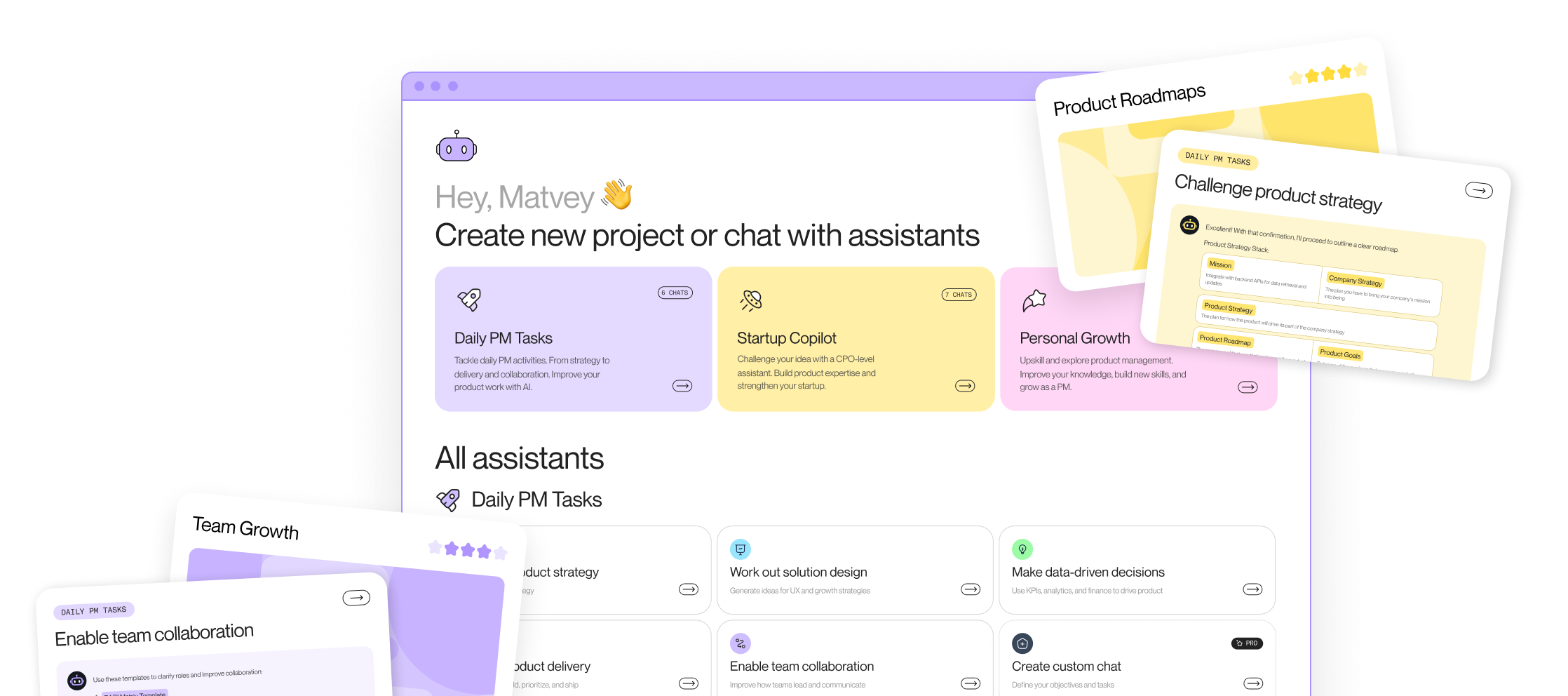





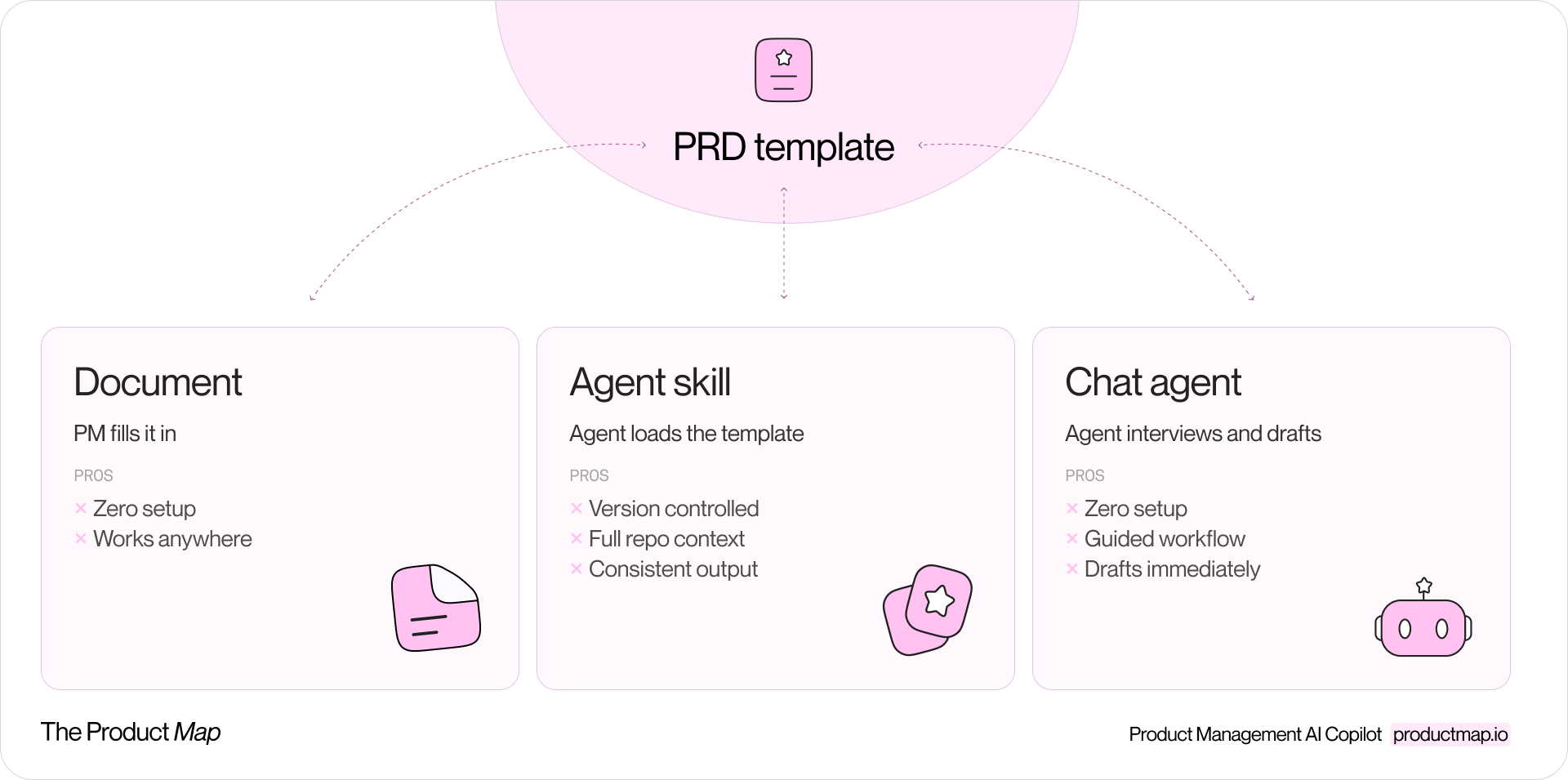
Product Map's PRD template exists in three places at once. A markdown file under 09_templates/ in a Git repository. A skill Claude Code loads when a PM types "draft a spec." And a system prompt behind a chat agent on the platform. Same sections, same review checklist, three delivery formats.
That split is the real story of PRD templates in 2026. The section list barely moved in a decade. The delivery format changed completely. A template used to be a page you copied into Confluence. Now it's an artifact an agent reads and executes, and where you put it matters as much as what it says.
This guide covers the structure worth keeping, what changes when the feature has a model inside, the tradeoffs between the three ways of running the same template, and a full markdown file you can paste into your own repo today.
The classic feature PRD spine
Strip away formatting preferences and most working PRD templates converge on the same spine. Ours runs in this order: Overview, Goals, Core Concepts, Entry Points, User Flows, UI Specification, Permissions, Edge Cases, Analytics Instrumentation, Acceptance Criteria, Success Metrics, Future Enhancements, and Open Questions.
The order is doing work. Alignment sections come first, detail sections later, and the sections most often skipped are the ones with the highest cost of skipping:
- Core Concepts: define 5 to 12 domain terms and invariants before any flow. This prevents semantic drift, where "workspace" means one entity to the PM and another to the engineer three sprints in.
- Entry Points: list every screen and surface affected, with the specific UI trigger. Missing entry points are missing scope, and they surface as "wait, this also changes the mobile nav" during the build.
- UI Specification: every component gets four states: default, loading, error, and empty.
- Analytics Instrumentation: events are named before the feature ships, with base properties like
user_id,project_id, andtimestampon every one. Analytics written after launch measures whatever happens to be logged.
Missing empty and error states are the most common cause of late design changes.
Two separations carry most of the template's discipline. Acceptance criteria are testable pass and fail conditions, grouped by feature area; they gate the release. Success metrics are post-launch observations with a target and a timeframe; they never gate the release. Mixing the two produces launches blocked by a metric nobody can measure yet.
The second separation: non-goals versus future enhancements. Non-goals are permanently out of scope for this feature. Future enhancements are deferred, each with the reason for deferral. Collapsing them into one list is how deferred work quietly becomes implied scope.
What changes in the template when AI sits in the feature
An AI feature breaks a quiet assumption behind every section above: the same input produces the same output. Once a model sits in the flow, the spec describes a distribution of behaviors, not a single behavior. The template needs new sections to handle it, and Product Map keeps them in a separate AI agent PRD layer applied on top of the classic spine.
The additions worth stealing:
- Why a model at all: agents add cost, latency, and failure modes. The spec must justify why a form, a workflow, or a single deterministic call is not enough.
- Sample inputs as future evals: 5 to 10 realistic prompts or triggering events, including messy ones. These become the seed of your golden set, so writing them is spec work and eval work at once.
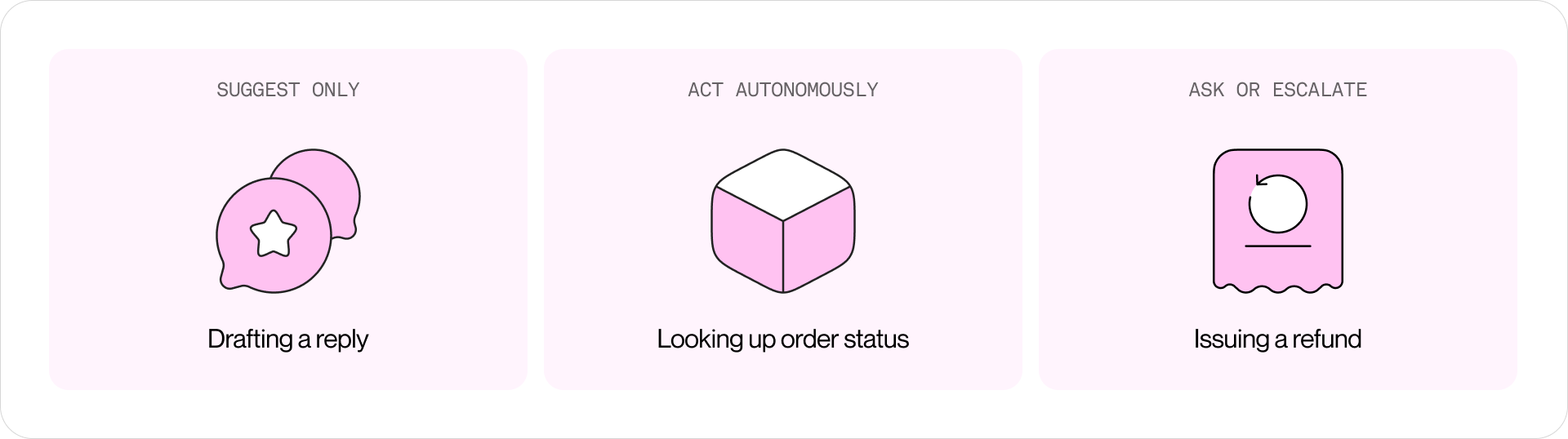
- Autonomy per action: each action the agent can take gets a level: suggest only, act autonomously, or escalate to a human, with a rationale. Reading order status can be autonomous because it's read-only and reversible. Issuing a refund is not.
- Tool permissions: every tool lists side effects, reversibility, and whether approval is required. The permission surface is the primary safety control.
- Failure modes with fallback UX: hallucinated facts, wrong tool calls, prompt injection through retrieved content, and runaway cost each get a detection method and a designed degraded state. A fallback the user sees by accident is a bug, not a fallback.
- A cost envelope: token budget per task, a monthly ceiling, and a p95 latency target. AI features are the first ones capable of losing more money the more people use them.
- Rollout by autonomy, not by audience: shadow mode first, then human-in-the-loop beta where the agent only suggests, then limited autonomy for low-risk actions, then GA. Each phase has measurable exit criteria.
An agent will happily try anything you didn't explicitly exclude, so non-goals stop being scope notes and become safety boundaries.
The eval section deserves its own sentence: the golden set and the ship bar are defined before the build starts. If you can't state what "good" looks like on 50 representative tasks, the feature isn't ready for engineering, no matter how complete the flows look.
The copy-paste PRD template
The full template below is the classic spine plus the AI addendum. Paste it into your repo as prd-template.md, delete the addendum for fully deterministic features, and keep the headings verbatim so agents and humans fill the same structure.
# Feature Specification: [Feature Name]

## Overview

[2-3 sentence summary of what this feature does and why it exists.
Written for a busy stakeholder who reads nothing else.]

## Goals

- [User-facing goal: measurable or observable]
- [Business goal]
- [Non-goal: what this release will not do]

## Core Concepts

- [Term] = [definition]
- [Assumption or invariant that shapes the design]

## Entry Points

### [Screen / Surface Name]

- [UI element added or changed]
- [Trigger condition if non-obvious]

## User Flows

### [Flow Name]

**Trigger:** [What initiates this flow]

**Steps:**
1. [Step]
2. [Step]

**Outcome:** [What the user ends up with]

[Cover error paths as separate flows, not inline asides.]

## UI Specification

### [Component / Modal / Screen]

**Layout:**
- [Description of structure]

**Elements:**
- [Input / button / label and its behavior]

**States:**
- Default: [description]
- Loading: [description]
- Error: [description]
- Empty: [description]

## Permissions

[If permissions are unchanged, say so explicitly. Never leave blank.]

| Capability | [Role A] | [Role B] |
|------------|----------|----------|
| [Action]   | Yes / No | Yes / No |

## Edge Cases

[Minimum coverage: expired link, revoked access, empty data, concurrent edit.]

| Scenario | Expected behavior |
|----------|-------------------|
| [e.g. expired link] | [Show message X] |

## Analytics Instrumentation

[All events instrumented before the feature ships.
Base properties on every event: user_id, project_id, timestamp.]

| Event name | Trigger | Key properties |
|------------|---------|----------------|
| [feature]_[action] | [When it fires] | [prop_1], [prop_2] |

## Acceptance Criteria

[Testable pass/fail conditions, grouped by feature area.
Assert behavior, not implementation.]

### [Feature Area]

- [ ] [Condition, e.g. clicking Share opens the modal within 300ms]
- [ ] [Condition]

## Success Metrics

[Post-launch observations, never release gates.]

| Metric | Target | Timeframe |
|--------|--------|-----------|
| [e.g. shares per active user] | [>= 0.5 / week] | [30 days post-launch] |

## AI Feature Addendum

[Use when the feature calls a model. Delete for deterministic features.]

### Why a model

- [Why a form, workflow, or deterministic call is not enough]

### Evaluation

- Golden set: [N representative tasks, incl. edge cases; where it lives; owner]
- Grading method: [programmatic checks / LLM-judge rubric / human review]
- Ship bar: [e.g. >= X% task success on golden set, 0 critical safety failures]

### Autonomy and tools

| Action | Autonomy (suggest / act / escalate) | Rationale |
|--------|-------------------------------------|-----------|
| [e.g. draft reply] | Suggest only | [Human sends] |

| Tool / API | Read/Write | Side effects and reversibility | Approval required? |
|------------|------------|--------------------------------|--------------------|
| | | | |

- Hard prohibitions: [what the agent may never do, regardless of instruction]

### Failure modes

| Failure mode | Detection | Fallback UX | Owner |
|--------------|-----------|-------------|-------|
| Hallucinated fact | | | |
| Wrong tool call (irreversible) | | | |
| Prompt injection via retrieved content | | | |
| Looping / runaway cost | | | |

### Cost and latency envelope

- Token budget per task: [ ] / Monthly ceiling: [ ]
- Latency: p50 [ ] / p95 [ ] per task

### Monitoring and rollback

- Dashboards: [task success, escalation rate, cost, safety-flag rate]
- Kill switch: [how to disable; who can pull it]
- Prompts versioned like code: [owner, review process, changelog]

### Rollout

| Phase | Audience | Autonomy | Exit criteria |
|-------|----------|----------|---------------|
| 0. Shadow mode | Internal | None | Eval bar met on live traffic |
| 1. HITL beta | [N% users] | Suggest-only | Success >= X%, escalation <= Y% |
| 2. Limited GA | | Low-risk actions autonomous | Guardrail metrics stable |
| 3. GA | | Target autonomy | |

## Future Enhancements (Out of Scope)

- [Enhancement] - deferred because [reason]

## Open Questions

| Question | Owner | Due (YYYY-MM-DD) | Status |
|----------|-------|------------------|--------|
| | | | |
Run the template in any agent
The template is plain markdown, so it runs on any agent stack your team already uses. Three steps take it from a file in a folder to the default way specs get written:
- Create a skill from the template. Wrap the file in a skill or custom instruction for your model of choice: Claude Code, Codex, Gemini, or Microsoft Copilot. The skill stays thin. Point it at the template file, require the headings verbatim, and allow collapsing a section only with a one-line reason.
- Execute the skill to generate PRD files. Type "draft a spec for X" and the agent scaffolds a new markdown file with the full structure, fills the sections it can answer from your product context, and marks the rest TBD. Every spec lands as a file in your repo, not a chat transcript you have to copy out.
- Set it as the default structure everywhere. Register the same template in the other tools your team drafts in, so every new document starts with this structure by default. The handoff to engineering then becomes the file itself: all requirements assembled in one place, ready to hand a coding agent as the input for its implementation plan.
Make the template executable
Pick the runtime before you polish the sections. If your team already works in editors with coding agents, commit the template to a shared repo and wrap it in a skill; the review discipline comes free with the pull requests. If you want the interviewing behavior without any setup, run your next spec through the Product Map PRD AI agent and watch how far a three-question draft gets before you type a single heading yourself.
Either way, the template stops being a page someone forgets to open. It becomes the operating contract between you, your team, and every agent drafting specs on your behalf. Start free at productmap.io.
One template, three runtimes
Here is the part most template articles skip. The same section list behaves differently depending on where it runs. Product Map runs it in all three formats, and each has a distinct failure mode.
The document you fill in
The classic mode: copy the template, replace the placeholders. It costs nothing to set up and works in any tool your company already pays for.
The weakness is consistency. Every PM trims the template differently, the wiki copy drifts from the original, and quality depends entirely on the discipline of the person writing. The blank-page cost is real too: a 13-section skeleton staring at a PM at 9am produces procrastination more often than specs.
The skill an agent loads
The second mode versions the template like code. The canonical file lives at 09_templates/prd-template.md in a shared repository, and a Claude Code skill teaches the agent when and how to use it: follow the headings verbatim, collapse a section only when explicitly irrelevant and say why, keep acceptance criteria binary, and assert behavior, not implementation.
Now "write a PRD" in your editor scaffolds the full structure, pulls product context from the same repo, and flags the sections it can't fill. Template improvements ship through pull requests, so one merged change upgrades every future spec on the team. The cost is setup: a repo, a skill file, and PMs comfortable working where the agents work.
The conversational agent
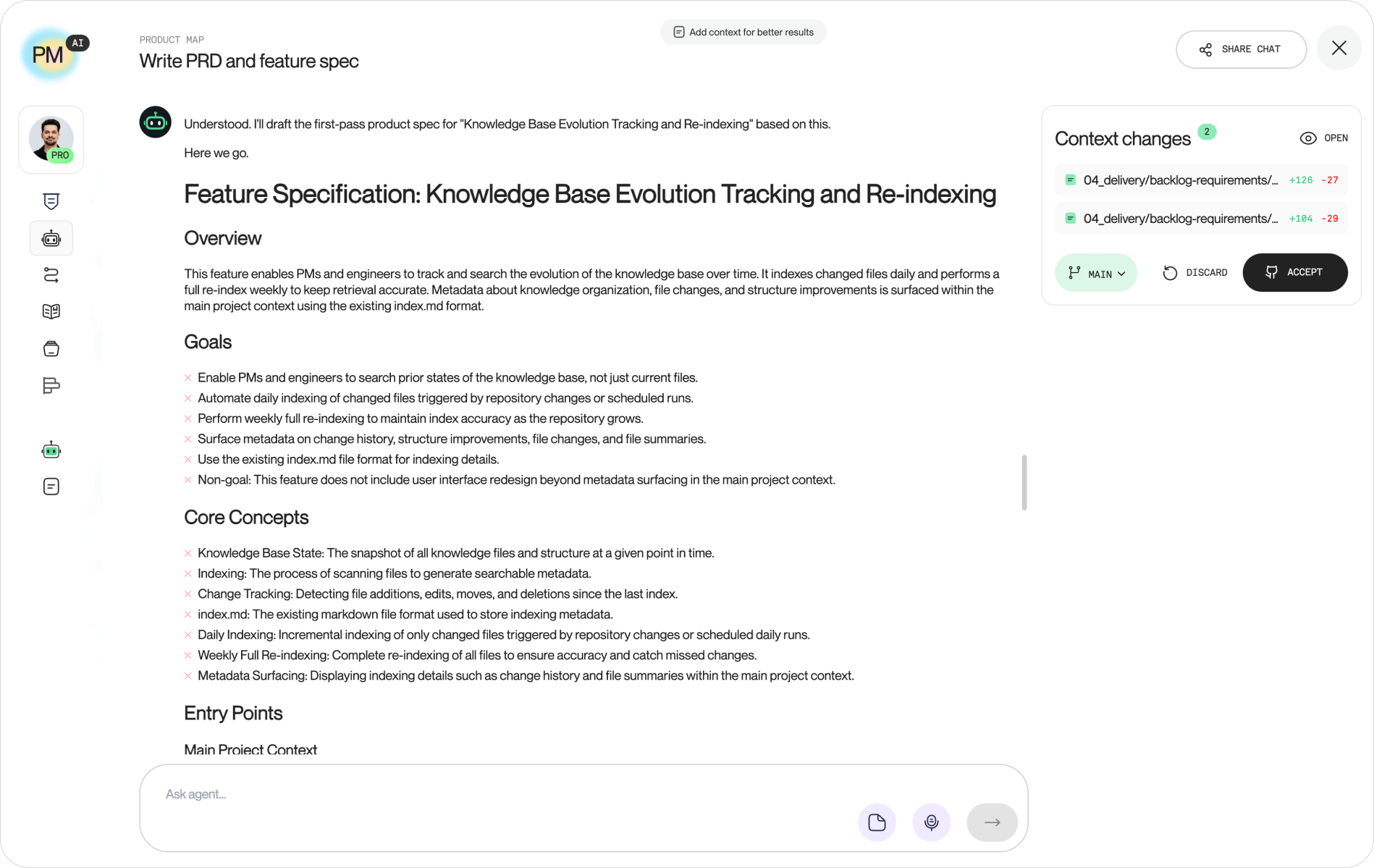
The third mode packages the template inside a hosted agent. Product Map's PRD agent wraps the same scaffold in a system prompt with a strict operating contract, and the contract is more interesting than the section list.
The agent may ask at most three questions before producing a first draft: feature name, primary user and problem, rough trigger. Then it drafts the full spec immediately, writing TBD with a one-line note in every section it lacks information for. After the draft exists, it asks one or two targeted questions per turn, highest-impact gaps first: flows and entry points before edge cases, edge cases before analytics, the review checklist only once the draft is substantially complete. Facts it can't source get marked UNVERIFIED instead of stated confidently.
A draft with blanks is always better than more questions.
Zero setup, and the interviewing behavior is the point: the agent carries the discipline, so the output quality stops depending on whether the PM remembered the permissions matrix. The tradeoff is context. A hosted agent knows what you tell it and what your connected project provides; a repo-based skill sits inside the full knowledge base by default.
What the agent prompt teaches about template design
Reading the system prompt behind the PRD agent is a lesson in template design, because a prompt exposes decisions a document leaves implicit. Four of them transfer directly to any template you maintain, in any format.
Draft first, interrogate second. The prompt hard-caps questions before the first draft at three and bans the long questionnaire outright. Templates fail in practice when they behave like intake forms; the workflow around ours treats a rough complete draft as the starting point of the conversation, not the end.
Encode the gap-filling order. The prompt ranks what to clarify: user flows and entry points first because they define scope, then UI states and edge cases because they carry engineering risk, then permissions and analytics, then acceptance criteria, then metrics. A template without a priority order gets filled front to back, which spends the team's attention on the overview and starves the edge cases.
Make the checklist the gate. The template ends with a 16-item review checklist: non-goals specific enough to prevent scope creep, every open question owned and dated, AI features covered by evals and a cost envelope, no acceptance criterion asserting implementation. The checklist runs before "ready for eng," and a spec failing it is labeled a draft, not debated.
Here's the operator blind spot in all this. Once your template runs as a skill or a prompt, editing the template is shipping a behavior change to every agent reading it. The team lead who "cleans up the wording" of the acceptance criteria section has changed how every future spec gets written, with no review and no changelog. Treat template edits like prompt edits, because they now are: one owner, version history, and a pull request. This is the same review discipline your team already applies to code, pointed at the document generating your specs.
Alternative PRD templates
The template above is not the only credible way to spec a feature. Four alternatives dominate how product teams write requirements, and each carries a different theory of what the document is for.
- Amazon's PR/FAQ (Working Backwards): the spec starts as a one-page press release written from launch day, as if the product already shipped, followed by FAQ pages answering the hardest customer and internal questions. The idea: force clarity on the customer outcome before any feature list exists, because iterating on a press release costs far less than iterating on the product. The instructions and template from the authors of the Working Backwards book are at workingbackwards.com.
- Lenny's 1-Pager: compress the spec to a single page centered on the problem statement, the "why now," and the proposed direction. The idea: most spec failures are problem-framing failures, so the document earns length only after the problem survives review. Lenny Rachitsky collects real fleshed-out examples, not blank scaffolds, in his examples of 1-Pagers and PRDs post.
- SVPG's position, from PRD to prototype: Marty Cagan wrote the canonical How To Write a Good PRD in 2005, then spent the following years arguing teams should retire the format. His replacement: run discovery first and let a high-fidelity prototype carry the spec, with a short companion doc for what a prototype can't show. The reasoning is in Revisiting the Product Spec.
- Atlassian's Confluence template: a one-page living document built around user stories, assumptions, an out-of-scope list, and linked Jira issues. The idea: the PRD is a collaboration surface inside the delivery tool, updated as the team learns instead of frozen at handoff. The template ships free with Confluence.
None of these conflict with the three-runtimes framing. Each is plain text, which means each can run as a document you fill in, a skill your agent loads, or a prompt behind a chat interface. The difference is emphasis: PR/FAQ and the 1-Pager optimize for alignment before building, the SVPG prototype optimizes for discovering the right solution, and the template in this article optimizes for the handoff, where an agent or an engineer needs every requirement assembled in one executable file.