




Ask Cursor's Agent to write a PRD for the feature it built last week and it will, in under a minute, from the code. The spec reads well and is wrong in one way engineers won't catch. It describes what the repository contains, not what the team decided to build. Cursor reads code closely. It has never read your strategy, your ICP, or the interview notes from March, because none of those live where a coding agent looks.
Product management in Cursor starts where the coding agent stops. The Product Map plugin covers that half. It adds agents built for product managers to the same window, pointed at a .productmap/ folder in the repository Cursor already has open. The PRD agent reads the one-pager and the roadmap before it writes a line. Cursor's Agent reads the PRD before it writes code. Both sides work from one folder, and every product change goes through a diff you accept or discard.
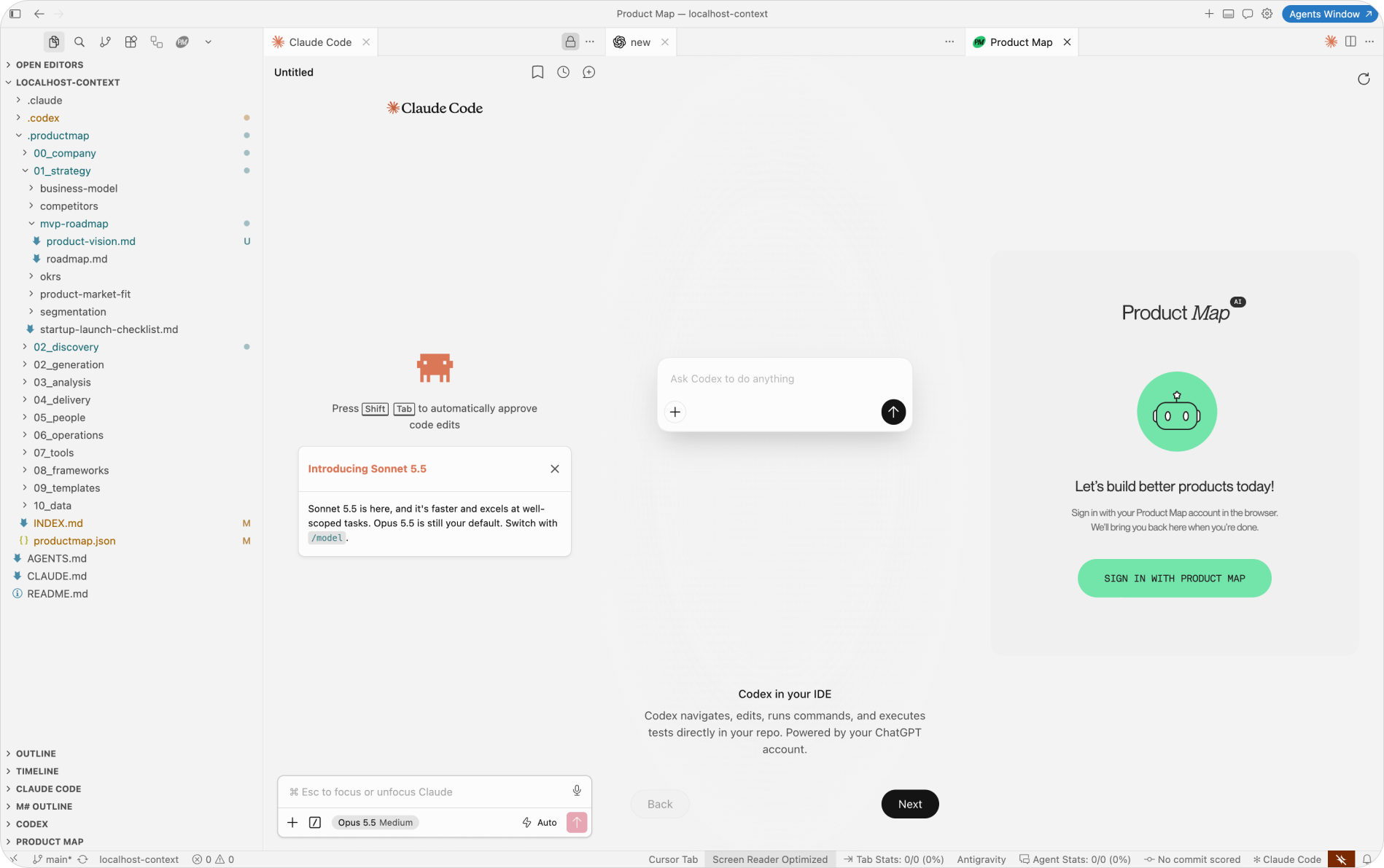
This is the Cursor for PMs setup, walked through with screenshots: install, the first agent run, pointing an agent at specific files, review, and the same panel in Antigravity and VS Code.
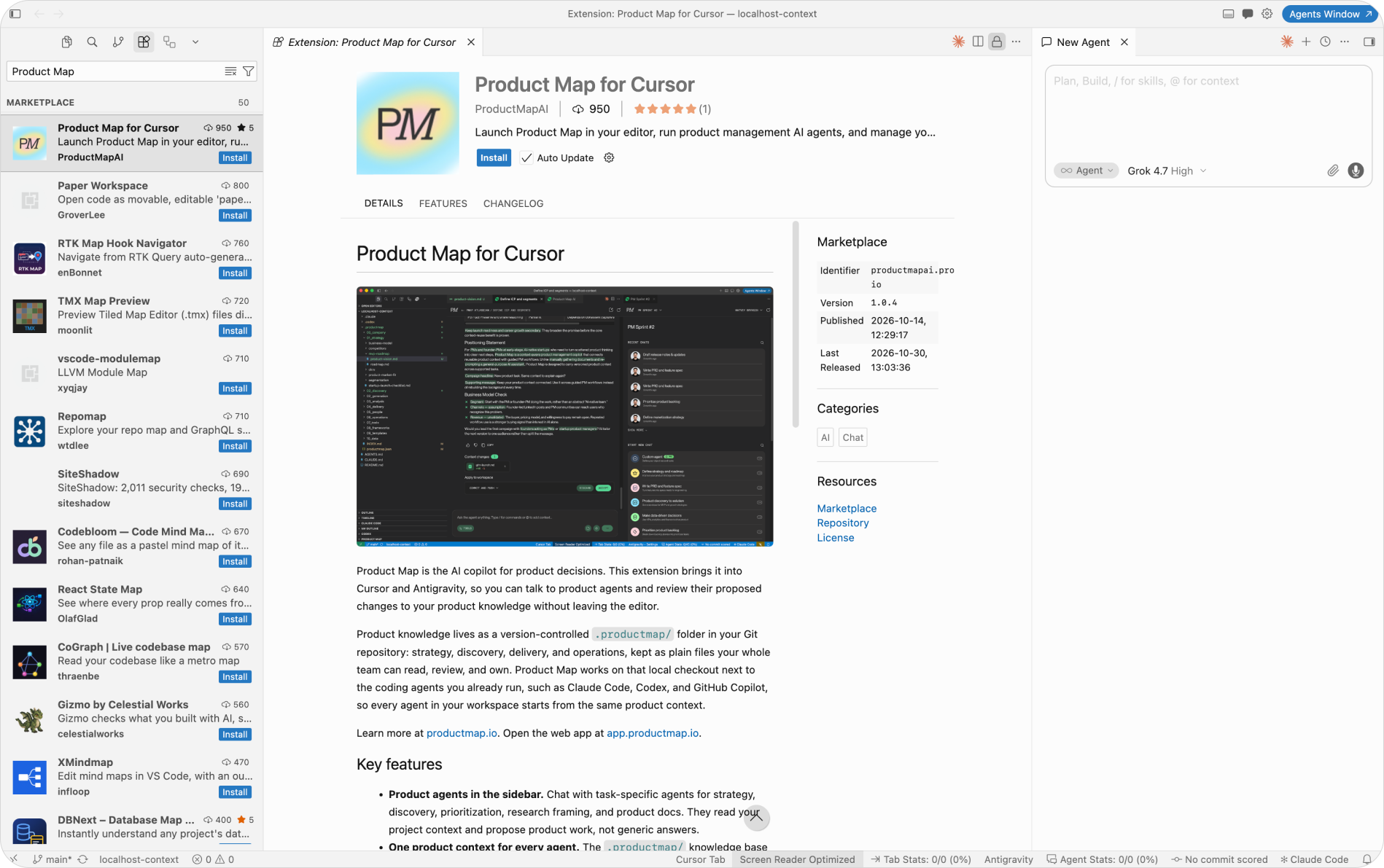
Install Product Map from Cursor's Extensions panel
Open Cursor on the repository that holds, or will hold, your product context. Open Extensions with Cmd+Shift+X on Mac or Ctrl+Shift+X on Windows, search for Product Map, and install Product Map for Cursor. Cursor pulls it from Open VSX, the same registry Antigravity uses. The Open in Cursor button on the plugin page does the same in one click.
A Product Map icon appears in the activity bar on the left. Click it, then Sign In. The browser opens the Product Map login page and returns you to Cursor. First time, create a project at app.productmap.io and connect it to the Git repository. The plugin is free, and the free plan covers one project and one repository.
Sign in once. Since version 1.0.4 the session renews itself and survives Cursor restarts, and signing out in one window signs out every window on the same account.
Cursor for PMs: run a product agent in the sidebar
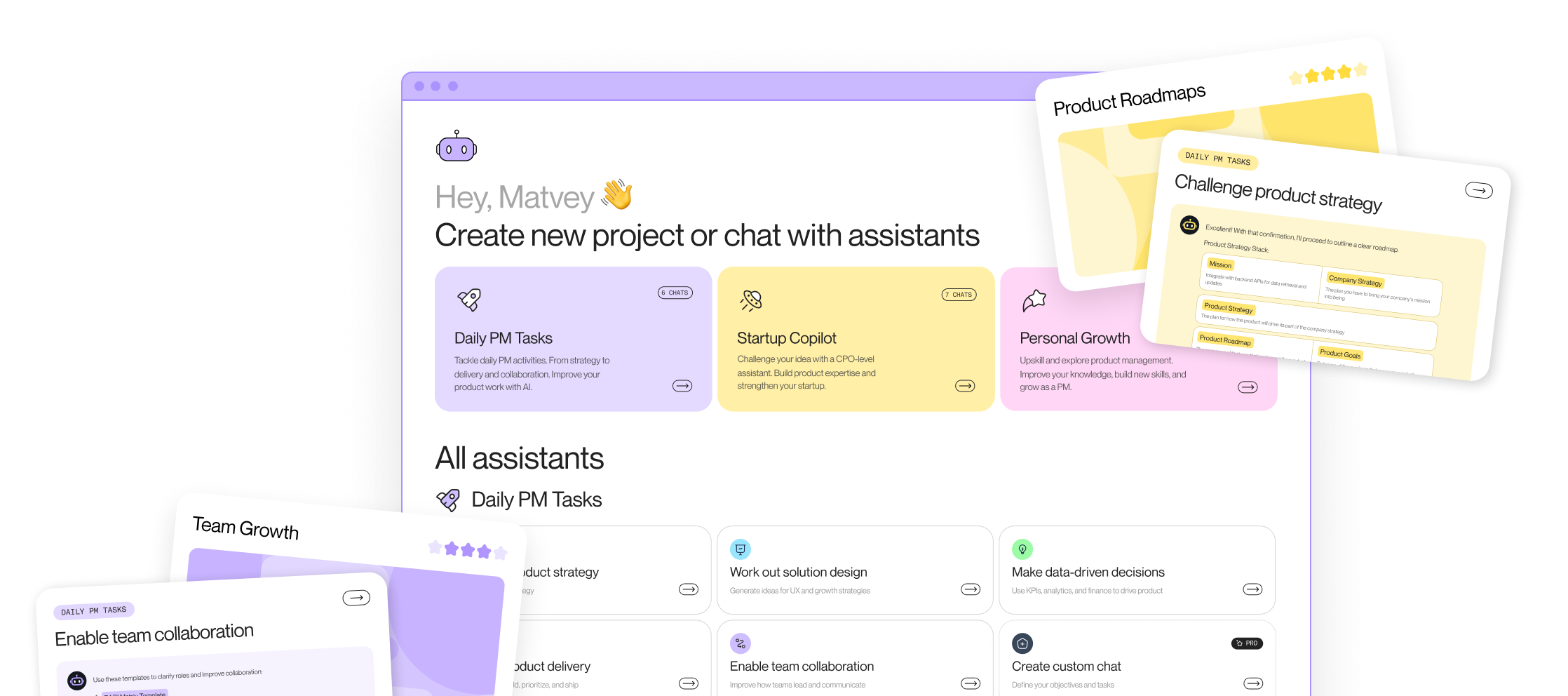
The Projects panel lists your Product Map projects and the agents in each one. There are 26, in three groups: daily PM tasks, the startup PM copilot, and personal growth. The release note maps each agent to the job it's for. The short version: strategy and roadmap, backlog prioritization, PRD and feature spec, discovery, user research, competitor and market research, go-to-market, release notes, and a startup set from idea validation to unit economics.
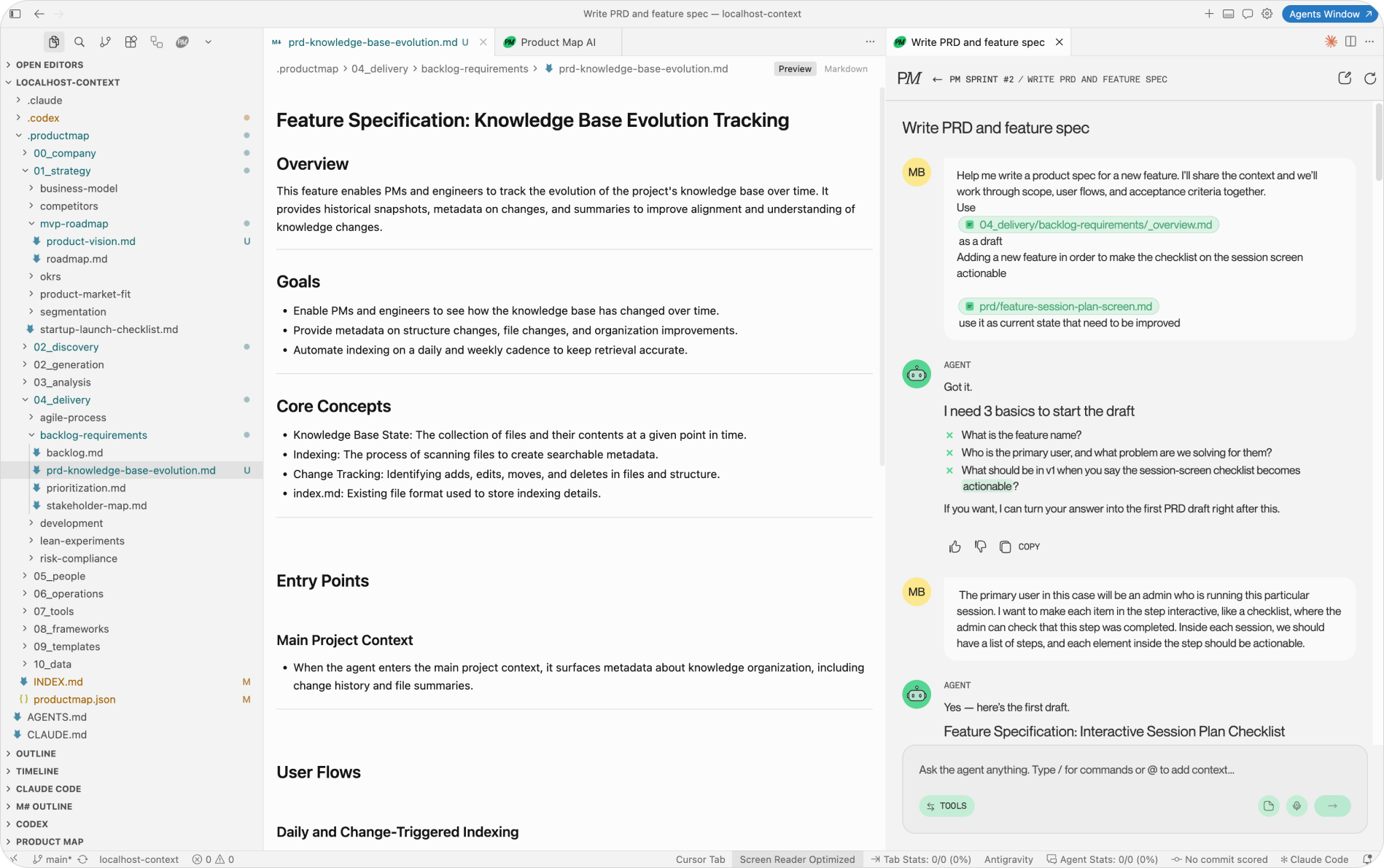
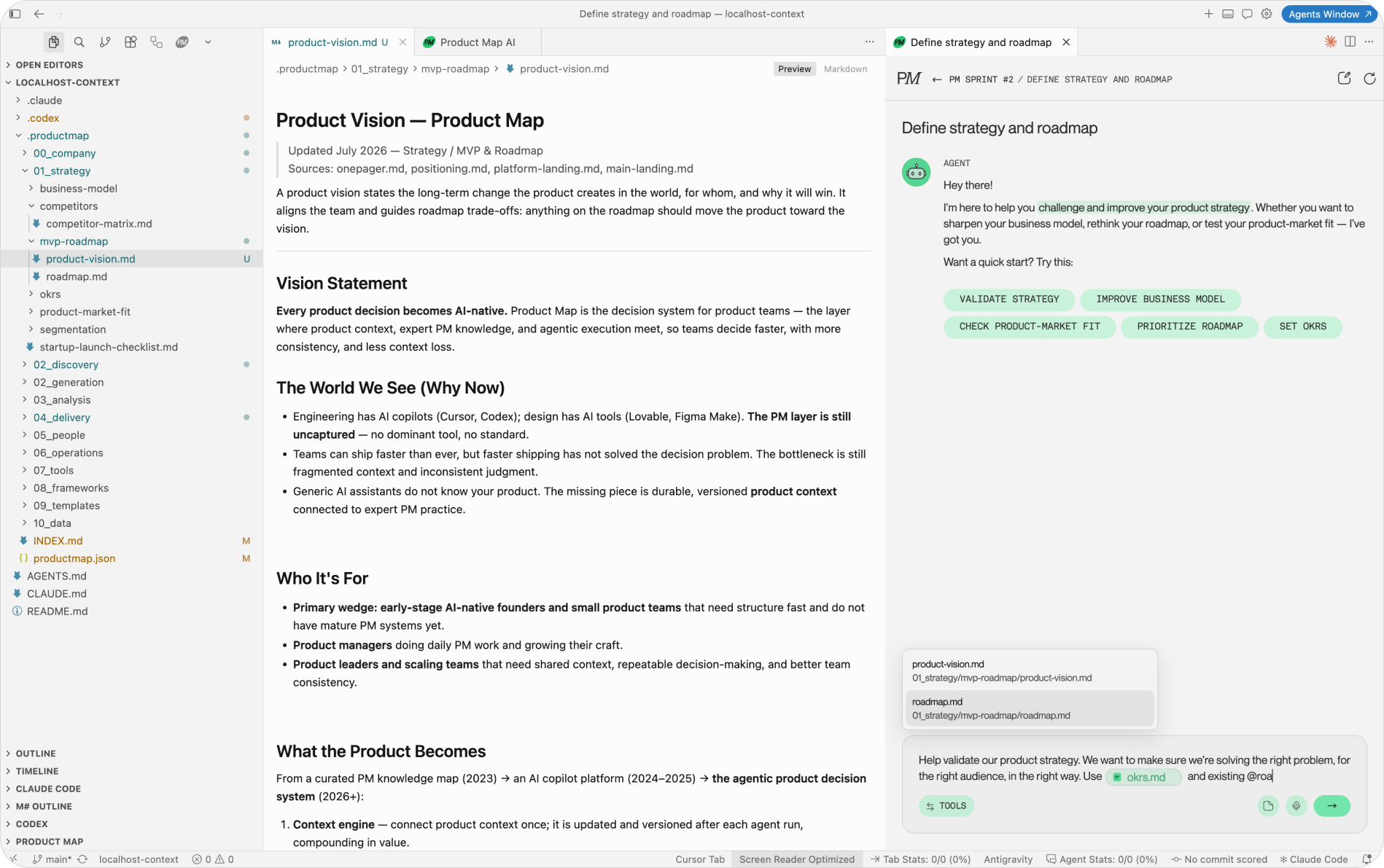
Pick Write PRD and feature spec, describe the feature in plain language, and send. Before drafting, the agent loads the files it needs from .productmap/: the one-pager, the strategy, the ICP, any research on the topic. The reply ends with a Related list naming the files it read, so you can open each one in a tab and check its sources.
The layout below is the one worth copying. Product Map in the left sidebar, the .productmap tree in the Explorer, the PRD draft open as a Markdown file in the center, and Cursor's own Agent in the right panel. The PRD agent writes the spec. Cursor's Agent builds against it. Neither needs the other pasted into a prompt, because both read the same file on disk.
Each chat lives in the sidebar or in an editor tab. Press Cmd+Alt+M (Ctrl+Alt+M on Windows and Linux) to open Product Map in a tab, split it next to the file it's working from, or drag it to a second monitor. Sessions survive a reload.
Point the agent at exact files with @ and / commands
Two characters in the composer do most of the steering.
Type @ to attach a file from .productmap/ to the message. Ask Prioritize product backlog to score the backlog and mention @okrs.md and @roadmap.md, and the agent scores against your goals instead of generic ones. The attachment is the file as it sits on your branch, so an uncommitted edit from five minutes ago counts.
Type / to force a tool or call another agent for one reply without leaving the chat. /web-fetch pulls a competitor's pricing page into the conversation. /deep-research runs a longer research pass. /search_jira queries a connected Jira. And /product-strategy-roadmap or /prd-specification hands one message to a different agent, whose reply arrives in the same thread under its own icon and name.
The agent is only as good as the files you point it at. Three well-kept Markdown files beat a connected wiki with 400 pages, because the agent reads all three and skims none of the 400.
This is how a workflow runs inside one chat. Start in Run market research, call /ideal-customer-profile-icp on the result, then /prd-specification on the segment. Each step reads what the previous one wrote into .productmap/. Nothing gets re-pasted. Saved multi-step versions live under AI workflows in the web app.
Review every change as a diff
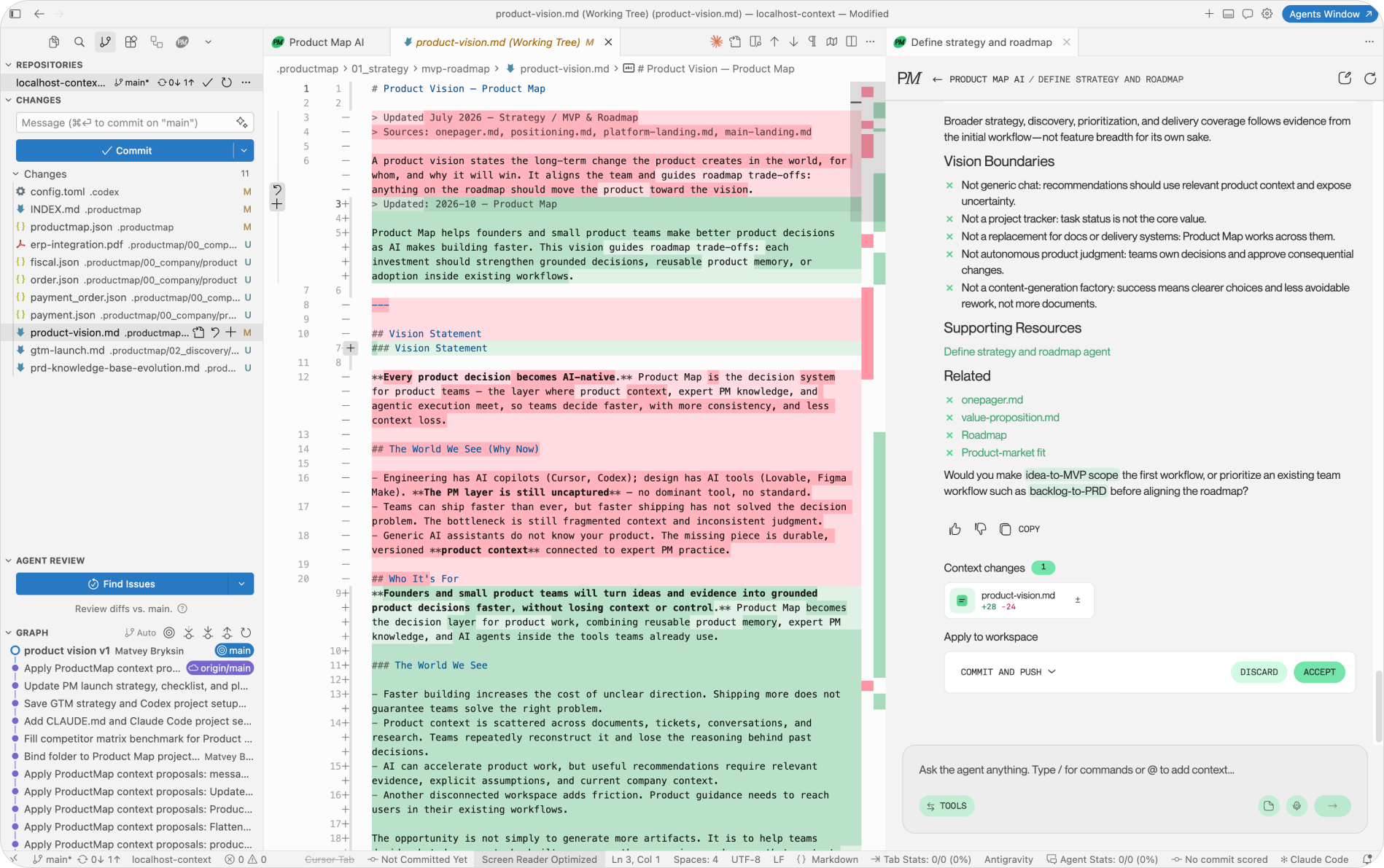
When an agent proposes an update to a file in .productmap/, the plugin writes it into your local checkout and shows a Context changes card with the line counts. Open the diff in Cursor's own diff view, fix the lines the agent got wrong, then accept or discard. Nothing is overwritten without a click.
Accept has options, and the card shows the ones available for your setup.
- Commit and push: the change lands on your current branch with its own commit.
- Commit: commit locally and push later with the rest of your work.
- Push to base branch or Open pull request: for projects with a Git connection and no local checkout.
Discard restores the files exactly. If you edited a file after the agent applied it, Accept commits your version, not the agent's.
The product record now has the same history as the code. Run git log on the strategy file and you see who changed the positioning and when. Run git blame and you get the reviewer's name. A team on one context repository gets a name on every change to the one-pager, which no wiki provides.
Why not let Cursor's own Agent write the PRD and roadmap
Every head of product hears this from an engineer in the first week: Cursor already has an agent, why install a second one? Three reasons, and teams discover the first one too late.
Cursor's Agent is grounded in code. Ask it for a PRD and it reverse-engineers the spec from the implementation, which is useful for documentation and risky for decisions.
The product record starts describing what got built instead of what was decided, and the drift stays invisible because the document reads fine. Product Map agents are grounded in .productmap/ first. The PRD agent starts from the one-pager, the ICP, and the roadmap, and names a gap in them before filling it.
The second reason is the review gate. Cursor's Agent edits any file in the workspace, and the change lands in the same commit as 400 lines of TypeScript. A Product Map change arrives as its own card, its own diff, and its own accept. Add a CODEOWNERS line for .productmap/ naming the product manager, and tell coding agents in your Cursor rules to treat the folder as read-only context and raise a spec-versus-code mismatch as a comment, never as an edit. Cursor's Agent reads the rules. The PM agents own the writes.
The third reason is billing. Product Map agents run on your Product Map account, so a two-hour research session doesn't draw down the Cursor request budget the engineering team is paying for. PM work and coding work show up on separate invoices, which is the first question finance asks about an agent stack.
The same panel in Antigravity, next to Claude and OpenAI
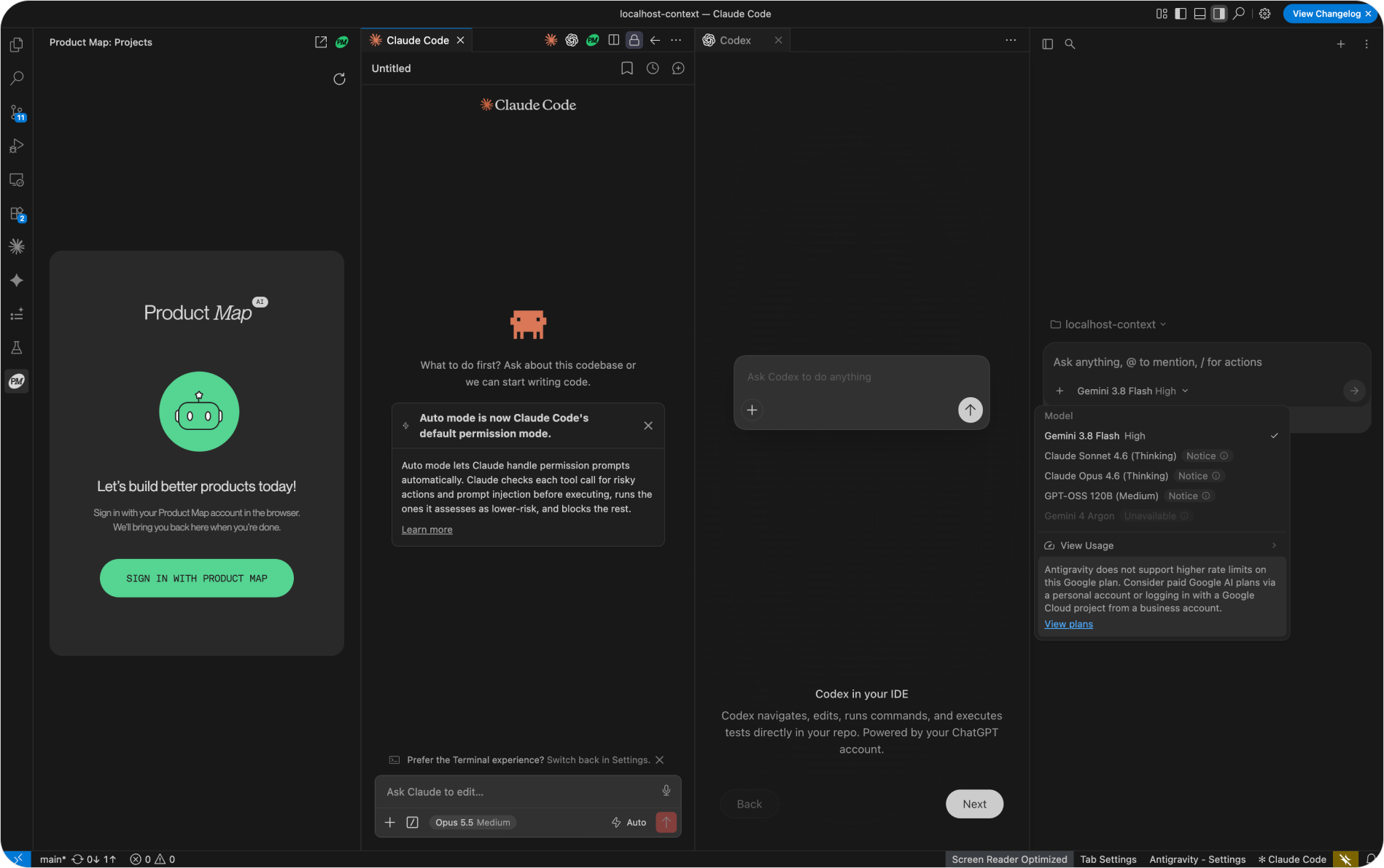
Google's Antigravity is an agent-first editor built on the VS Code codebase, with its own Agent Manager running Gemini, and it installs extensions from Open VSX, the same registry Cursor uses. Product Map for Cursor installs there through the Open in Antigravity link on the plugin page, or by searching Extensions. Sign-in routes back to the Antigravity window.
The screenshot shows why the plugin's architecture matters more than the editor's brand. Antigravity's own Gemini agent on one side. The Claude Code extension and OpenAI's Codex extension in the sidebar. Product Map in the same sidebar, pointed at the same .productmap/ folder. Four agent vendors, one repository, one product context. Switch editors and the folder comes with you.
The same plugin in VS Code
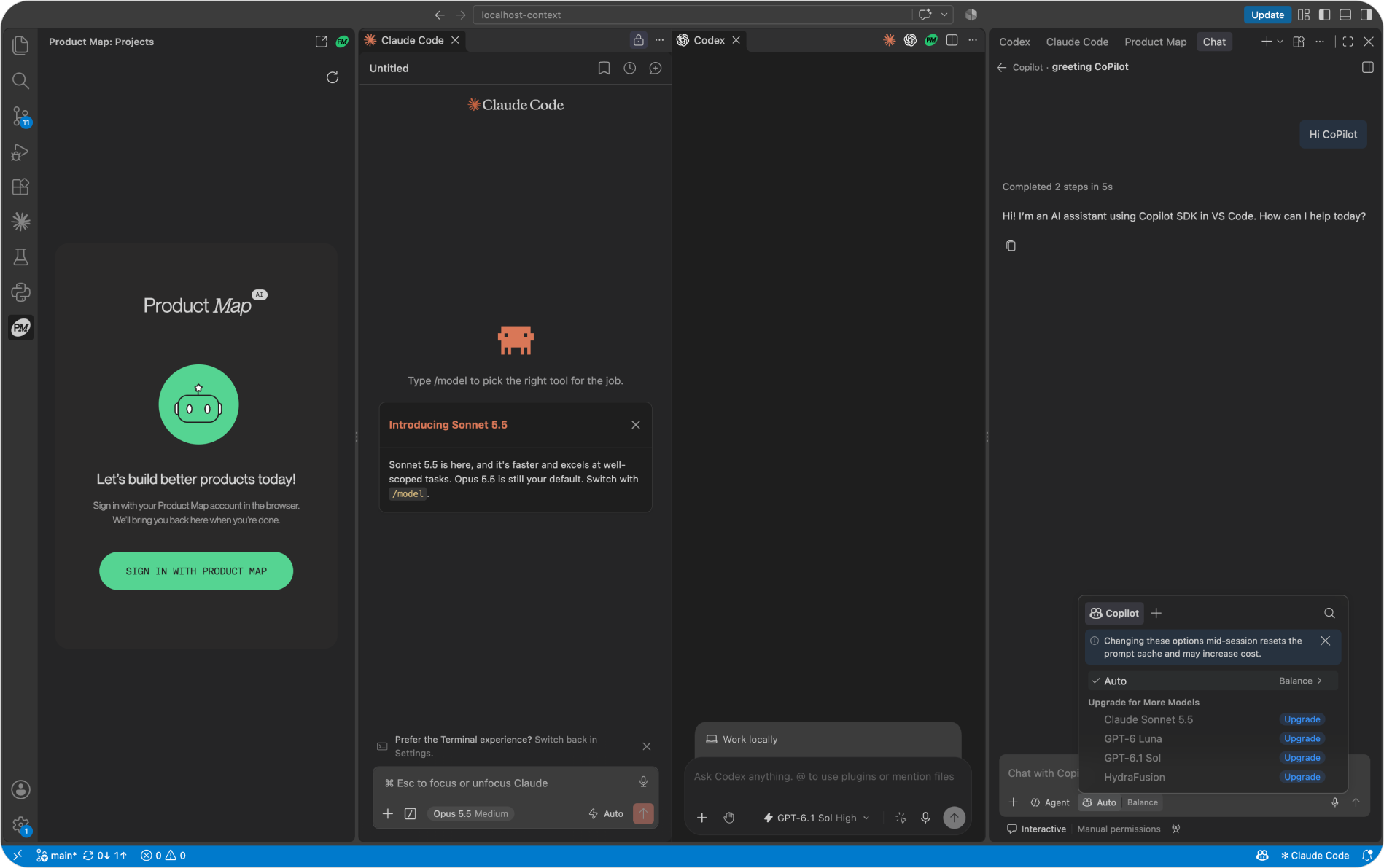
VS Code 1.100 or later runs the same extension from the Visual Studio Marketplace, where it's listed as Product Map for VS Code. Same sign-in, same projects, same review flow. The difference is the fourth coding agent. In VS Code the sidebar holds GitHub Copilot alongside Claude Code and Codex, and Product Map sits in the secondary sidebar on the right next to all three.
Install it in whichever editor already has your coding agent in it, open the repository, and run one agent against the real one-pager. The first diff it opens tells you what the product record is missing.
FAQ
Do I need to know Git to use Product Map in Cursor?
No. The Accept button on a Context changes card runs the commit and push for you, so you never open a terminal. If you'd rather hand the change to an engineer, choose the option that leaves the files uncommitted. They show up in Cursor's Source Control panel like any other edit.
What should be in .productmap before the first run?
Three files cover most agents: a one-pager, a strategy or roadmap file, and an ICP. Plain Markdown is enough, and a rough page beats an empty folder. With nothing to read, the agent falls back on generic PM advice. With a thin file, it names what's missing and offers to fill it through a diff.
Should .productmap live in the code repo or its own repo?
Put it in the code repository when one product maps to one codebase. Cursor's Agent, Claude Code, and Codex then read the PRD without any extra setup. A separate context repository fits a team running several products, or one where product docs need tighter access than the code. Either way, open that repository as the Cursor workspace, since the plugin reviews changes in your local checkout.
Can my teammates see the chats I run in the Cursor plugin?
Yes, within the same project. Since version 1.0.4 the sidebar chat list updates live when a teammate, the web app, or a connector creates or continues a chat. An open chat streams replies started elsewhere, so a PRD session begun in the browser can be finished in the editor. Team invites are managed at app.productmap.io.
Can I stop an agent reply that's heading the wrong way?
Yes. During generation the Send button turns into Stop. The reply keeps the text written so far and is marked Stopped, so you can correct the prompt or attach a better file with @ and send again. Voice input in the composer also works when typing a long brief feels slow.
What if the browser sign-in doesn't return to Cursor?
Run Product Map: Sign In from the Command Palette and try again. If the redirect still fails, paste an access token on the sidebar login screen instead.
Does Product Map work for teams hosting on Azure Repos?
Yes. A separate extension, Product Map AI for Azure Repos, keeps the same .productmap/ folder in Azure DevOps. The Cursor plugin works on any Git checkout, so an Azure-hosted repository opened in Cursor gets the same agents and review flow.