




Git is twenty-one years old, and 2026 is the year it became a product management skill. Not because PMs suddenly need to ship code. Because the artifacts PMs produce, context files, prompts, PRDs, and agent instructions, now live in repositories where AI agents read them on every run.
The advice "product managers should learn to code" missed the target for a decade. The version holding up now is narrower and more useful: learn how software teams manage change. Branching, pull requests, review, and repository structure. Those four ideas let you contribute to your team's context, own your own agent stack, and review what your agents produce before it ships.
This guide covers the full set: Git flow basics, the three repositories worth owning, how Product Map AI copilot generates the context layer for you, what goes into building an agent, and how to wire it all together in Cursor or VS Code.
Git flow basics: branches, commits, and pull requests
Git tracks every change to every file in a project, forever. A repository is the project folder under Git's control. A commit is a saved snapshot with a message explaining what changed. That's the whole storage model.
The collaboration model is where PMs get real value:
- A branch is a parallel copy of the project where you work without touching the shared version. The shared version lives on
main. You create a branch likeupdate-positioning-q3, edit freely, andmainstays untouched until your work is ready. - A pull request (PR) is how a branch gets back into
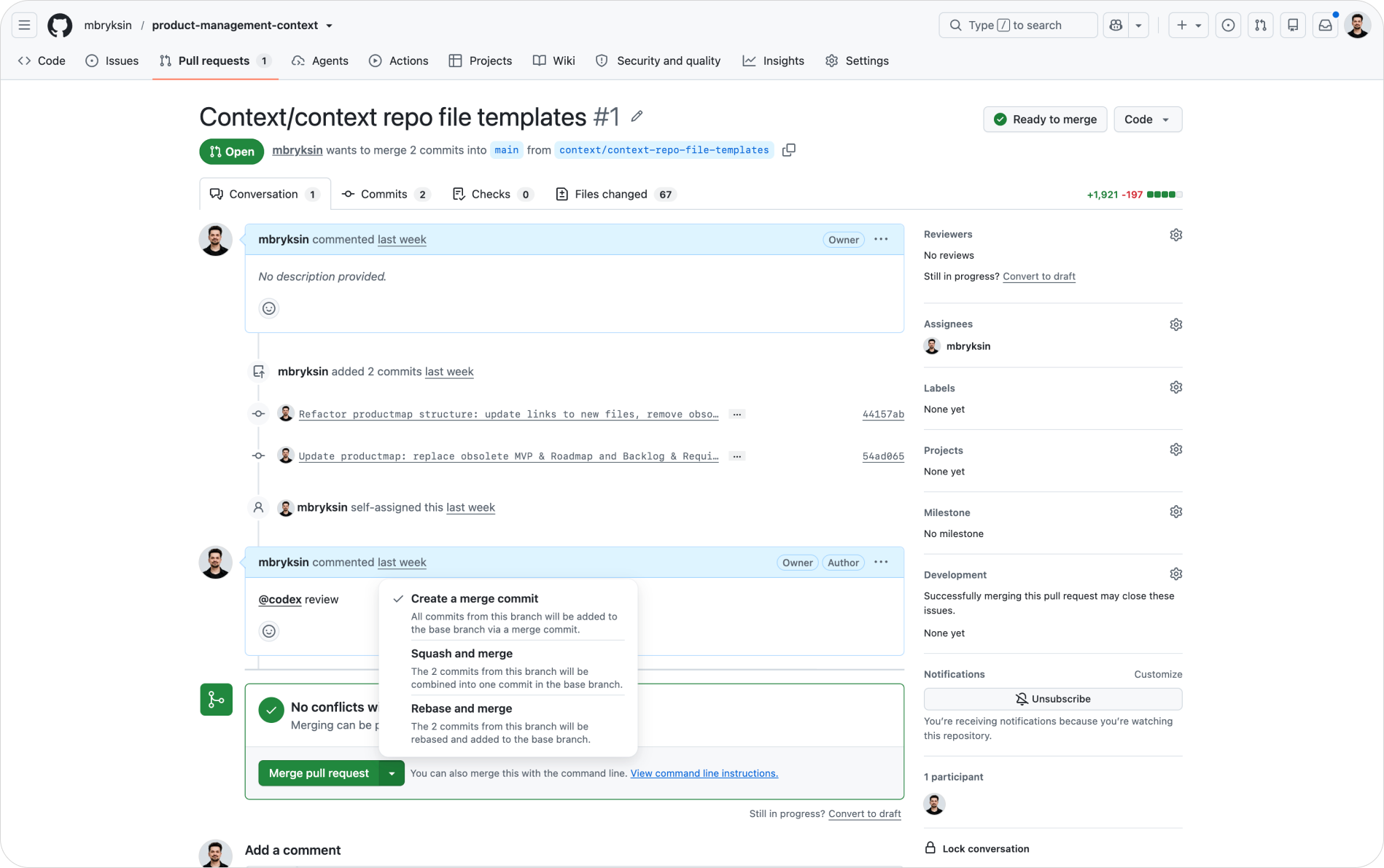
main. You open a PR on GitHub, teammates see a diff of exactly what changed, line by line, and leave comments on specific lines. Once approved, the branch merges and the change becomes part of the shared truth. - A review is the approval step in between. Nothing lands on
mainwithout a second pair of eyes. This is the mechanism, not a policy document, so it can't be skipped quietly.
The weekly Git loop for a PM
The loop you'll run weekly as a PM: pull the latest main, create a branch, edit the Markdown files you own, commit with a clear message, push, and open a PR. Five commands, or zero commands if you use the source control panel built into VS Code and Cursor.
The pull request is the single most transferable idea in software engineering. It turns "I changed the strategy doc" from an announcement into a reviewable, commentable, reversible event.
Software engineering principles product managers need
You don't need algorithms or system design. Four engineering habits cover most of what a PM needs:
- Version control over final versions. Engineers never keep
spec_final_v3_REAL.docx. There is one file, and its history is the versions. Apply the same rule to every PM artifact. - Review before merge. No change to shared context lands without review. This matters more in 2026 because some of the commits come from agents, and an unreviewed agent commit scales its own mistakes.
- Plain text wins. Markdown files diff cleanly, merge cleanly, and every AI tool reads them natively. Binary formats like Docx and Figma exports do none of those.
- Small, frequent changes. A PR touching one document gets reviewed in minutes. A PR rewriting twelve gets postponed for a week. Engineers learned this the hard way; you can skip the hard way.
The blind spot most teams hit is the second habit. It's tempting to give your agents write access to main because review feels like friction. Then one agent session rewrites your ICP based on a hallucinated competitor, three other agents read the bad file, and every output that week drifts. Review discipline is not overhead on the agentic workflow. It's the guardrail making the rest of it safe.
Three repositories every product manager should own
Repository management sounds like an engineering concern until you see what belongs in yours. A working PM setup in 2026 has three kinds of repos, or three clearly separated areas in one.
The context repository
The shared source of truth about your product: one-pager, ICP, positioning, roadmap, research synthesis, and decisions. Structured by domain (strategy, generation, analysis, delivery, people), the way the TASK framework organizes product work. Every agent on the team reads this on every run.
The skills repository
Reusable task workflows as Markdown prompt files: a PRD drafting skill, an interview guide skill, a competitor brief skill. In Claude Code these live in .claude/skills/, one folder per task with a SKILL.md inside, invoked with a slash command. Write the workflow once, and every future run inherits the quality bar.
The agent and automation repo
The scripts and agent definitions doing recurring work: a weekly metrics pull, a feedback classifier, a research summarizer. Each agent's instructions, config, and schedule live here as files, so the team can review how an agent behaves before it runs, and trace what changed when its behavior shifts.
Small teams keep all three areas in one repo with clear folders. Larger teams split them, because the context repo is read by everyone while the automation repo needs tighter permissions. Start with one; split when access patterns diverge.
The payoff compounds. Six months in, your repos hold the full history of how your product thinking, workflows, and automations evolved, and any agent can read across all of it in one pass.
Generate your product context layer with Product Map
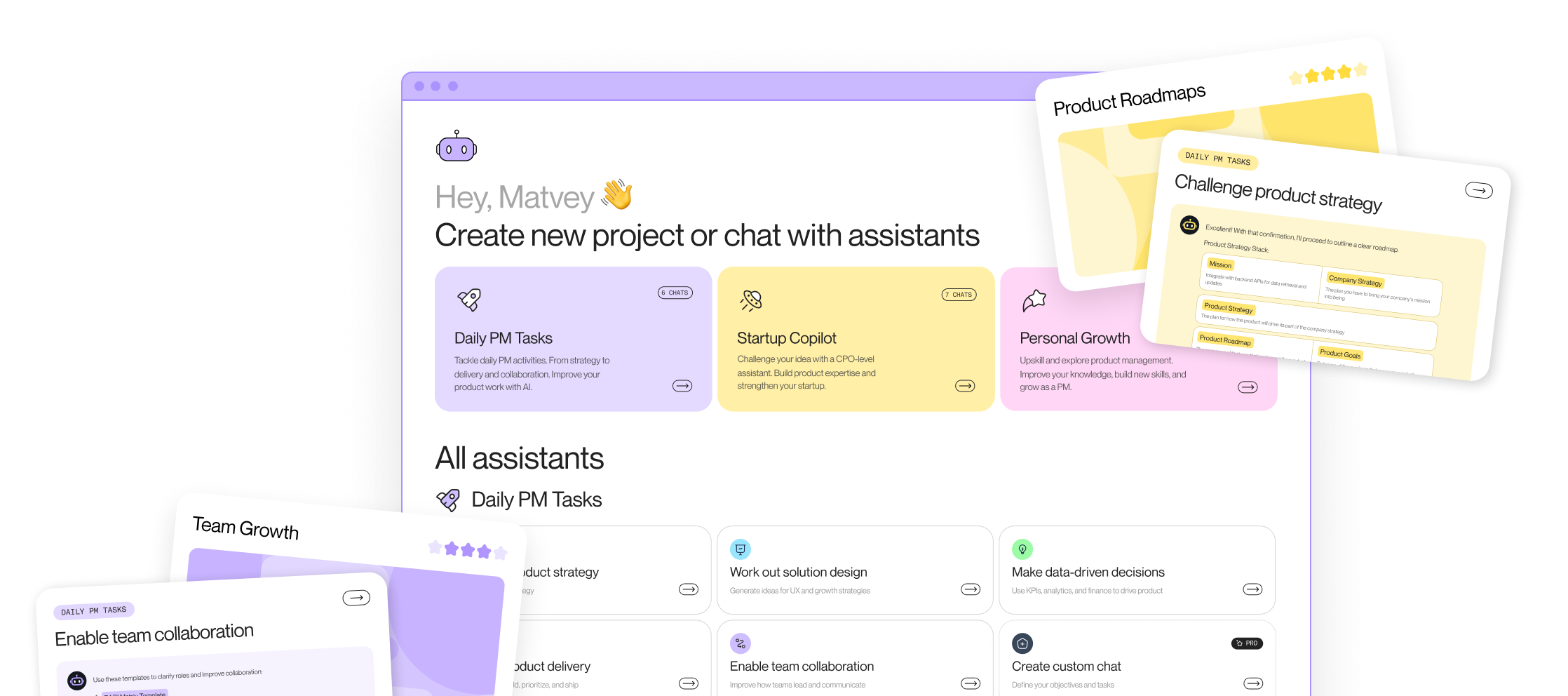
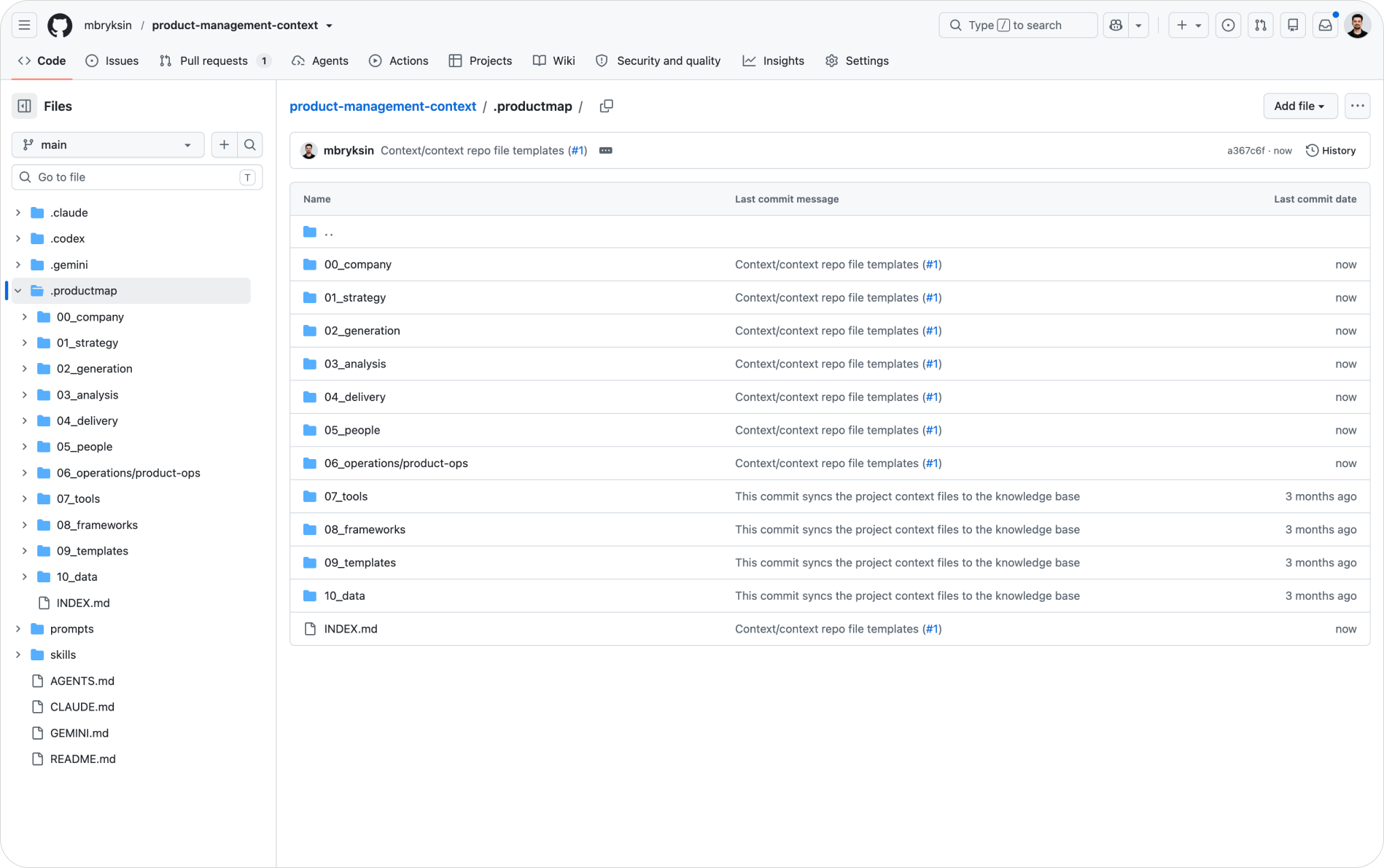
Building the context taxonomy by hand takes weeks. Product Map generates it for you. Create a free project at productmap.io, fill in the project canvas or attach a link to your product, and connect your GitHub. The Product Map bot then generates the full structure into a .productmap folder in your repository: domain folders, starter templates, and a short proposal in each file describing what to fill in.
From then on, Product Map's AI agents read every update you push to main, so the context they reason over stays current. When an agent has a change to propose, it opens a feature branch and raises a pull request, and your team reviews the edit exactly the way it reviews human ones. The Git flow from the first section is not a parallel process for agents. It's the same one.
For the discipline of keeping this layer sharp, the Context Engineering topic on Product Map covers what to include, what to cut, and how to keep files agent-readable.
Install AI agent skills from the skills.sh registry
You don't have to write every skill yourself. skills.sh is an open registry of reusable agent skills, with contributions from Vercel Labs, Anthropic, Microsoft, and the community. Skills there follow the same SKILL.md convention described above, and the registry's leaderboard shows which ones teams install most, a useful signal for what's worth trying first.
How skill installation works
Every skill installs with one command: npx skills add <owner/repo>. The CLI detects which agents you have on your machine, Claude Code, Cursor, GitHub Copilot, or any of 70+ supported tools, and places the skill in each agent's expected folder, like .claude/skills/ for Claude Code. You can target agents explicitly with a flag such as -a claude-code -a cursor, and add -g to install globally for every project instead of the current repo.
The rest of the lifecycle mirrors a package manager, which is exactly the concept to hold onto: skills are dependencies for your agents. Run npx skills find to search the registry, npx skills list to see what's installed, npx skills update to pull newer versions, and npx skills remove to uninstall. npx skills init scaffolds a template when you're ready to publish your own.
Manage skills with symlinks
The management problem appears the moment you run two agents. Claude Code reads .claude/skills/, Cursor reads its own folder, and a copied skill in each location drifts out of sync on the first edit. The CLI's answer is symlinks: it keeps one canonical copy of each skill and creates symbolic links from every agent's folder to it. Edit or update the canonical copy once, and every agent picks up the change.
Symlinks are the recommended default. The --copy flag exists as a fallback for environments where links don't work, like some Windows setups or sandboxed file systems, at the cost of manual syncing. Whichever mode you pick, commit the skills into your repository so teammates get them on clone, and review skill updates through pull requests the way you review any other change to agent behavior. A skill is an instruction your agents follow; treat third-party updates to it with the same scrutiny as third-party code.
Build AI agents: prompt, context, and loop engineering
Creating an agent is not one skill. It's three, and PMs conflate them at their own cost:
- Prompt engineering is writing the instruction for a single run: the task, the output format, the quality bar, and two or three examples. This is the smallest layer, and the one most articles overweight. A strong prompt with weak context still produces generic output.
- Context engineering is deciding what the agent knows before it starts: which files it reads, in what order, and what it must ignore. This is where your context repository does the work. The same prompt run against a well-structured repo and against an empty folder produces unrecognizably different results.
- Loop engineering is designing what happens across runs: when the agent triggers, what it does with its own output, how failures surface, and where a human reviews. An agent summarizing feedback once is a prompt. An agent doing it every Monday, committing the summary, and opening a PR when it detects a new theme is a loop, and the loop is where the compounding payoff lives.
The wiring differs by tool, but the pattern holds everywhere. Claude Code reads CLAUDE.md at the repo root plus skills in .claude/skills/. OpenAI Codex and most other CLIs read AGENTS.md, an open standard also picked up by Cursor, GitHub Copilot, Windsurf, and Gemini CLI. Microsoft Copilot reads .github/copilot-instructions.md for repository-level custom instructions. Write the substance once, then mirror it across the two or three files your team's tools read.
A useful test before shipping any agent: could a new teammate read its instruction files and predict what it will do on Monday morning? If not, the agent isn't ready for a loop, whatever the demo looked like.
For the single-run layer, the prompt engineering guide on Product Map goes deeper on structure and examples.
Set up your agentic environment in Cursor or VS Code
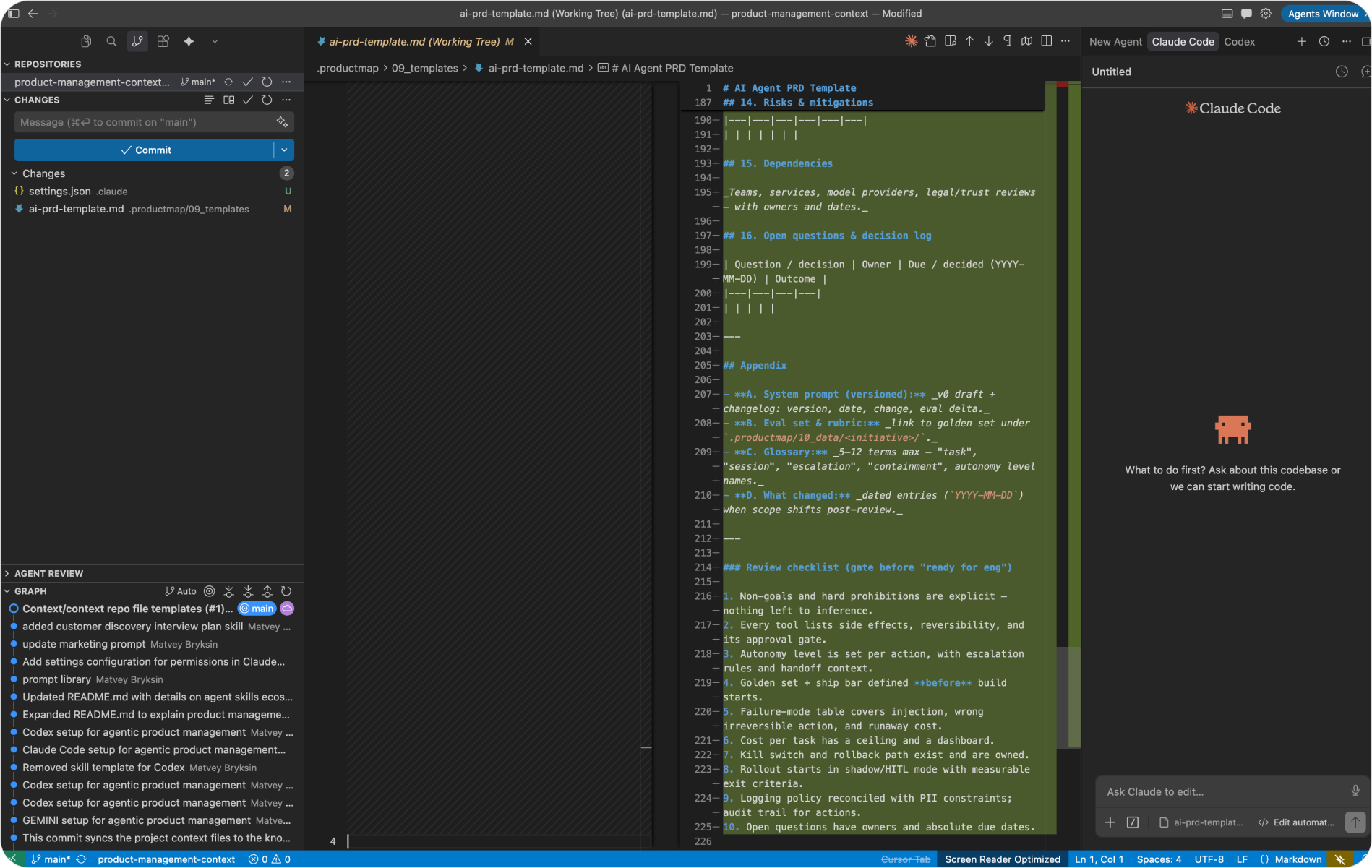
Everything above needs a place to run. That place is an agentic IDE: Cursor, or VS Code with agent extensions. Both give you the same three surfaces in one window: a file tree for your repos, agent panels for the work, and a source control panel for the Git flow.
The setup takes an afternoon:
- Install Cursor from cursor.com, or use VS Code if your company standardizes on it. Both run the same extensions.
- Clone your context repository: open the command palette with
Cmd+Shift+P, runGit: Clone, and paste the repo URL from GitHub. - Install the agent extensions you need: Claude Code (Anthropic) for document-heavy PM work, Codex (OpenAI) for scripts and data processing. In VS Code, GitHub Copilot adds inline help and reads your repository instructions.
- Commit your
CLAUDE.mdandAGENTS.mdfiles so every agent session starts with product context loaded, with no pasting. - Run your first loop: create a branch, ask Claude Code to draft an artifact using one of your skills, review the diff in the source control panel, commit, push, and open the PR.
That last step is the whole guide in miniature. Git flow, context, skills, an agent, and a review, in one pass through one window.
Start with one pull request
Skill lists stall when everything is priority one. Sequence it instead, one reviewed change at a time. The first merged pull request teaches you more about how your engineering team works than a quarter of standups, and each step after it makes the next one cheaper.
Practical checklist: set up your PM agent stack this month
Work through these in order. Each one is small enough for a single sitting.
- Create a GitHub account and get added to your team's repositories, or create a private
product-contextrepo of your own. - Merge your first pull request. Clone the repo, create a branch, fix one line in a doc, push, open the PR, and get it reviewed. This one loop is the foundation for everything below.
- Install Cursor or VS Code and open the repo there, so the file tree, agent panels, and source control live in one window.
- Connect the repo to Product Map at productmap.io and let the bot generate the
.productmapcontext structure, then review and merge its PR. - Write or update the context files. Commit
CLAUDE.mdandAGENTS.mdat the root so every agent session starts with product knowledge loaded. - Install your first skills from skills.sh with
npx skills add, using symlinks so Claude Code and Cursor share one canonical copy. Commit them. - Write one skill of your own with
npx skills init, encoding a task you repeat weekly, like PRD drafting or interview guides. - Run one full agent session: branch, invoke the skill, review the diff in source control, commit, push, and merge the PR.
- Put one task on a loop. Pick a recurring job, define its trigger and review step in your automation repo, and let it open PRs instead of writing to
main. - Set a maintenance habit. Update the current-focus section of your README on every priority shift, and run
npx skills updatemonthly, reviewing what changed before you merge.
Ten steps, one month, and the stack from this guide is no longer theory. It's your working setup.