

Your company already has its most candid user research. A frustrated customer wrote it at 2 a.m., filed it in the helpdesk, marked it "resolved," and no product manager has opened it since.
That same organization often pays for a formal interview program. Recruiting, scheduling, incentives, transcripts: weeks of work to gather twelve conversations per quarter. Interviews earn their cost. Still, it is odd to buy solicited evidence while thousands of unsolicited data points stack up unread, simply because no one owned the work of converting tickets into research. That work is inexpensive now.
In 2026, VoC coverage tends toward the same stack: capture everything centrally, synthesize with AI, filter signal from noise, and activate findings inside rituals the team already runs.
BuildBetter, SentiSum, and Chattermill each describe variants of this four-layer loop. Tooling is largely solved. Craft is not, because craft means sampling and weighting, and an LLM summary copies every bias in your ticket data unless you correct for it.
This playbook walks the full loop: why tickets are a distinct evidence type, the five-step mining pipeline, the bias correction, and how to turn weighted themes into product opportunities with the AI agents on Product Map.
Tickets tell you the truth, but never the whole truth
Interviews and tickets occupy opposite ends of the evidence spectrum, and most teams draw from only one side.
An interview is solicited. You chose the participant, shaped the questions, and booked the hour. Interviewees try to be helpful, recall selectively, and report what they believe they do instead of what they actually do. The Mom Test exists because solicited evidence skews polite.

A ticket is unsolicited. The customer sent it mid-task, blocked, without prompting, holding a concrete failure. Nobody writes "I love your vision" to a helpdesk. They write "the export dropped 400 rows and my board meeting is tomorrow." Specific, timestamped, linked to a real workflow, and often linked to a paying account.
Tickets carry their own distortion, though. They overweight breakage and underweight everything else. A confusing feature produces tickets; a missing feature produces silence, because customers seldom file tickets about jobs they never imagined your product could do. The customer who quietly churned left no record at all.
A support ticket comes from someone who cared enough to complain and still expected an answer. The customers you lost, and those for whom your product never came to mind, never enter the corpus.
Treat tickets as a research source with known skew: high honesty, low completeness. The pipeline below pulls out signal. The section that follows adjusts for skew.
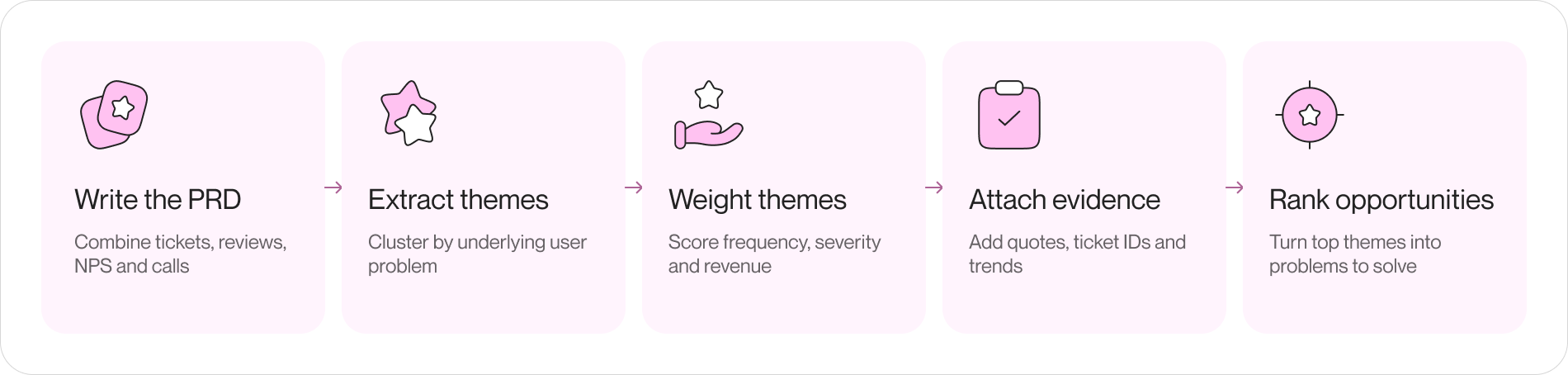
The mining pipeline: from raw tickets to ranked themes
Run this loop weekly. The first pass needs an afternoon; later passes take under an hour.
Step 1: Build one corpus from every channel
Export the last 90 days of tickets from your helpdesk (Zendesk, Intercom, and Freshdesk all export to CSV). Add app store reviews, G2 or Capterra reviews, NPS verbatims, and sales call notes if available. Convert all inputs to plain text or Markdown while preserving three fields per item: verbatim text, date, and account or plan tier.
Avoid manual scrubbing. Deduplicate exact copies, remove auto-generated notifications, and stop. The mess is the raw material.
Keep the corpus where agents can read it. A folder in your product context repository works: one file per source, refreshed each run, so every later synthesis starts from the same evidence rather than a random sample pasted into chat.
Step 2: Extract themes, not summaries
A summary says "users report issues with exports." That helps no one. A theme names the underlying problem, counts occurrences, and cites the evidence.
Ask your model to cluster by underlying user problem, not feature name or ticket tag. Helpdesk tags show routing; problems span them. Require three outputs per theme: a one-sentence problem statement from the user's perspective, the item count in the cluster, and three to five verbatim quotes with ticket IDs.
Ticket IDs matter more than they appear. They make every theme auditable. When a stakeholder questions a cluster, you open source tickets instead of defending a paraphrase.
Step 3: Weight themes by severity and revenue
Frequency alone misleads. Password reset confusion will always outrank everything else. Score each theme on three axes:
- Frequency: how many items landed in the cluster this period, and whether the count is rising
- Severity: did the user lose work, money, or trust, or were they mildly annoyed; blocked-workflow language ("can't," "stuck," "before my deadline") signals severity better than sentiment scores
- Revenue at risk: sum the ARR of the accounts behind the cluster; ten tickets from trial users and ten from your three largest customers are not the same theme
The model can draft severity ratings from language cues. The revenue join usually requires a CRM export lookup. Do it anyway. Revenue-weighted themes turn a feedback digest into something your CEO reads.
Step 4: Attach the evidence trail
Before a theme moves anywhere, package it: problem statement, weighted score, quote samples, ticket IDs, affected segments, and trend versus last period. One theme, one block, half a page.
That artifact is what makes ticket mining research instead of anecdote. It meets the bar you would apply to any method in your user research practice: a claim, supporting evidence, and a path back to source material.
Step 5: Turn top themes into opportunity statements
The top three to five themes move from "feedback" to "opportunity." Rewrite each as an opportunity statement: the user, the job in progress, the obstacle, and the outcome sought. "Ops managers reconciling monthly exports lose rows on files over 10k lines and redo the work by hand" gives a team something to solve. "Improve exports" gives them a backlog label.
Opportunities feed discovery. Solutions arrive later, and not from the tickets themselves.
The bias you must correct: who never files a ticket
Most VoC programs skip this part, which is why a raw LLM digest of your helpdesk will mislead you.
Your ticket corpus surveys people who hit a visible failure and judged reporting it worth their time. Four groups are absent:
- Silent churners: customers who hit the same failure, said nothing, and left; pull churned accounts from the last two quarters and check how many ever filed a ticket, because the answer is usually a minority
- Workaround builders: power users who routed around the gap with spreadsheets and scripts; they appear in usage data as odd export patterns, never in tickets
- Blocked non-customers: prospects who never activated; their evidence sits in sales call notes and onboarding drop-off funnels, not the helpdesk
- The satisfied majority: their absence makes ticket data look gloomier than reality, which matters when someone uses the digest to argue the product is falling apart
The correction is procedural, not clever. Each cycle, deliberately sample outside the corpus: two churned accounts get an exit conversation, usage analytics get checked against top themes, and sales notes get mined with the same theme-extraction prompt. When a ticket theme and a churn interview point at the same problem, confidence jumps. When the helpdesk is loud about a problem no churned customer mentions, you have found noise, and the weighting in Step 3 gets an override.
Write the bias note into the digest itself. One line per theme: "over-indexed on enterprise admins; no signal from self-serve." Future readers, human and agent, inherit the correction instead of the skew.
When a ticket theme earns a real discovery interview
Ticket mining does not replace interviews. It focuses them. The expensive customer hour stops going to "what are your pain points?" and starts going to a problem you can already prove exists.
A theme earns interview time when it clears three bars: the weighted score is high, the problem is ambiguous enough that the fix is non-obvious, and the affected segment matters to strategy. Breakage themes skip the interview and go straight to engineering. Ambiguous workflow themes, where users describe symptoms but the underlying job is unclear, are exactly what needfinding interviews were built for.
Recruit from inside the cluster. You have the ticket IDs, so you have the exact users who hit the problem, and an outreach message quoting their own ticket gets replies no cold research panel will match.
From ticket themes to ideas with Product Map agents
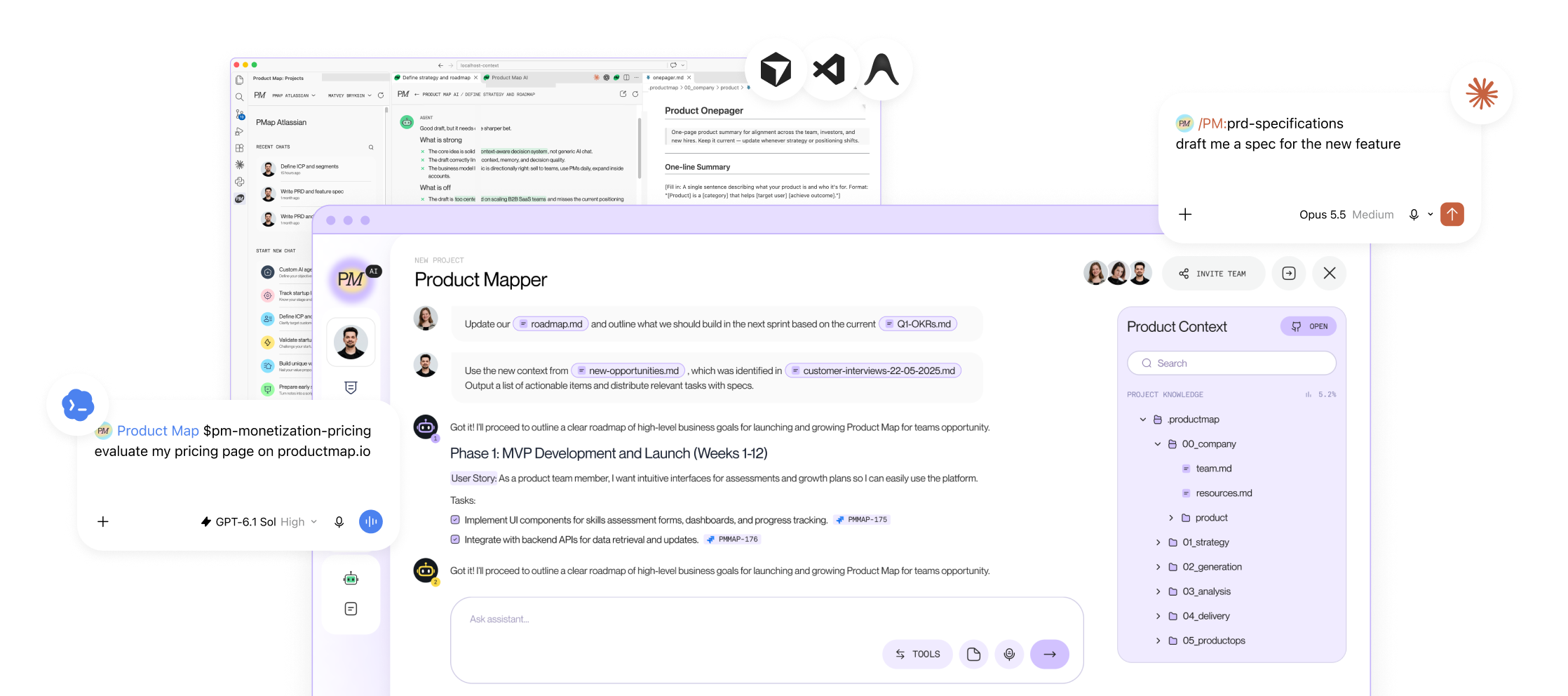
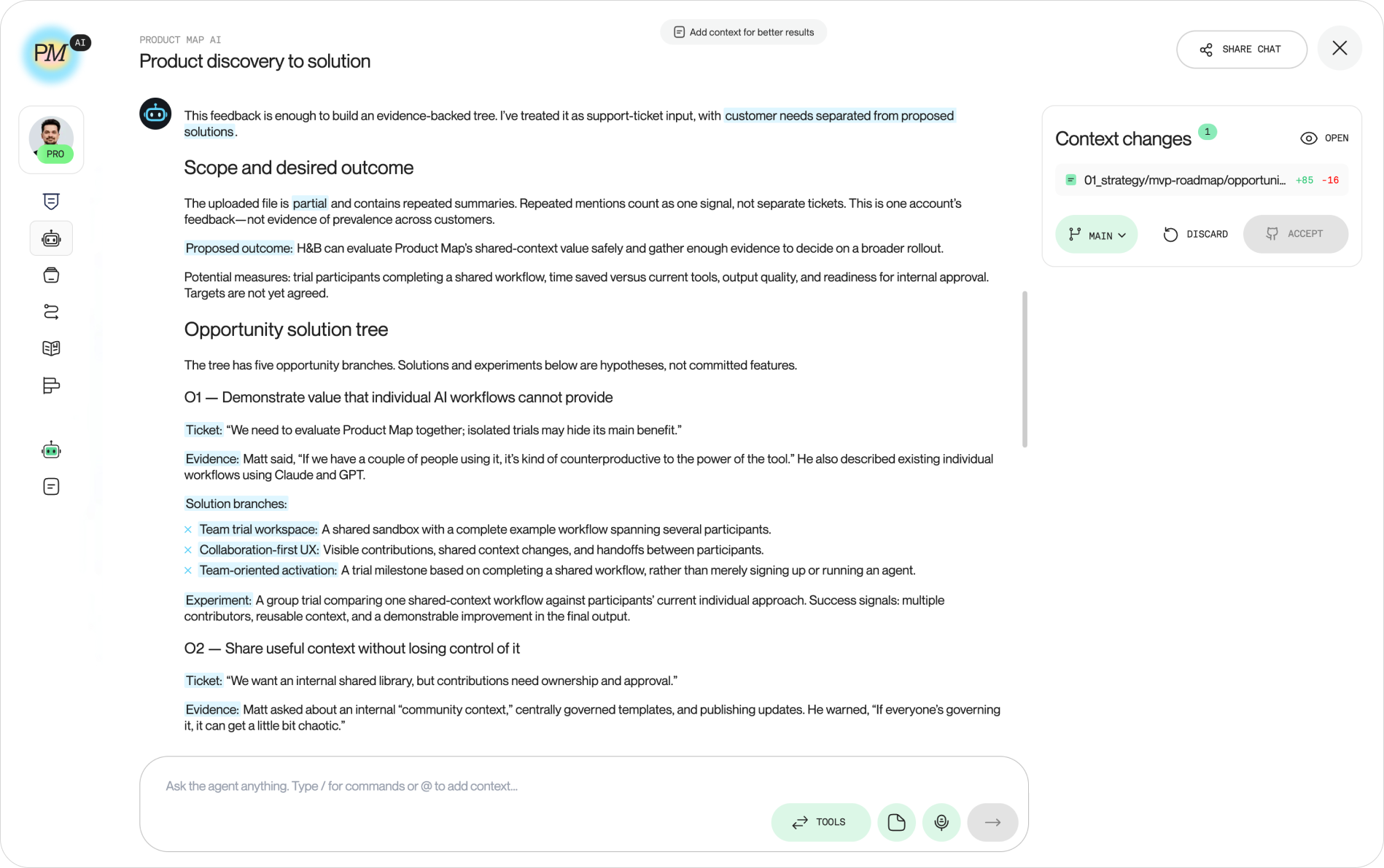
The pipeline above ends with ranked, evidence-backed opportunities. Product Map continues from there and runs the discovery-to-solution stretch with agents that already know your product.
Connect your project and supply context: link your product, fill the canvas, or wire up the context repository where your ticket corpus and theme digests live. Every agent then reasons from your evidence instead of a template.
Three agents map onto the loop:
- User Research agent: takes an ambiguous theme and matches it to the right validation method, then drafts the research plan with objectives and participant criteria, so Step 5's output becomes a study instead of a hunch
- Customer Interviews agent: builds the problem, solution, or PMF interview plan with non-leading, Mom Test questions for the users you recruited from the ticket cluster
- Generation agent: the discovery-to-solution step; feed it a weighted opportunity statement and it generates ranked solution ideas across UX, MVP scope, and growth, each traceable back to the evidence that justified the work
Order matters. Themes from the helpdesk, validation from research, ideas from generation, and your judgment deciding what ships. The agents handle assembly between those steps; the decisions stay yours.
Wire the loop into your week, not a quarterly report
The quarterly VoC report is where ticket insight goes to die. By the time it circulates, themes are stale, accounts have churned or renewed, and the roadmap was set weeks ago. A loop this cheap should run at the cadence of your decisions.
The weekly version fits in an hour:
- Monday, 30 minutes: refresh the corpus, rerun extraction and weighting, and diff against last week; new themes and rising counts are the output, not the full digest
- In your existing product ritual, 10 minutes: one slide or one Markdown block with the top movers, each with a quote and the revenue behind it
- Once a cycle: the bias check, two churn conversations, and the decision on which theme earns a discovery interview
Give the loop one owner. Not a committee, not "the team." Tickets went unread for years because nobody was accountable for reading them; a rotation works, ownerlessness does not.
After six months, compounding begins. You hold a versioned history of what customers struggled with, how themes rose and fell against releases, and which opportunities became shipped work. That history is itself context: every agent and every new PM who reads it starts from accumulated evidence from thousands of customers who already told you, at 2 a.m., exactly where the product falls short.
FAQ
Which ticket patterns point to an AI agent opportunity?
Look for clusters where a support rep does the work for the customer: rebuilding a report, reconciling two exports, editing forty records one by one. Macros are the second tell. A canned reply listing six manual steps describes a workflow your product can run. The third is phrasing. "Can you do this for me" asks for delegation, and delegation is the job agents are built for.
How do you tell an agent opportunity from a UX fix?
Ask whether a clearer screen would end the ticket. If yes, fix the screen; an assistant layered over a confusing flow hides the defect and adds inference cost on top. An agent earns its place when the task stays variable after the redesign: many steps, inputs differing per account, and judgment across data the user gathers by hand.
Can resolved tickets become an eval set for an AI feature?
Yes, and it's the cheapest one you'll get. Each resolved ticket pairs a real request, typos and missing context included, with the answer or action a human approved. Pull 50 to 100 per theme and hold back the newest month as a test split. Score the feature against those approved resolutions before any customer sees it.
Should the first agent serve support reps or customers?
Reps. Ship it inside the helpdesk as a drafting tool where a person approves every reply or action, then log how often reps edit or reject the draft. This override rate is your readiness signal. Put the agent in front of customers once reps have accepted its drafts unchanged for a month, and promote one theme at a time.
How do you size an AI opportunity found in tickets?
Add two numbers to the Step 3 score. The first is support cost: monthly tickets in the cluster, times average handle time, times a rep's loaded hourly rate. The second is coverage, the share of the cluster an agent finishes end to end when you replay resolved tickets. A theme with 300 monthly tickets and 15 percent coverage is a smaller bet than one with 80 tickets and 90 percent.
Which ticket themes should an agent never act on alone?
Anything hard to reverse: refunds, deletions, billing changes, permission grants, and messages sent to your customer's own customers. For these themes the agent proposes and a person approves, with no expiry date on the rule. A single ticket saying "it did this without asking" costs more trust than a hundred slow replies.