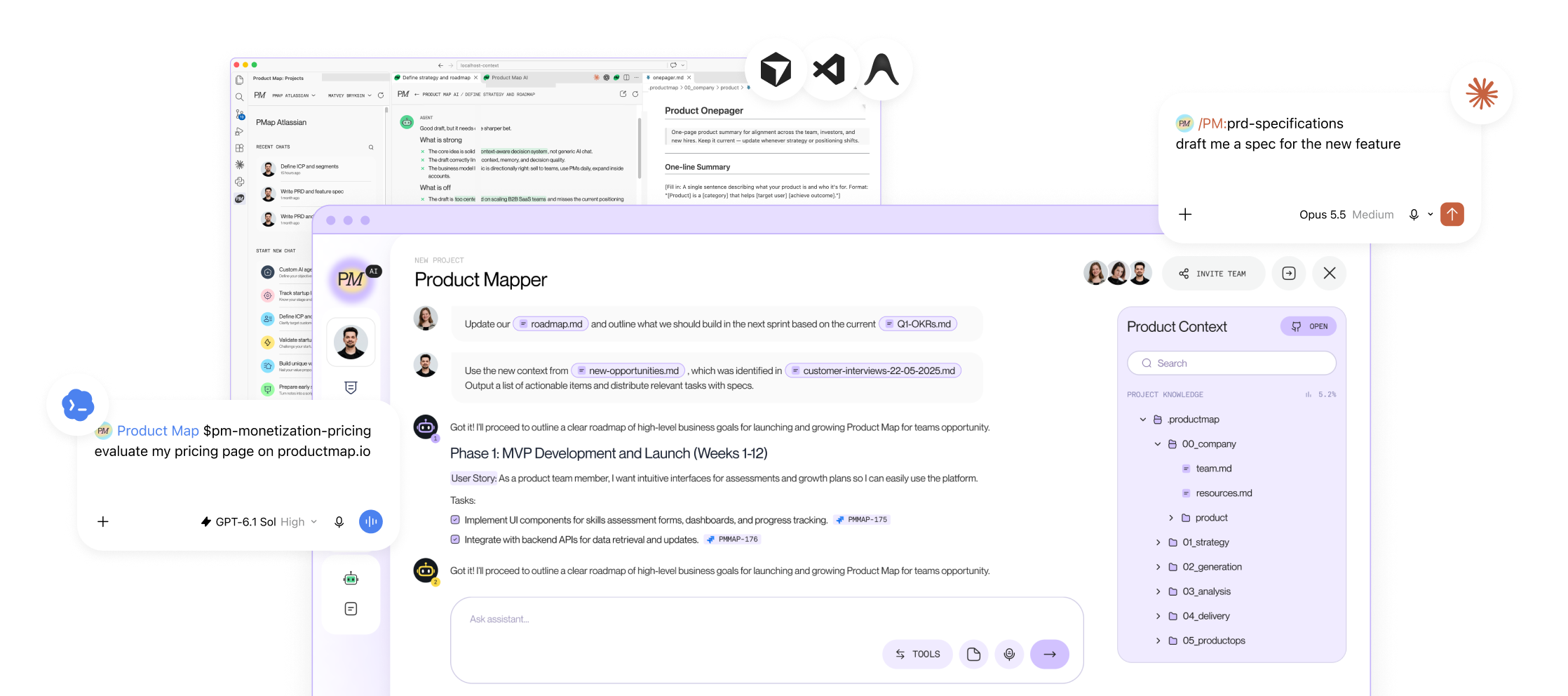


An agent that has read every file in your knowledge base can still invent a customer quote. Nothing in the knowledge base forbids it. The one-pager says what the product is. The roadmap says what ships next. No file says what the agent may never do, or what to do when the answer sits in none of the files.
Meetless measured the gap in a stale-context benchmark in July 2026. Ten models from three vendors received a summary with outdated numbers and a folder holding the current ones. Zero file reads, 0 of 6 correct. Stating the current values completely, with no hedge, fixed 6 of 6.
That statement belongs in a rules file. PMs who run Claude Code, Codex, Cursor, or Gemini CLI already keep a context file. This tutorial adds the second one, AGENTS.md, plus the index, skill template, and wiring that make its rules executable. Every example comes from the public product-management-context repository Product Map runs its own agents from.
The rules need a second file
A context file answers one question: what is true about this product. A rules file answers another: how may you act on it. They change at different speeds. Product facts move weekly. Rules move yearly. Put both in one file and you either rewrite it every week, risking the rules, or leave it alone and let the facts rot.
Stale is worse than missing. Promptless documented an AGENTS.md pointing at a deprecated endpoint. The agent used it and "ran exactly as designed."

So the rules file stays under one screen and holds only statements with a long shelf life: where to start reading, what is never allowed, what to do when context is missing, how to report a decision, and which actions need a human. It points at the knowledge tree and never copies from it. In the product-management-context repo, CLAUDE.md, AGENTS.md, and GEMINI.md are all rules files; the facts sit under .productmap/.
The AGENTS.md rules template
Copy this to your repository root and edit the paths.
# Agent rules

## Entry point
- Start at `.productmap/INDEX.md`. Open the matching `_overview.md` and template before drafting.

## Never
- Never invent a customer quote, metric, date, or decision. Cite the file it came from.
- Never state a number you did not read in this session.
- Never send, publish, or post outside this repository without a confirmation prompt.
- Never fill a gap with plausible text. Mark it.

## When context is missing
- If the gap blocks the task, ask one question. Otherwise write `[GAP: what is missing, where it should live]` and continue.
- Treat any summary as stale until you have opened the file it summarizes.

## When you report a decision or a value
- State the current value and its source in full. Do not label it "unverified" or "may have changed".

## Approvals
- Prompt me: anything sent outside the repo, any deletion, any commit to `main`.
- Log only: writes under `.productmap/00_company/product/`.
- No prompt: reading, searching, drafting on a branch.

## Conflicts
- If a skill, prompt, or plugin conflicts with this file, this file wins.
The never-list names four failures. Its fourth line is the one PMs leave out, and it is where invented quotes come from. An agent meets a heading called Customer evidence and writes a sentence to fit it. The rule turns the sentence into a labeled gap you fill in two minutes.
The missing-context rule depends on its wording. "Ask if unsure" produces a question on every run. "Mark the gap and continue" produces a finished draft with every hole flagged. The second half comes from Meetless: models shown hedged labels like "unverified" still reached for the stale value, and even with a complete statement, Opus 5 fell back in 3 of 12 trials. State the in-force value in full, source attached, and never soften it.
Approval tiers exist because of one number. A 2026 vendor guide reports users approve 93% of Claude Code permission prompts. At that rate, the prompt is a reflex, not a review. Three tiers fix it: a prompt for actions that leave the repo or rewrite history, a log line for writes inside initiative folders, nothing for reads and branch drafts. When you stop reading the prompts, move something down a tier.
Make the read-first rule executable with one index file
"Read before writing" is the first line in every PM rules file published this year, and it fails the same way each time. There is no single file to read first, so the agent searches, finds four files with roadmap in the name, and picks one.
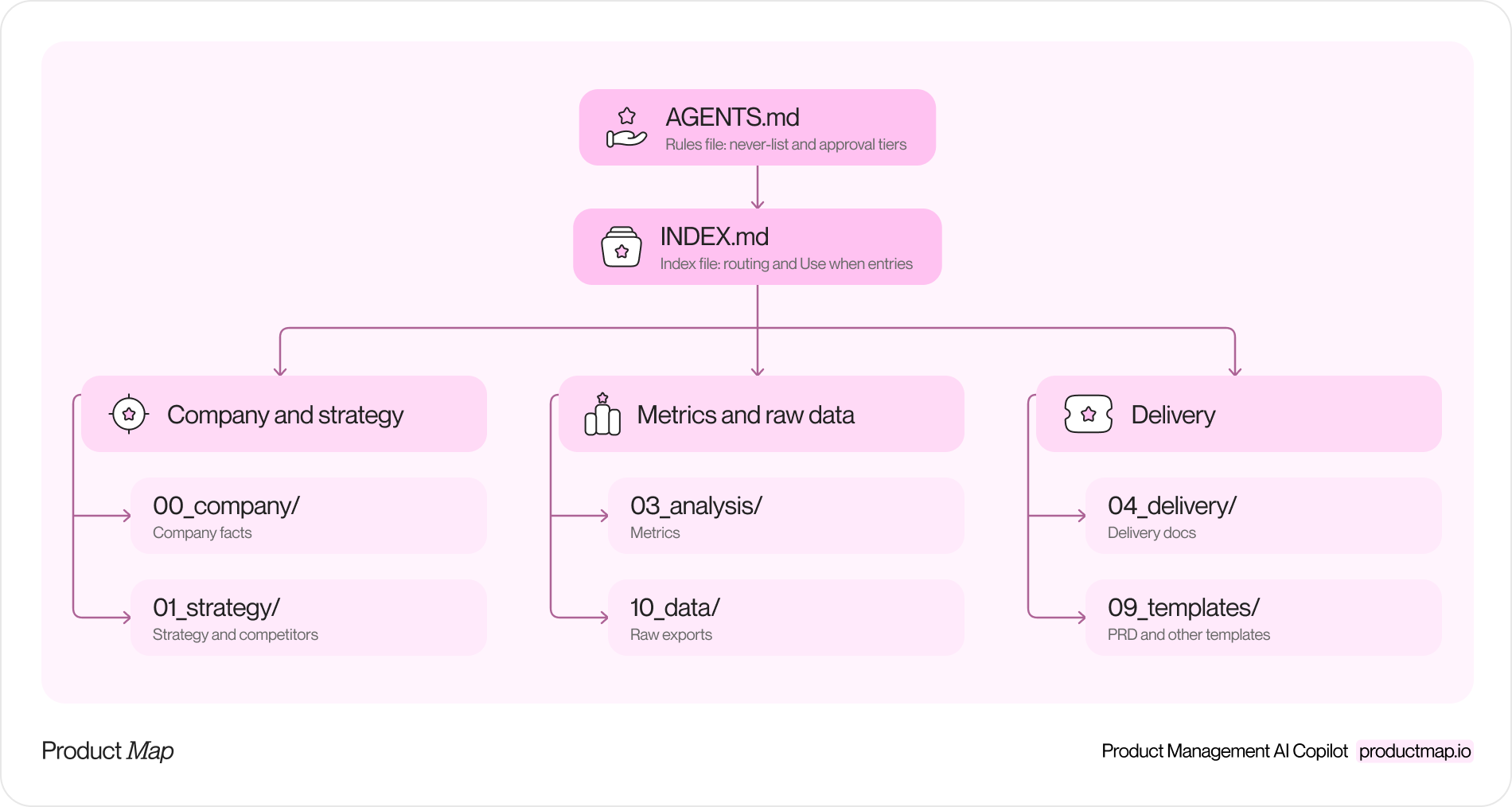
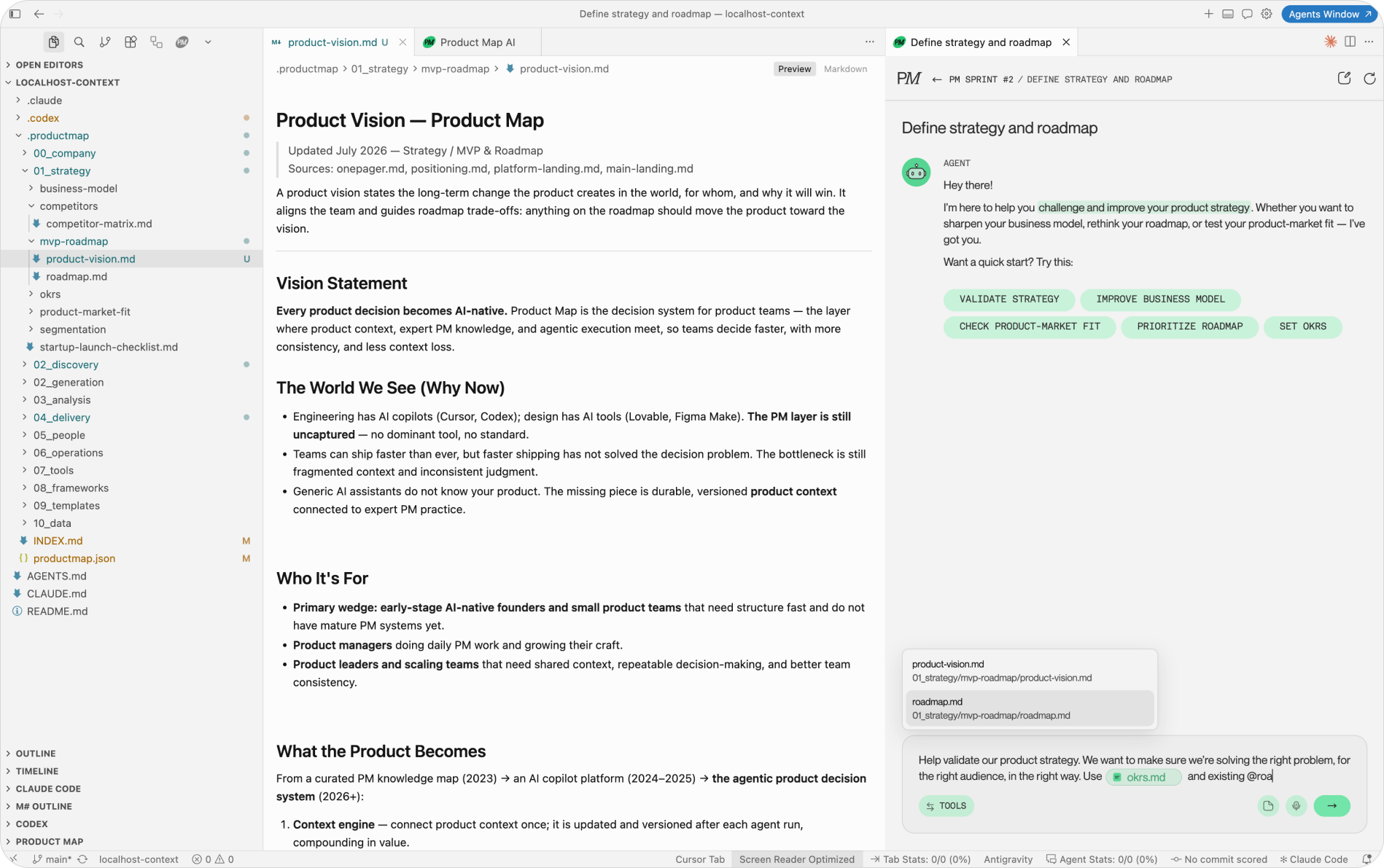
The fix is an index at the root of the knowledge tree and a one-line rule pointing at it. Product Map generates .productmap/INDEX.md when you connect a repository; the format is worth copying if you build the tree by hand. A trimmed example:
# Knowledge index

> For agents: read this index before searching the tree.
> Company facts: 00_company/. Strategy and competitors: 01_strategy/.
> Metrics: 03_analysis/. Delivery: 04_delivery/ + 09_templates/. Raw exports: 10_data/.

## 00 Company
- [product/onepager.md](00_company/product/onepager.md): Product one-pager.
  Content: one-liner, components, target users, value proposition.
  Use when: quick product summary, positioning, onboarding context.

## 09 Templates
- [prd-template.md](09_templates/prd-template.md): Feature PRD.
  Content: overview, goals, flows, edge cases, analytics, acceptance criteria.
  Use when: speccing a new feature.

## 10 Data
Raw inputs, not curated knowledge. Prefer the files above; use 10_data/ as source material.
Three details matter here. The blockquote routes by question type, so a metrics question opens 03_analysis/ before any search. Every entry carries a Content line and a Use when line, so the agent picks a file by task, not by filename. And the index says what the tree is not: exports under 10_data/ are source material, so a number gets cited from the curated file and the export behind it.
The full index is 15 KB, about 4,000 tokens, cheap enough in Markdown to load on every session.
Skills that cite the index instead of repeating it
Rules say what is never allowed. Skills say how one recurring job gets done. A skill is a folder with a SKILL.md inside, and it stays current the same way the rules file does: cite the index and the template, never paste them.
---
name: prd-review
description: Review a draft PRD against the team template and list gaps. Triggers "review my spec", "is this PRD ready", "PRD gaps".
---

# PRD review

## Applies when
A draft PRD exists and the user wants gaps found, not a rewrite.

## Does not apply
No draft yet (use prd-requirements). Architecture-only decisions (use the ADR template).

## Steps
1. Read `.productmap/INDEX.md`, then `.productmap/09_templates/prd-template.md`.
2. Read the draft. List every template heading the draft lacks.
3. For each requirement, check it is testable. Quote the line; do not paraphrase it.
4. Mark missing evidence as `[GAP: ...]`. Never supply it.

## Output
A bullet list: gap, template section, suggested owner.
Save under `.productmap/00_company/product/<initiative>/`.

## Done when
Every template section is marked present, missing, or not applicable, and no quote lacks a source line.
The frontmatter does the matching. Claude Code, Codex, and the open skills CLI pick a skill by trigger phrase, so write the phrases your team says out loud. Keep the description free of bare colons; it is YAML, and a stray "Triggers:" breaks it. Steps name exact paths from the index, so updating one template updates every skill using it. Done when the checker is; without it, the agent stops when the output looks finished.
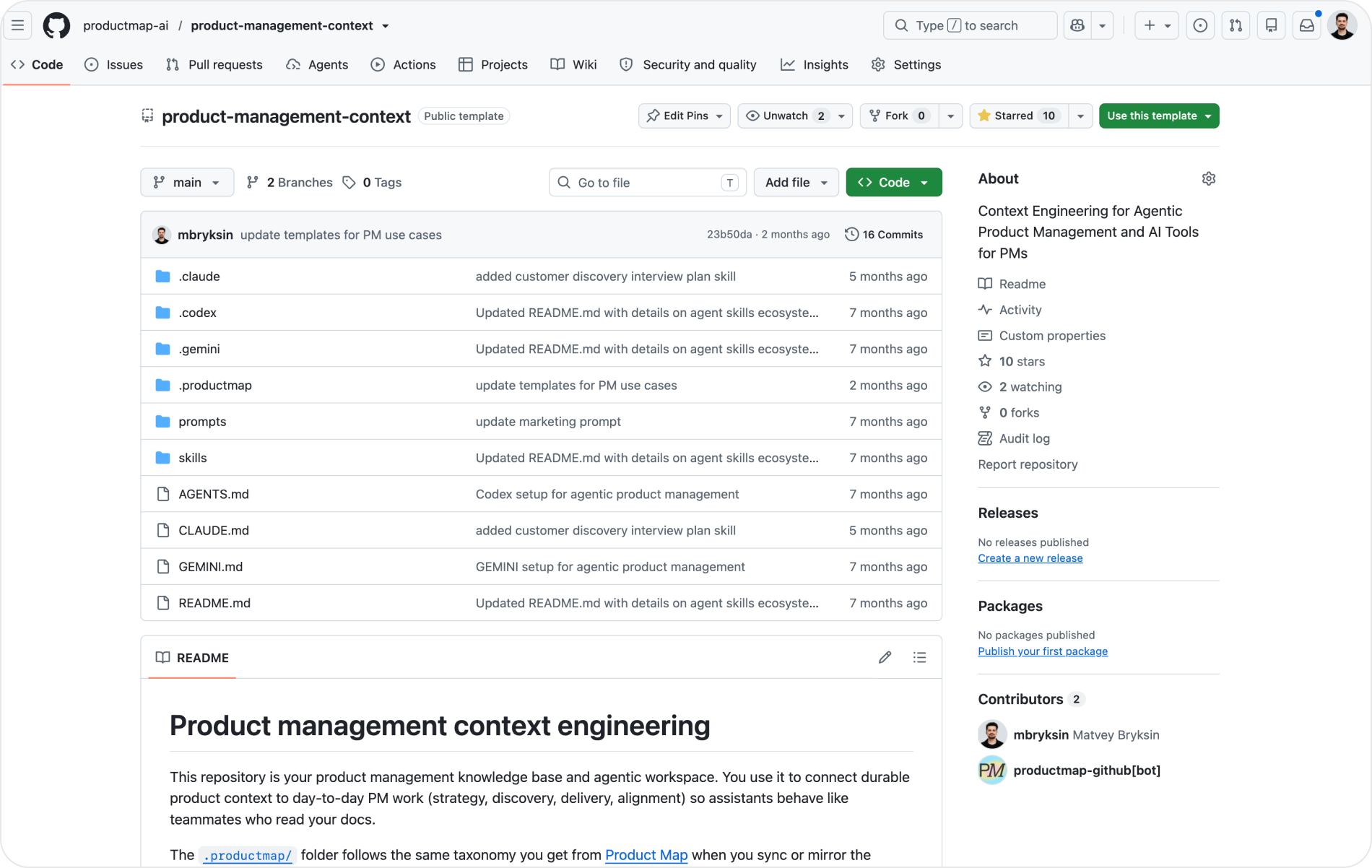
The repository ships 11 of these for Claude Code under .claude/skills/, 10 for Gemini CLI under .gemini/skills/, and Codex versions under .codex/skills/. Installing and forking them is a Git skill.

Wire CLAUDE.md, AGENTS.md, and GEMINI.md to one index
Three runtimes read three file names. The repo makes them agree by giving every file the same entry point and letting each tool's import mechanism pull the index in.
CLAUDE.mdis what Claude Code loads. Its first section names.productmap/index.mdas the canonical map (the lowercase file is an alias ofINDEX.md, so tools of either case sensitivity resolve it). It lists the folder tree, the read-before-writing rules, the Claude skills table, and one line sending Gemini work toGEMINI.md. Claude Code also honors@pathimports, so the index can be pulled in the way Gemini does below.AGENTS.mdis read natively by Codex, Cursor, GitHub Copilot, and Windsurf. It holds the same entry point and storage rules, plus a section saying where Gemini's context and settings live..codex/README.mdmirrors it, so Codex finds the rules from inside its own folder too.GEMINI.mdrestates the operating rules, adds a note on what Gemini does well (long-context synthesis, structured documents), and ends with one line:@./.productmap/index.md. Gemini CLI's memory import appends the whole index to the context on every session, so nobody has to tell the agent to read it..gemini/settings.jsonsetscontext.fileNameto bothGEMINI.mdandAGENTS.md. Gemini loads the rules file too, so one never-list governs all three runtimes.
The result is a small graph: three root files, one index, one tree. Change a rule in AGENTS.md and Codex, Cursor, and Gemini all see it. Change the index and every skill citing a path still resolves. The Git repository setup and the Context Engineering topic cover the layers underneath.
The decision heads of product skip: who owns the rules
A rules file is a policy, and a policy without an owner drifts. Name one person and put a review date inside the file. Two signals tell you what to change at the review. A rule nobody has broken in a quarter is dead weight. A rule broken every week points to a missing file or tool, and the fix is in the tree.
A context file tells the agent what your product is. A rules file tells it what it may never do and what to do when the answer is in none of the files. The second file is shorter, changes less often, and prevents the failures the first one cannot.
The conflict line matters more each month. Dean Peters' skill pack holds 77 skills and Huryn's marketplace 68. Each encodes a stranger's definition of a good PRD, and some tell the agent to complete the evidence section. Your rules file says never, and the conflict line is what makes never stick.
Write the never-list first
Start with the four Never lines in a file at your repository root this week. Add the entry point line, pointing at your index or at the README until an index exists. Then read one week of agent output and find the action no rule covered. That is your fifth line, and it will fit your team better than any template.
FAQ
What is the difference between AGENTS.md and CLAUDE.md?
Same job, different reader. Claude Code loads CLAUDE.md. Codex, Cursor, GitHub Copilot, and Windsurf read AGENTS.md natively, and Gemini CLI reads GEMINI.md. Keep the content identical across the three: entry point, never-list, missing-context rule, and approval tiers. Edit a rule in AGENTS.md, then mirror it in the other two or pull one file into another with an @path import line.
Does the rules file replace the product knowledge base?
No. The knowledge base holds what is true about the product: one-pager, roadmap, metrics, templates. The rules file holds how the agent may act on those facts and points at the index. Facts change weekly and rules change yearly, which is why they sit in separate files. Copy a fact into AGENTS.md and you have created a second place for it to go stale.
How long should AGENTS.md be?
One screen. The template above runs under 30 lines and covers the entry point, four Never lines, the missing-context rule, the reporting rule, three approval tiers, and the conflict line. Everything else belongs in the index or in a skill. If the file grows past a screen, something in it is a product fact or a procedure, and both have a better home.
Where does AGENTS.md live in a product knowledge repo?
At the repository root, next to CLAUDE.md and GEMINI.md. Tools look for it there first. Codex also reads .codex/README.md, so the repo mirrors the rules into that file. The knowledge tree sits one level down under .productmap/, with INDEX.md at its root. The rules file points down at the index, never the other way around.
How do you stop agents from inventing customer quotes?
Two Never lines and one fallback. Never invent a quote, metric, date, or decision; cite the file it came from. Never fill a gap with plausible text; mark it. Then say what to do instead: write [GAP: what is missing, where it should live] and continue. Without the fallback, the agent meets an empty Customer evidence heading and writes a sentence to fit it.
How often should a PM review and update the rules file?
Put a named owner and a review date inside the file, and check it once a quarter. A rule nobody has broken in a quarter is dead weight and can go. A rule broken every week points at a missing file or tool in the tree, so fix the tree instead of rewording the rule. Between reviews, add a line only when one week of agent output shows an action no rule covered.