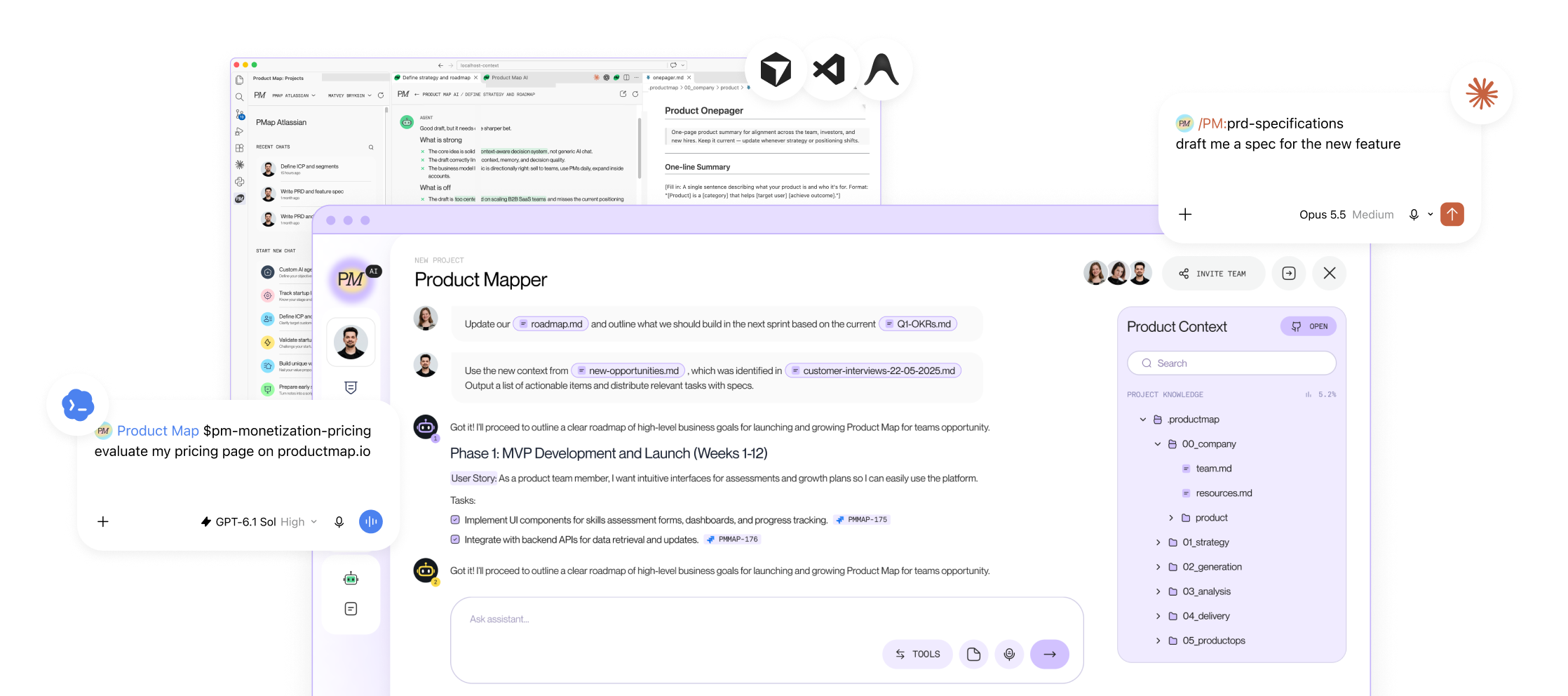





The public product-management-context repository on GitHub holds 30 PM skills, 3 instruction files, 66 Markdown files across 11 numbered folders, and 0 PDFs. No slide decks, no Word documents, no wiki exports. Every file in it was written to be read by an agent first and a person second.
That repository is the shape of AI product management after the demo wears off. Four decisions produce it.
Build agents for one task each. Chain them so one agent's output is the next one's input. Keep the product knowledge in plain text, condensed and versioned in Git. And point every agent runtime you use, Claude, Codex, Gemini, Copilot, at the same folder. This guide takes them in order.
1. Build one agent for one task
A general chat given your one-pager writes a plausible document. A task agent given the same context writes the document in the shape your team reviews, scored against the framework your team uses. The difference is scope: the agent knows which files to read, which template to fill, and where the output belongs.
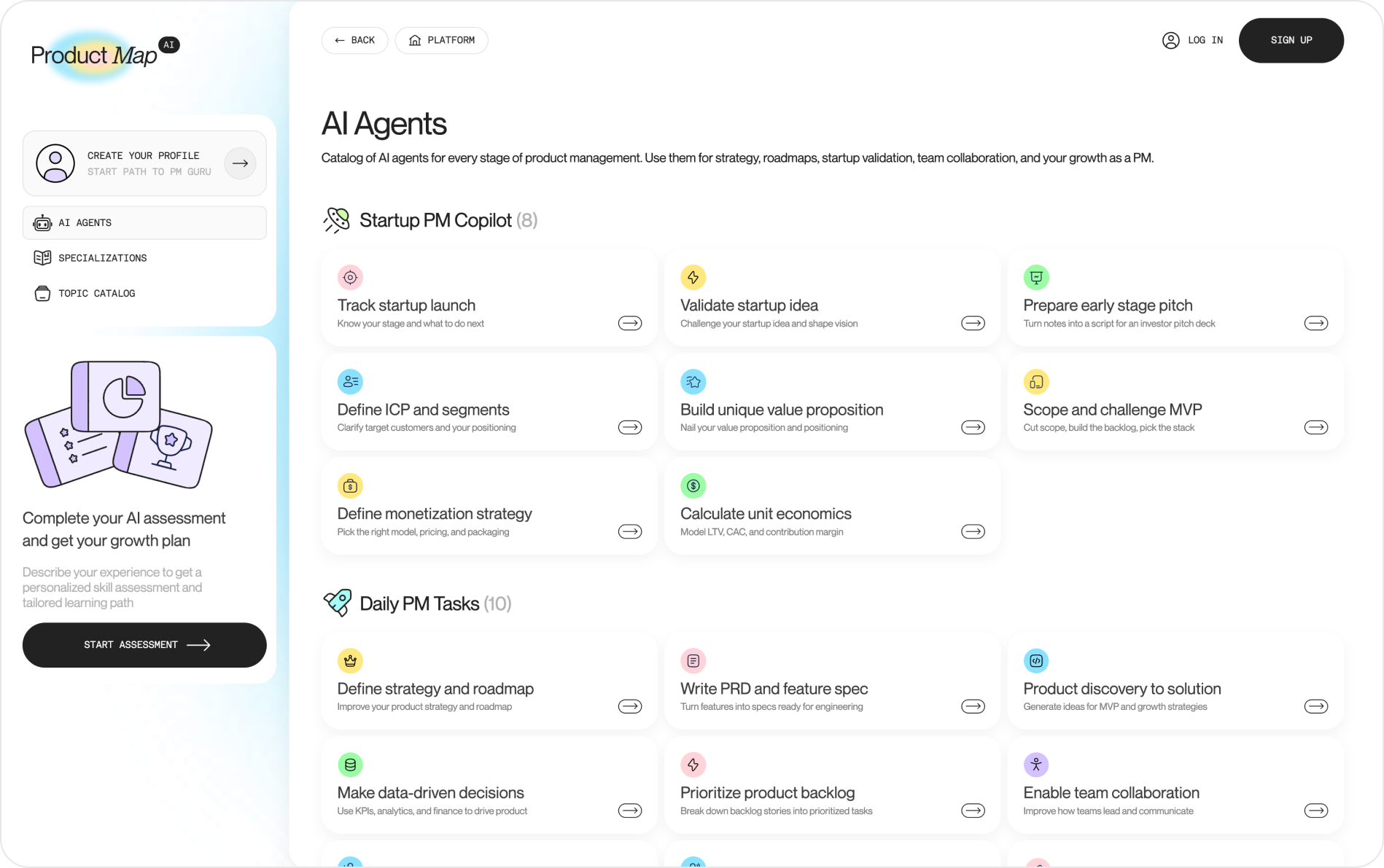
The Product Map agent catalog is built on this rule. It holds 26 agents in three groups: daily PM tasks, startup copilot, and personal growth. Each covers one job a product manager already does by hand. Write PRD and feature spec drafts a spec from the backlog and the strategy file. Prioritize product backlog scores stories against the same strategy. Define ICP and segments narrows the audience, and Calculate unit economics tells you whether this audience pays.
Two tests show whether an agent is scoped tightly enough.
- It has one output file. A PRD agent writes
prd.md. A research agent writes a synthesis file. If the agent's job can't be named as a file, the job is too wide. - It reads a named set of inputs. The ICP agent reads the one-pager and the market research. It doesn't read the whole repository, and it never asks you to paste anything.
When no catalog agent fits, the Custom AI agent takes your own objective and instructions and runs on the same context. Write it to pass the same two tests.
2. Chain agents so one output becomes the next one's input
Product work is a dependency graph. The vision narrows the audience. The ideal customer profile decides the pricing model. Pricing shapes the go-to-market plan. Change the ICP on Tuesday and four downstream documents are wrong by Wednesday. A PM who runs each task in a separate chat spends Thursday re-pasting.
Chaining fixes this at the file, not at the prompt. The first agent writes a Markdown file. The second reads it as its only source of truth. The third challenges both. Nothing is pasted, so nothing drifts between the strategy and the spec depending on it.
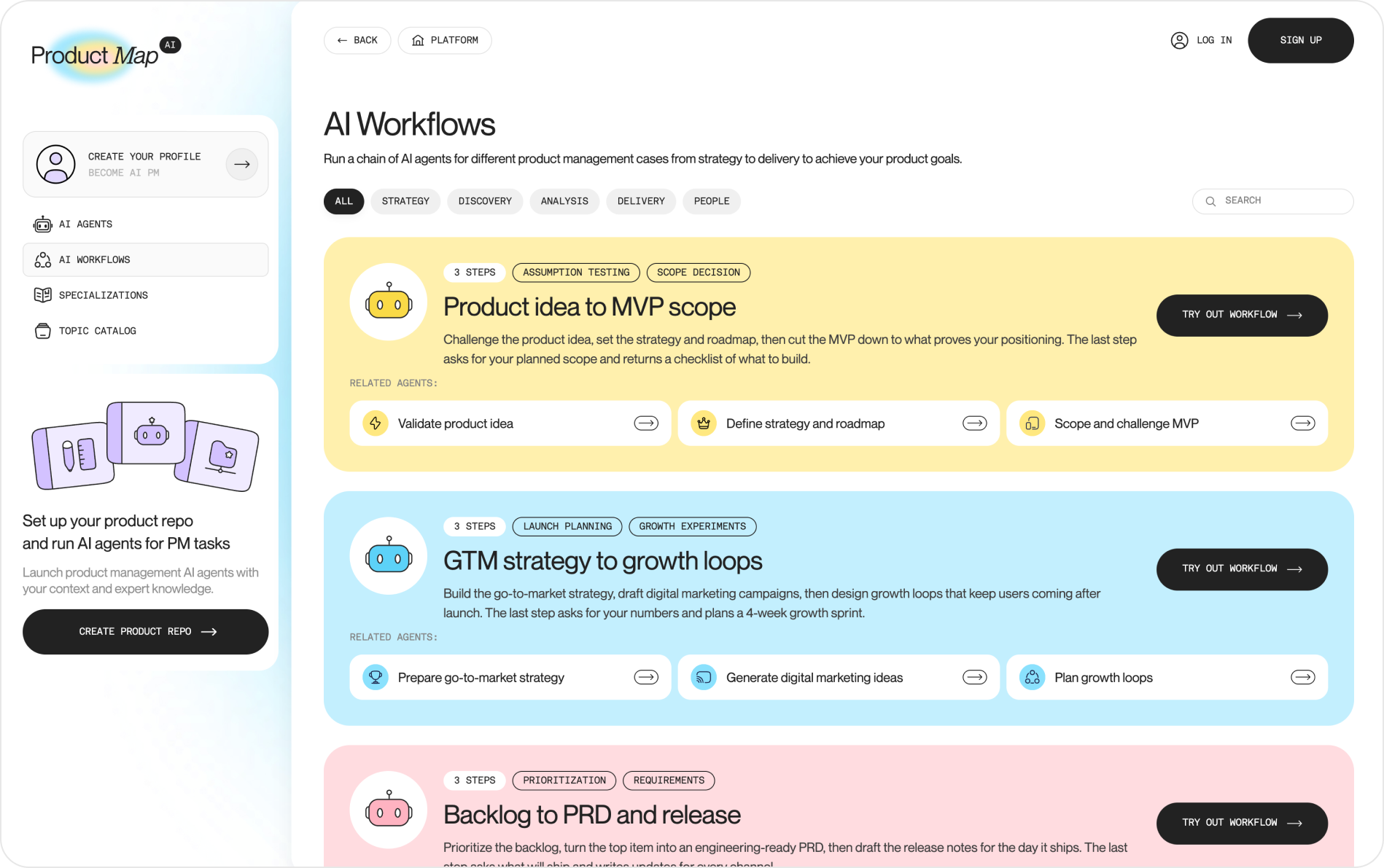
The workflow catalog on Product Map runs five such chains, each three scoped agents long: product idea to MVP scope, market research to positioning, user research to opportunities, backlog to PRD and release, and GTM strategy to growth loops. In product idea to MVP scope, step one challenges the idea, step two writes product-vision.md with strategic bets, and step three cuts the MVP against both files. You read each file before the next step starts.
A chain is only as reliable as the file in the middle. When a workflow produces a weak spec, the fix is almost always the vision file it read, and almost never the prompt it ran.
Designing your own chain comes down to three questions per link.
- What file does this step produce, and which sections must it contain for the next step to run? Write them down. Section names are the contract between agents.
- What does the next step read, and what must it ignore? An agent reading everything re-derives the strategy instead of applying it.
- Where does a person sign off? The review gate goes after the file most expensive to get wrong, which is the vision or the ICP, never the release note at the end.
3. Keep product knowledge in plain Markdown and CSV files
Agents read text. A 40-slide strategy deck exported to PDF arrives as broken columns, speaker notes out of order, and charts with no numbers. The agent spends its first thousand tokens reconstructing the deck, and gets part of it wrong.
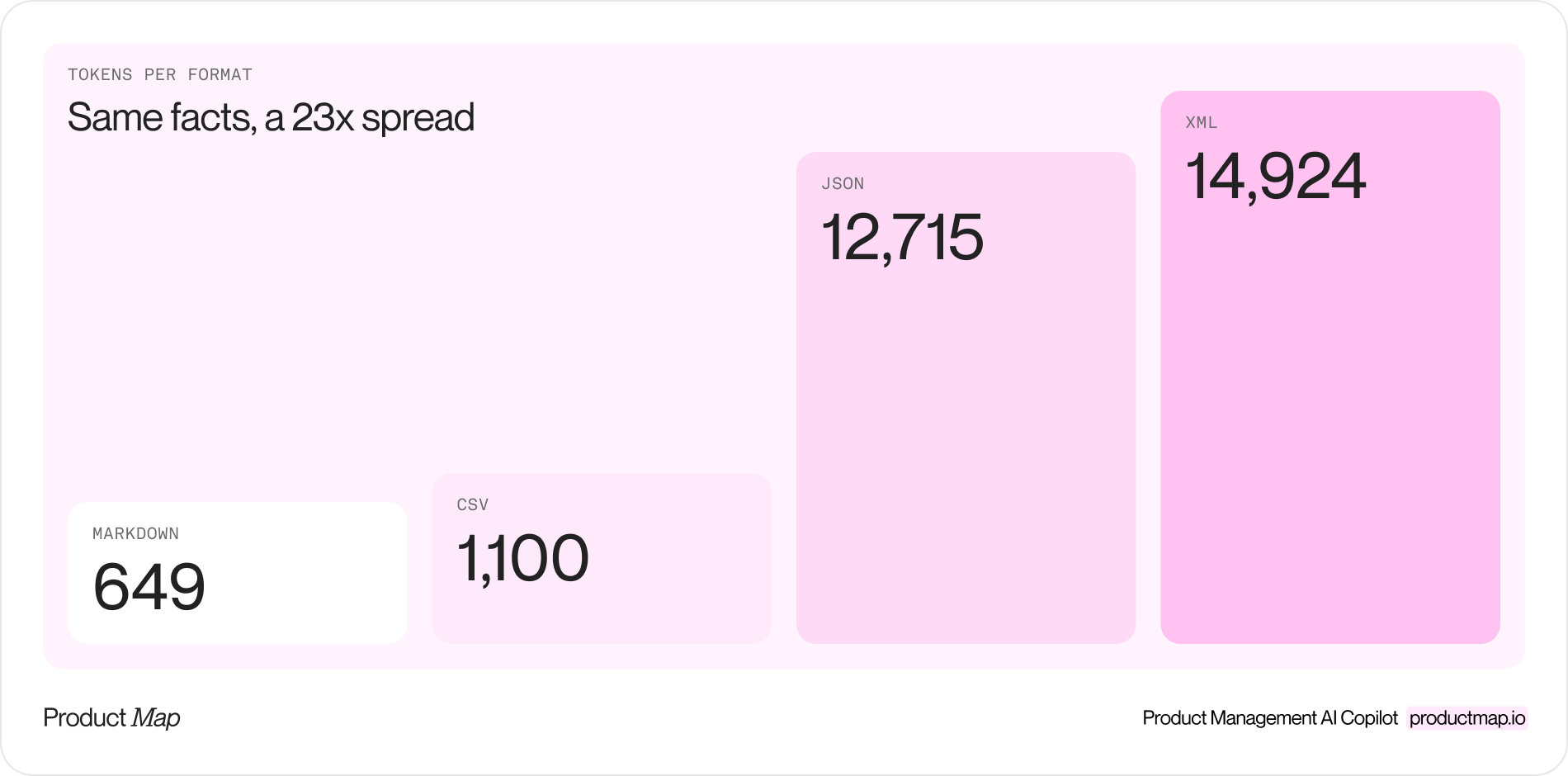
The condensed version wins on cost too. The token benchmark sent one product overview through a tokenizer in four formats. Markdown came back at 649 tokens, CSV at 1,100, JSON at 12,715, and XML at 14,924. Same facts, a 23x spread. Every agent in a chain pays this cost at the start of every run.
So the format rule is short. Prose goes in Markdown, one file per decision: onepager.md, icp.md, product-strategy.md, prd.md. Rows go in CSV: the feedback export, the competitor pricing table, the backlog scored last quarter. JSON appears only when a script passes data between tools. PDFs, slide decks, and Word files stay where they are, as sources you condense from, never as the file an agent reads.
The example repository shows the layout. product-management-context keeps everything under .productmap/, in eleven numbered folders from 00_company through 10_data, with an INDEX.md at the top every agent reads first. Strategy sits in 01_strategy, research in 02_generation, metrics in 03_analysis, templates in 09_templates, and raw exports in 10_data. An agent asked for a PRD knows to read the template, the strategy file, and nothing else.
Two habits keep the folder useful. Condense on the way in: a two-hour interview becomes a one-page synthesis with quotes, and the transcript stays in 10_data. Write back on the way out: every agent run that changes a decision changes the file, so the next run starts from the current state.
4. Version the context in Git and run agents anywhere
Plain text in a folder is good. Plain text in a Git repository is infrastructure. History answers who changed the ICP and when. Branches let an agent propose a change without touching the record. A pull request is the review gate for a strategy edit, with the same diff view engineers use for code.
Git also makes the context portable. The same repository runs on a laptop in Cursor, in a cloud session on Claude Code, or in a scheduled job rerunning the competitor analysis every Monday. The Product Map setup connects a GitHub, GitLab, Bitbucket, or Azure Repos repository and scaffolds the .productmap/ tree inside it. Agent runs then land as diffs with accept and discard, on a branch or as a pull request, never as a silent write.
Two conventions pay off from day one.
- One file per decision, short enough for a person to review in one sitting. A 4,000-line strategy document can't be reviewed as a diff. Twelve files can.
- Absolute dates everywhere. An agent reading "last quarter" in a file written in March makes a different mistake every month. Write
2026-03-14.
The Git skill set article covers the handful of commands a PM needs.
Point every agent runtime at the same Git repository
This is the practice most teams skip. They pick one vendor, build the context inside its chat product, and lose it when the next model ships. The fix is to make the repository the workspace and treat each model as a runner on top of it.
Three files at the root do most of the work. Claude Code reads CLAUDE.md. Codex, Cursor, GitHub Copilot, and Windsurf read AGENTS.md. Gemini CLI reads GEMINI.md. Each file sets the same three rules: start from .productmap/INDEX.md, use the templates in 09_templates instead of inventing structure, and put outputs in the folder they belong to. Skills follow the same split: .claude/skills/, .codex/skills/, and .gemini/skills/, each holding a SKILL.md per recurring PM job.
Once those files are committed, any editor that opens a folder becomes the hub. In Cursor or VS Code, Claude Code and Codex run as editor tabs, GitHub Copilot sits in the right sidebar, Gemini runs in the terminal, and Grok is a model choice in the chat selector. Microsoft teams get the same layout through Azure Repos and Microsoft 365. The Product Map plugin adds the 26 PM agents to the same sidebar, so the agent writing the PRD sits one tab away from the agent about to build it, both reading the same .productmap/ folder.
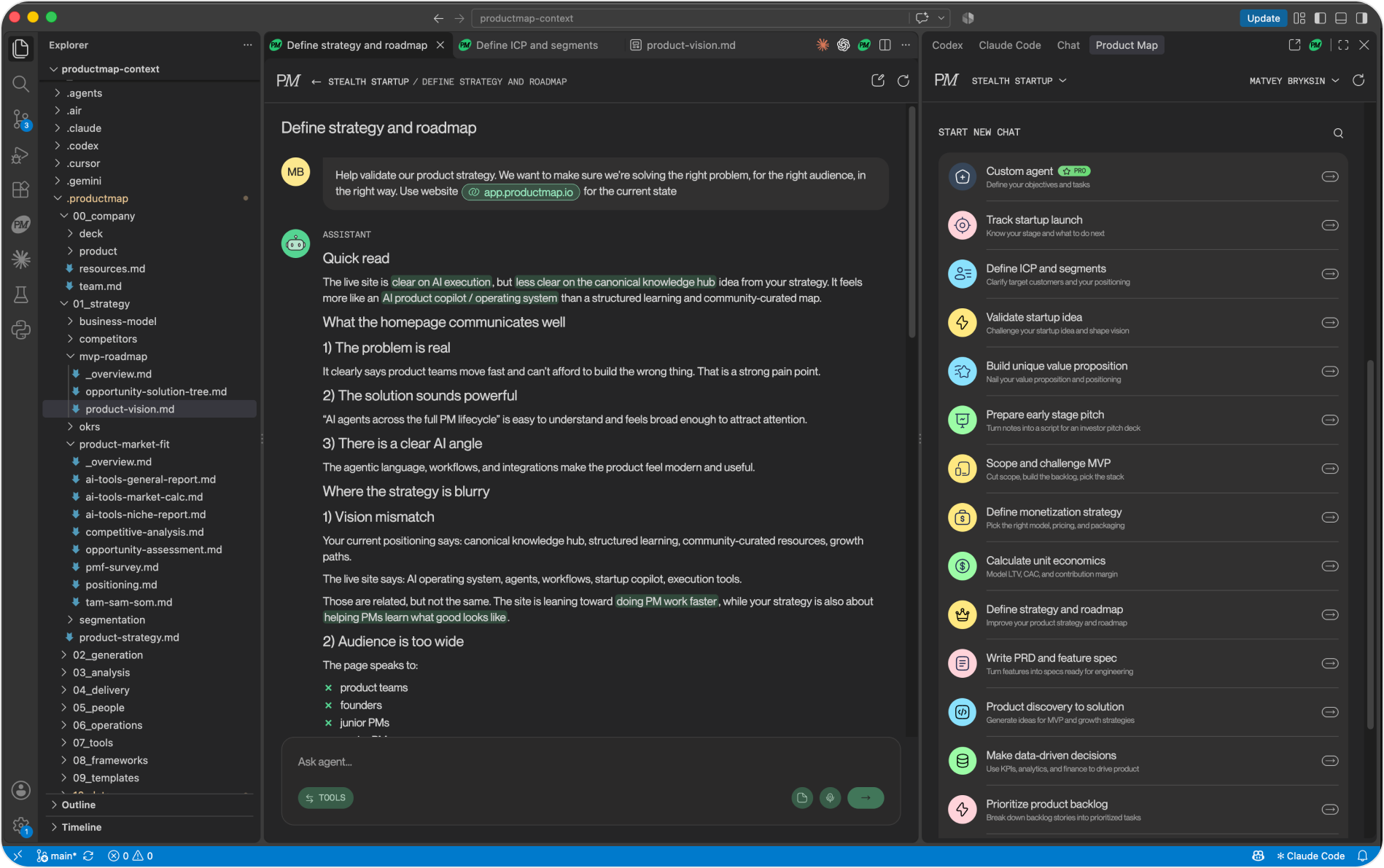
Pick the runtime by the job, never by habit. Long document synthesis goes to the model with the biggest context window. Scripts over CSV exports go to the coding agent. A PRD goes to the PM agent with the template. The repository doesn't care which one wrote the file, and neither does the next agent in the chain.
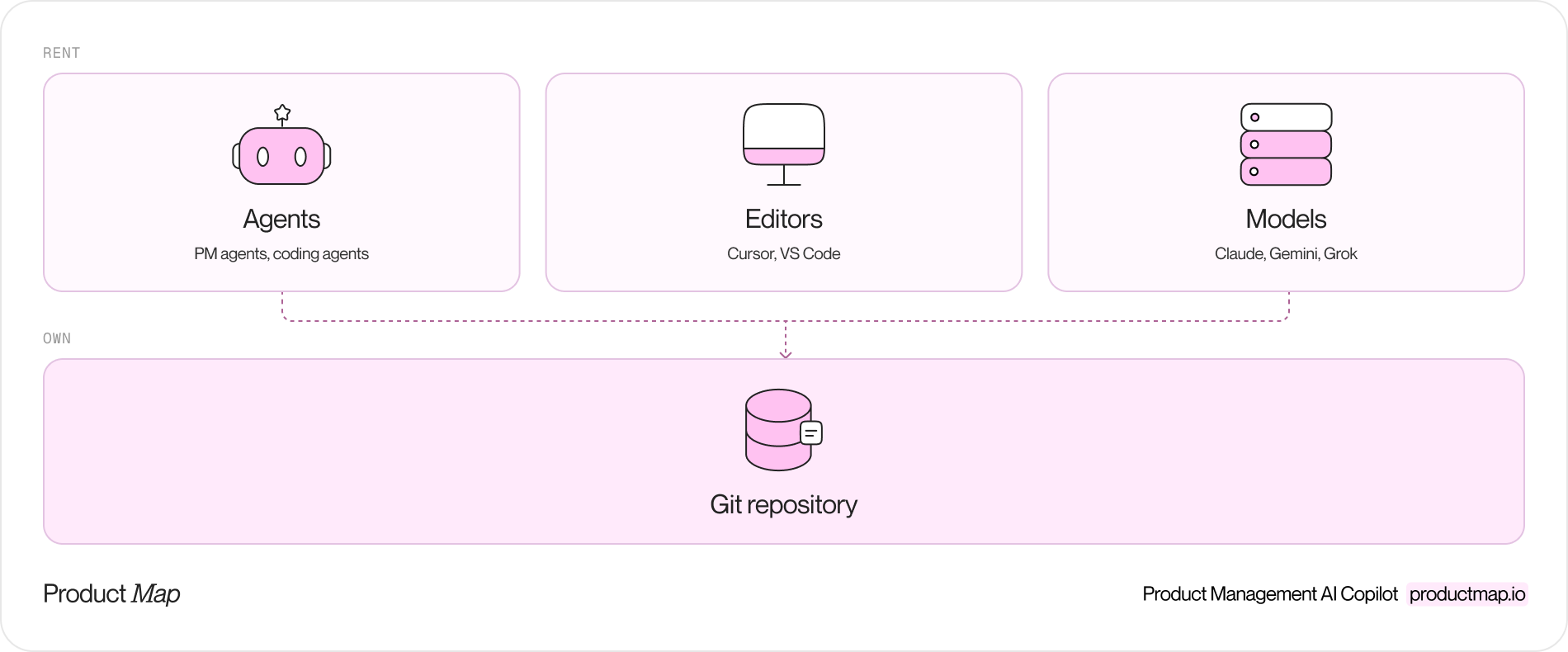
The decision PMs skip: own context, rent models
Frontier models turn over every few months. A team building its product memory inside one vendor's project feature rebuilds it at every switch, or stays on a worse model to keep the memory. Both outcomes are expensive, and neither shows up on an invoice.
The repository is the asset. Agents, models, and editors are replaceable runners over it. This framing changes three decisions a head of product makes this year.
- Vendor evaluation: test a new model by pointing it at the repository and running the same chain. If the output is better, switch. The context moves with you.
- Hiring: a new PM clones the repository on day one and runs the ICP agent before lunch. Onboarding is reading the files, not finding the people who remember.
- Ownership: add a
CODEOWNERSentry for.productmap/naming the product manager, and tell coding agents inCLAUDE.mdto treat the folder as read-only. A spec edited to match the code records what got built, not what was decided.
Make the folder this week
Copy the structure from product-management-context, write the one-pager and the ICP as Markdown, and commit. Then run one agent against it, read the diff, and accept it. Next week, chain a second agent to the first. By the fourth week the repository is what your team reviews, and the model is a setting.