




Two PRDs for the same feature can read identically on the page and still differ in one way engineers notice on day one. The first was drafted in a chat window from a pasted brief. The second was drafted next to the engineering repository, by an agent that read the data model and the last three release notes before it wrote a line. The first spec gets questions in the kickoff. The second gets a branch.
That gap is what the state of the art in AI product management looks like in late 2026. The model matters less than the setup around it: which agent runs which task, how the tasks hand results to each other, what data the agent reads, how the product context is stored, and where the team keeps it.
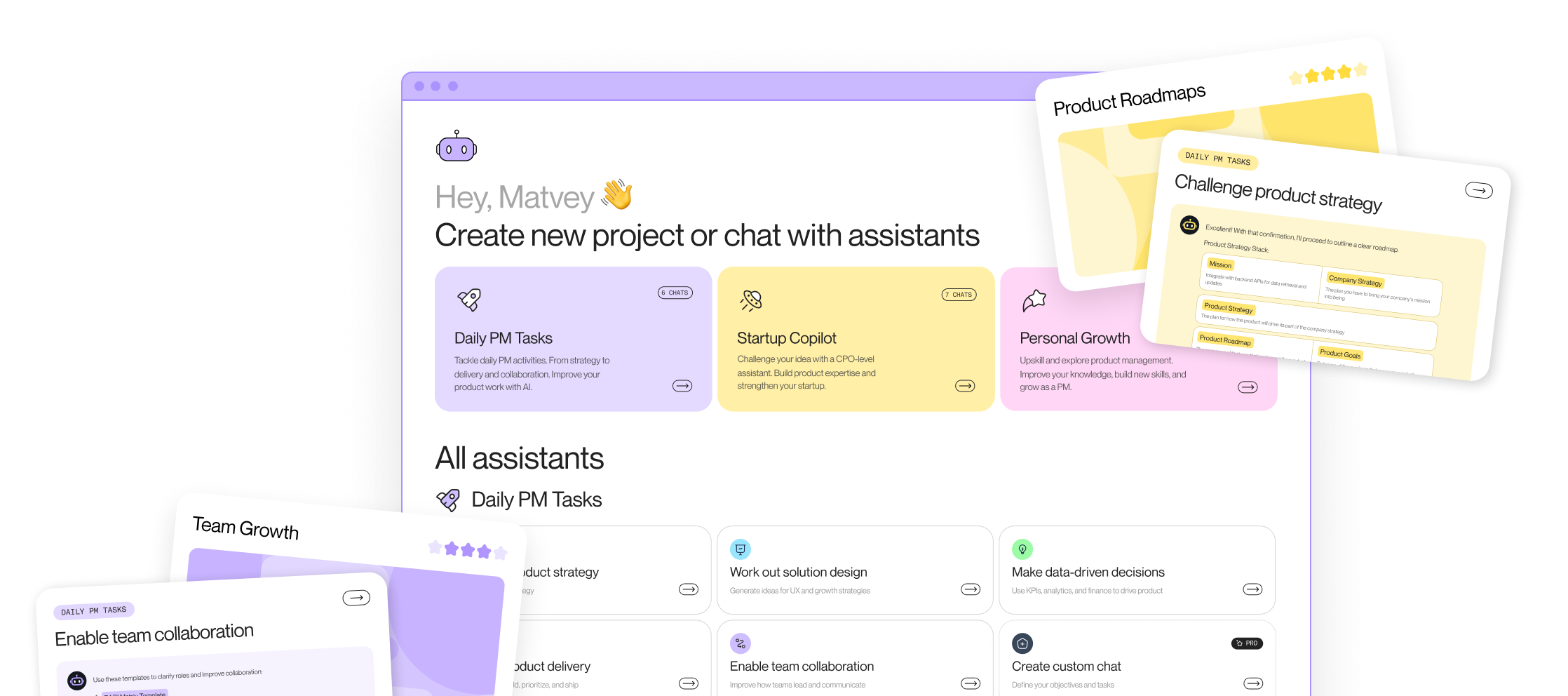
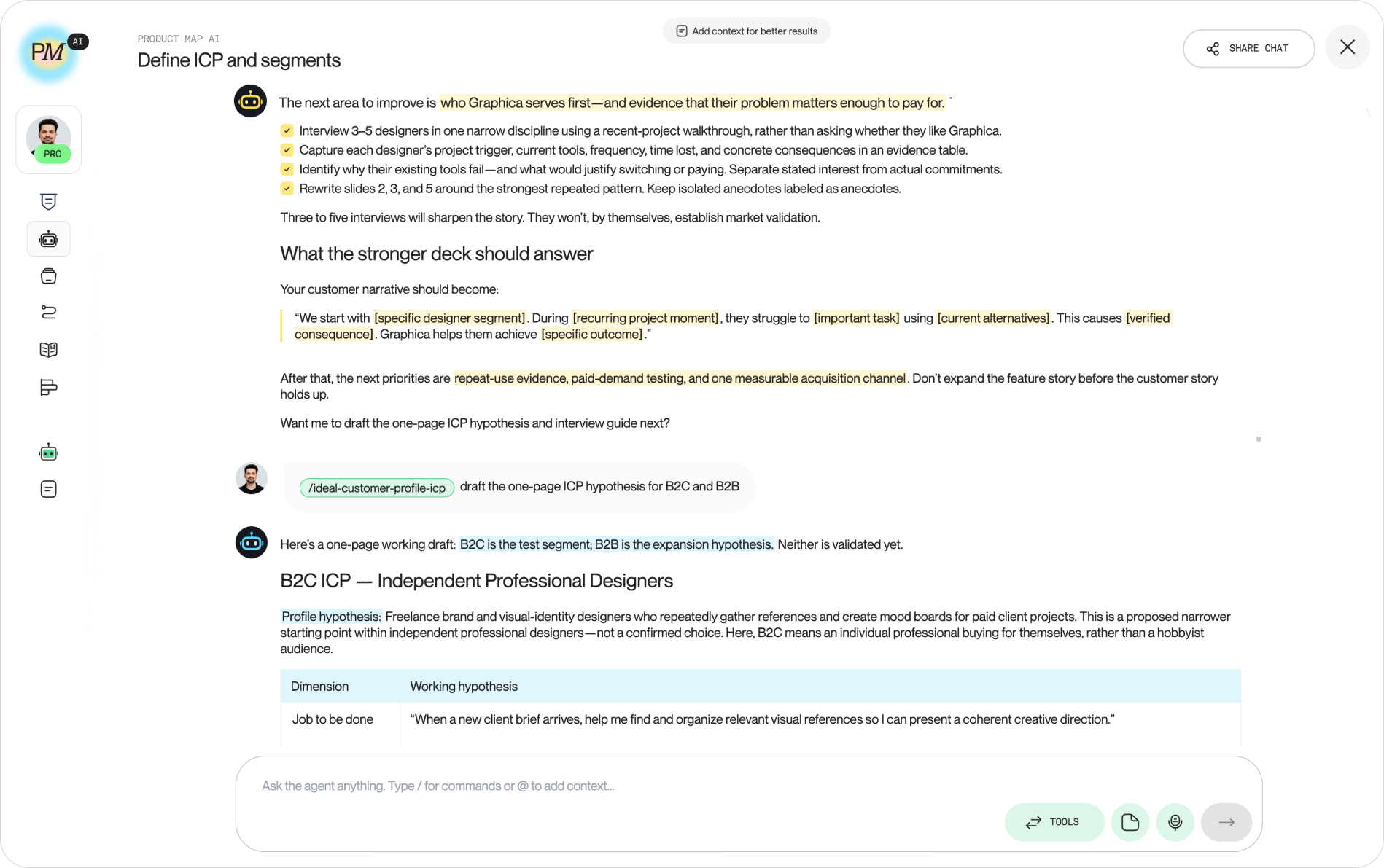
This guide walks through the five setups in that order, each with a screenshot of how it runs on Product Map. The simplest version is the chat below: one project, several agents called by slash command in the same thread, and the thread shared with the team.
Run one agent per task, next to the engineering repo
The daily unit of AI product work is a task agent, not a chat. A general model given your one-pager writes a plausible document. A task agent given the same context writes the document in the shape your team reviews, with the sections your engineers expect, and it stops to ask when a decision is missing.
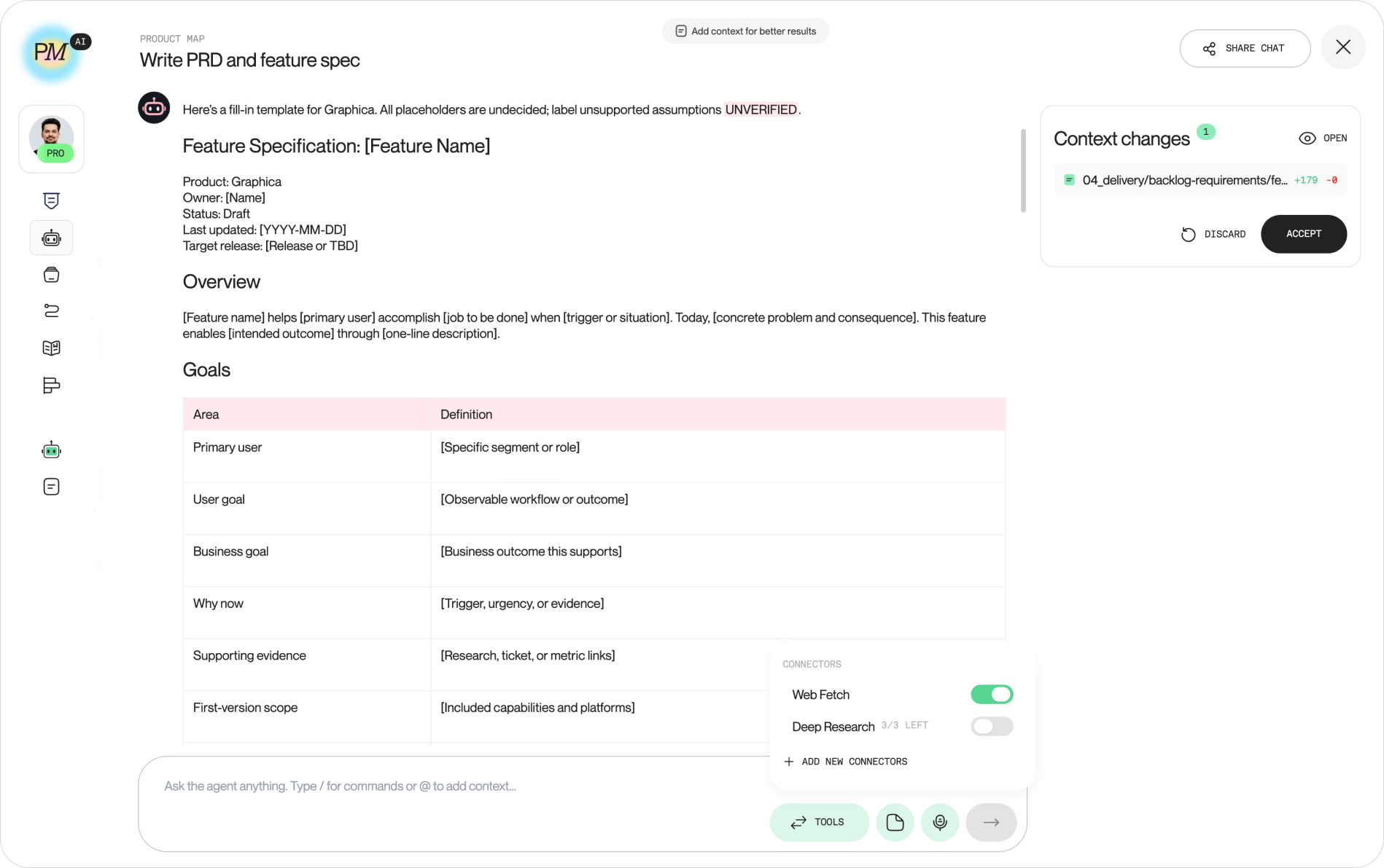
The PRD is the clearest case. Open Write PRD and feature spec in a project connected to the engineering repository, and the agent reads what engineering already knows before it drafts: the current data model, the API surface, the last few merged changes, the backlog file. The spec it produces names the field the code already has rather than inventing a new one. Acceptance criteria reference real endpoints. Open questions list the decisions the repository can't answer, which is the list you take to the engineering lead.
Drafting the spec in the same place the code lives changes what the review meeting is for. Engineers stop correcting facts and start arguing about scope. The AI PRD template covers the sections to add when the feature itself has a model in it.
Chain the agents, because the product tasks are chained
Product work is a dependency graph. Strategy sets the vision. The vision narrows the target audience. The ideal customer profile decides the monetization model. Monetization shapes the go-to-market plan. Change the ICP on Tuesday and four downstream documents are wrong by Wednesday, which is why a PM who runs each task in a separate chat spends the week re-pasting.
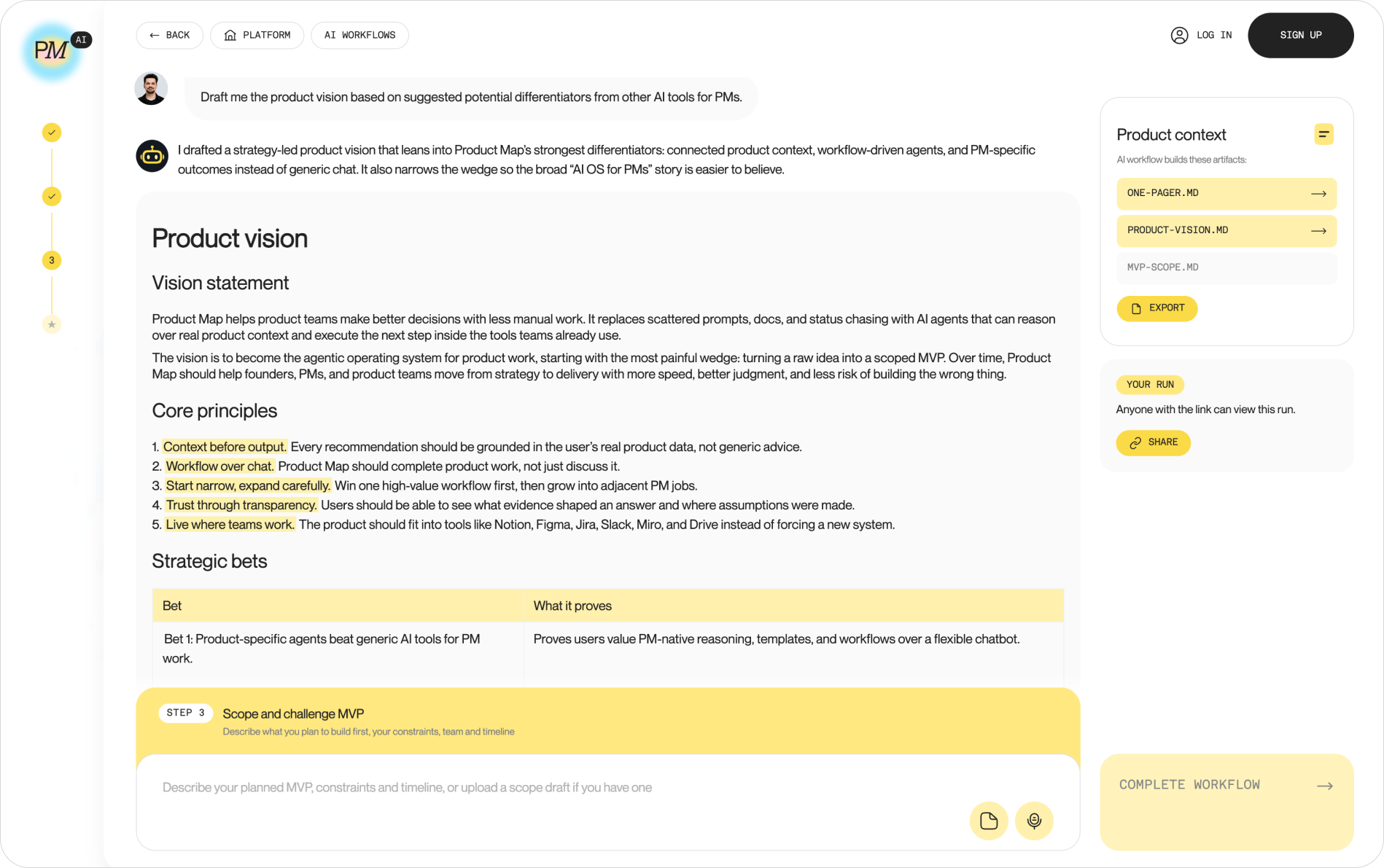
The setup that holds is one environment where many agents read and write the same context. On Product Map that environment is the workflow catalog: chains of three scoped agents where the first writes a Markdown file, the second reads it as its only source of truth, and the third challenges both. Product idea to MVP scope runs a challenge of the idea, a vision with strategic bets, and an MVP cut against both files. Market research to positioning runs the research, the segments, and the value proposition. You read each file before the next step starts. In the run below, step two has written product-vision.md, and step three is waiting for the MVP constraints before it cuts the scope.
Every agent in the chain reads the file the previous one wrote. Nothing is pasted, so nothing drifts between the strategy and the spec that depends on it.
The same environment holds the single-run agents for the jobs around the chain. Run competitor analysis reads the positioning file and produces a teardown with sourced pricing. Plan customer interviews drafts the guide from the ICP. A synthetic interview run gives you a first pass at objections before a real user is booked, with the caveat the synthetic interviews article spells out: treat it as a rehearsal, never as evidence.
The AI product management tasks agents run every week
The agent catalog holds 26 task agents in three groups. Each one covers a job a product manager already does by hand, and each reads the same product context before it starts. Grouped by the job, the catalog looks like this.
- Strategy and roadmap: Define strategy and roadmap turns a vision into bets and a now, next, later plan. Prioritize product backlog scores stories against the strategy file.
- Specs and delivery: Write PRD and feature spec drafts specs ready for engineering. Draft release notes and updates turns shipped work into an update per channel.
- Discovery and research: Product discovery to solution generates MVP and growth ideas. Plan and run user research picks the method and builds the plan. Plan customer interviews writes a problem, solution, or PMF interview guide.
- Data and decisions: Make data-driven decisions argues for or against a move with KPIs, analytics, and finance.
- Market and growth: Run market research sizes the market and picks a segment. Run competitor analysis maps and scores competitors. Build product growth strategy designs loops and sprints, and Create digital marketing ideas drafts the campaigns.
- Startup copilot: nine agents for a founder covering the whole company: Validate startup idea, Define ICP and segments, Build unique value proposition, Scope and challenge MVP, Define monetization strategy, Calculate unit economics, Build go-to-market strategy, Prepare early stage pitch, and Track startup launch.
- Team and career: Enable team collaboration for how a team leads and communicates, plus three personal growth agents for career coaching, interview preparation, and moving into product.
Pick by the job in front of you, not by the agent name. The order above also reads as a sequence: strategy sets the file the backlog agent scores, and the ICP agent's output is what the monetization agent prices.
Feed agents the condensed data, not the whole wiki
An agent's answer is bounded by what it read. The common mistake in 2026 is the opposite of too little context: a PM connects the full Confluence space, the agent loads 40 pages of meeting notes, and the spec comes back shaped by a retired project from 2024.
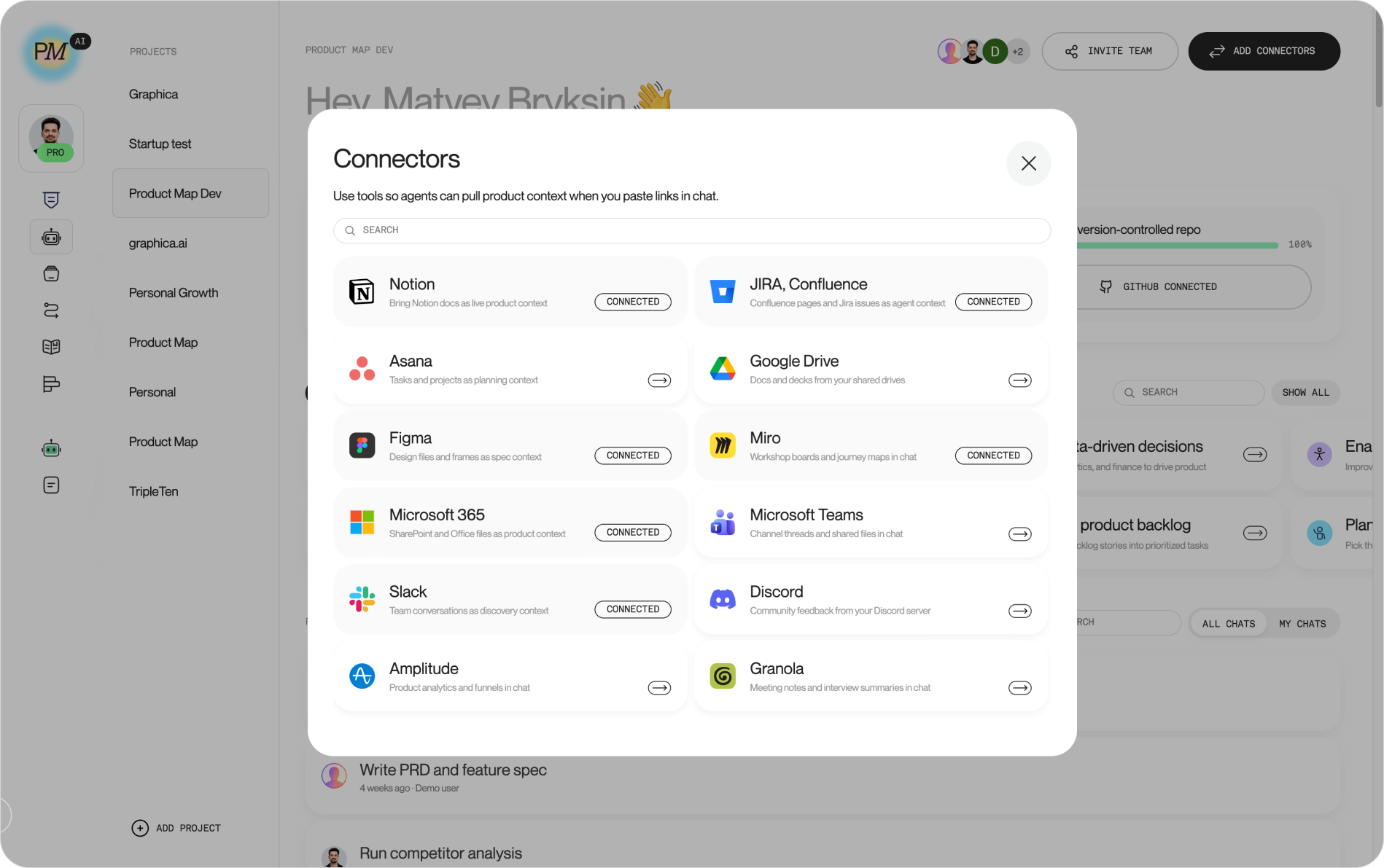
The setup that works is a connector per tool, pulling the specific page or ticket you point at, converted to Markdown, and handed to the agent as a marked source. On Product Map the Connectors catalog covers Jira and Confluence, Notion, Google Drive, Asana, Figma, Miro, Microsoft 365, Teams, Slack, Discord, Amplitude, and Granola. Paste a Confluence link into the PRD agent and the connector fetches that page, nothing around it. The reply carries a Sources used chip naming the page, so a reviewer can check what shaped the draft.
The compact version is a choice, and it's cheaper. The token benchmark measured the same product overview at 649 tokens as Markdown and 12,715 as JSON, and a Notion page fetched live cost around 6,200 tokens in tool calls before the agent saw a word. A connector that brings one condensed page costs the text alone and leaves budget for the agent to reason. The Jira and Confluence setup shows the fetch and the write-back end to end.
Organize the product context so every agent runs faster
Connectors bring data in per request. The product context is what every agent reads on every run, and the way it's organized decides how fast and how well each run goes. A one-pager, a strategy, an ICP, the metric definitions, and the decision log, stored as short Markdown files in a folder with a fixed taxonomy, load in seconds and stay under the context budget.
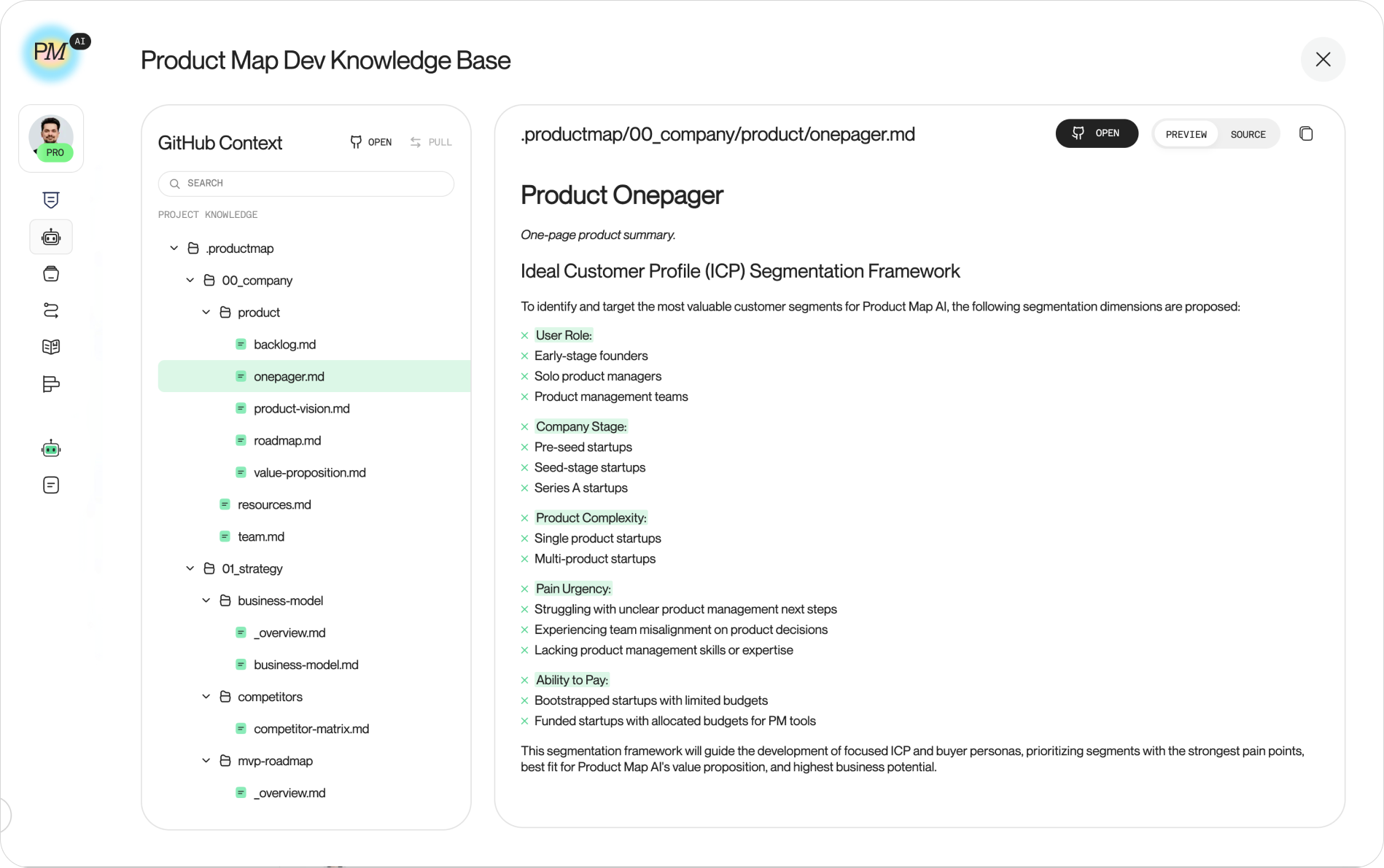
Product Map builds that folder on its own when a project connects to a repository. The knowledge base shows a .productmap tree with numbered domain folders, 00_company through 09_templates, each seeded with starter files like onepager.md and roadmap.md. The structure follows the TASK framework: topics for the domain, agents for execution, skills for judgment, and knowledge as the files the agents read. An agent asked to prioritize the backlog opens the strategy file and the RICE scoring file in two reads instead of searching a wiki.
Two rules keep the folder fast. One file per decision, short enough for a person to review in one sitting. And a condensed version over a complete one: the wiki stays the archive, the repository holds the summary agents work from. The product context repository guide walks through the setup from a blank project.
Move the context into Git when the team and agents join
A local context folder is fine for one PM. Drafting a CLAUDE.md on your laptop, running an agent against it, and keeping the output in a folder nobody else sees works until a second person needs the same context, or a second agent does.
The moment coding agents start contributing to product materials, the folder needs version control. Claude Code, Codex, Gemini CLI, and Grok can all read a repository and open a change to a file in it. Without Git, their edits land silently, and the product record describes what got built instead of what was decided. With Git, every change is a diff with a reviewer and a commit hash, whichever agent opened it.
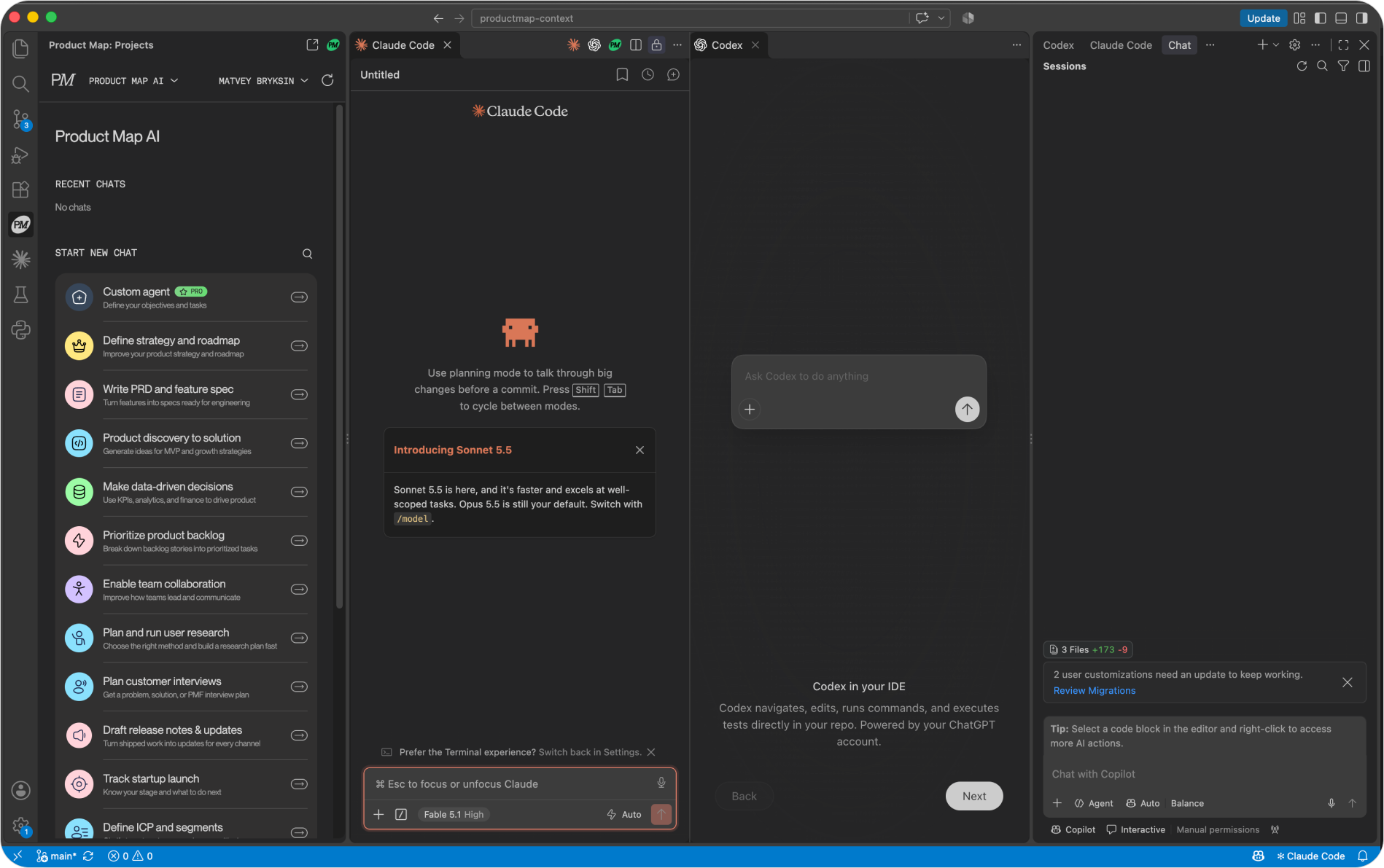
The Product Map plugin for Cursor, VS Code, and Antigravity puts the full agent set in the editor sidebar, next to the coding agents, reading the same .productmap folder in the same repository. A PRD drafted in the Product Map panel is on disk for Claude Code to build from a minute later. A context change from any agent arrives as a card: open the diff, edit the line the agent got wrong, then commit, push, or open a pull request. The team workspace guide covers the branch protection and ownership rules a shared repository needs.
The decision heads of product skip: what to leave out
Every setup above depends on a condensed context, and condensing is a product decision nobody assigns. The data team can wire a connector. An engineer can set up the repository. Choosing which 30 pages of the 400-page wiki become the ten files agents read from is judgment about what the product is, and it lands on the head of product whether or not it's on their calendar.
The failure mode is gradual. The team imports everything, the agents slow down, and quality drops each month as stale pages outvote current ones. Nobody sees a single bad run. They see a PM who stopped trusting the agents and went back to writing specs by hand.
Three habits keep the context condensed.
- Set a staleness date on every file. A strategy file without a review date is treated as current forever. Put the date in the header and let the agent flag anything past it.
- Delete at the same rate you add. When a decision is superseded, the old file goes, and the decision log records why. A repository that only grows is a wiki with extra steps.
- Measure the context budget per run. If an agent's reads exceed half its window before it starts the task, the folder is too large or the files are too long. Split or summarize.
Start where the code lives
The five setups stack, and the order matters. Run one task agent against the engineering repository this week and read the diff it opens. Chain two agents next month, once the first one's output is trusted. Add connectors when the agent keeps asking for a page you have to paste. Organize the folder when the second PM joins. Move it to Git when the first coding agent edits a product file.
A head of product who does that in order ends the quarter with a product record every agent on the team reads from, and a review gate on every change to it. That is the state of the art, and none of it needs a new model.