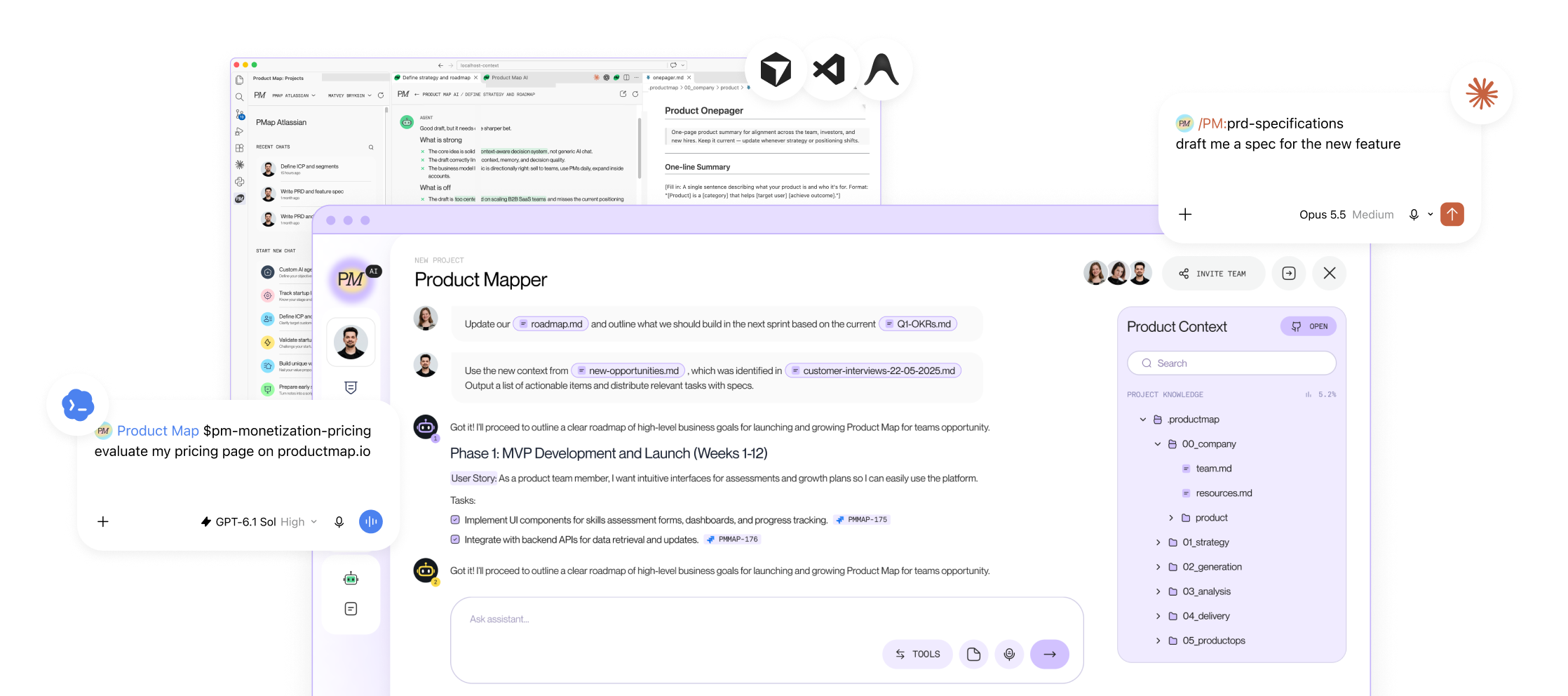





On November 25, OpenAI approved Product Map for the plugin directory ChatGPT and Codex share. Alpha users had been running it since the end of October. Product managers draft PRDs, pricing memos, and launch plans in ChatGPT every day, and each of those chats starts without the product: no users, no goals, no record of last quarter's decisions.
The plugin closes the gap with 22 PM agents. Each one answers from your project's knowledge base and ends by proposing changes to it, which you accept or discard. One install works in both apps.
Connect the product once. Every agent after it starts from the same record.
This release note is practical. It shows what the plugin adds, how a folder gets connected to a project, which agent to launch for which job, how context changes get reviewed, and how to install it.
PM agents as ChatGPT skills
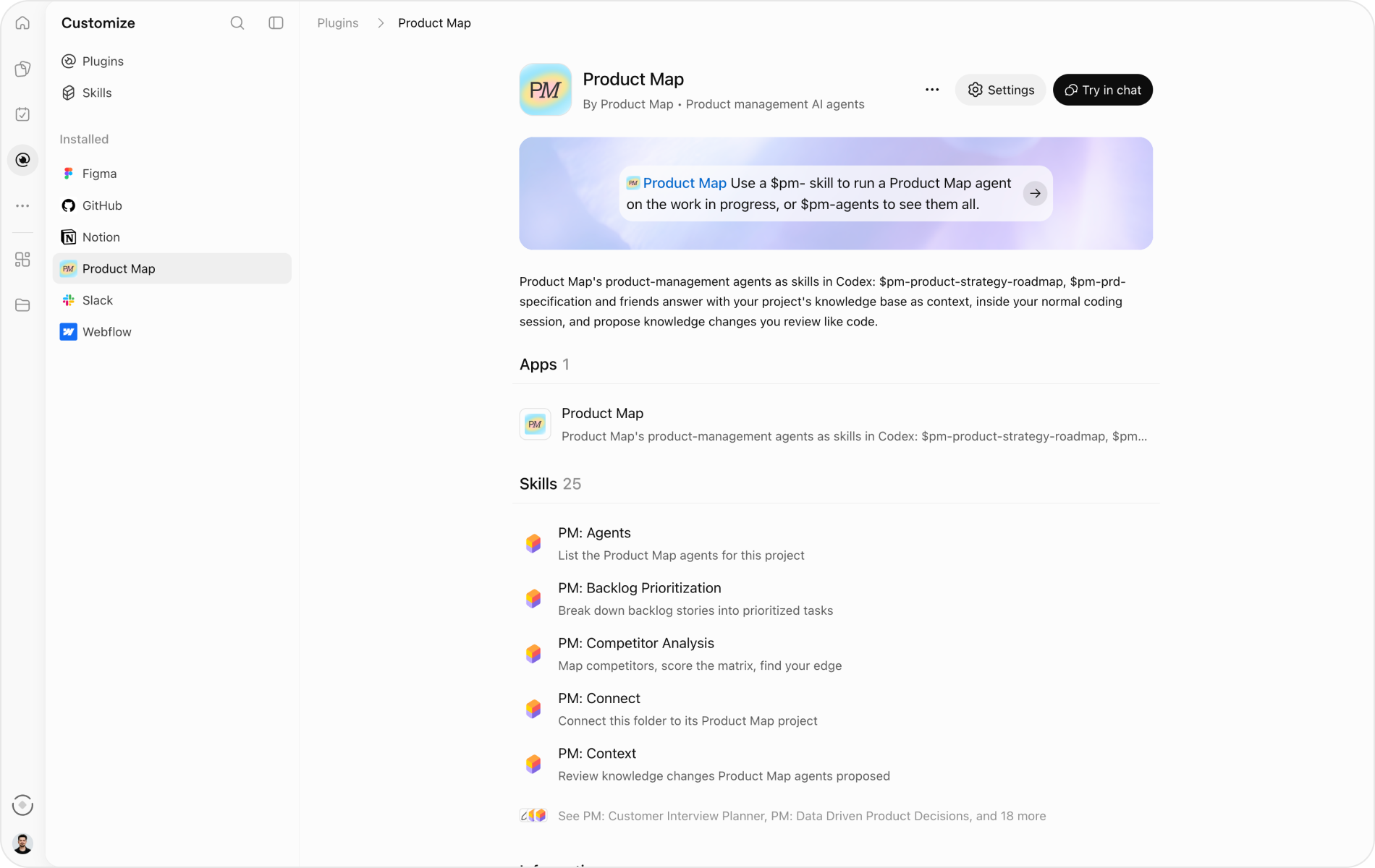
ChatGPT and Codex read one plugin catalog, so a single listing serves both. The listing spells out what you get: one app, which is the Product Map connector, and 25 skills.
Twenty-two skills are agents, one per PM job. The other three run the plumbing:
$pm-connect: links the current folder to a Product Map project.$pm-agents: lists the agents for the project, with a starter request for each.$pm-context: opens the pending knowledge changes for review.
The split of work is simple. ChatGPT or Codex stays your general assistant. A $pm- skill hands one request to a Product Map agent, prints the reply, and gives the conversation back. In Codex, a PRD gets drafted in the same session where the feature gets built.
It's the same idea as the editor plugin for Cursor, VS Code, and Antigravity, moved into the two apps where most AI work already happens.
Connect a folder to a project
The first skill you run starts with a connection step. It checks three signals: a marker file in the repository, the Git remotes, and an earlier connection made from this folder. A match connects you without a question.
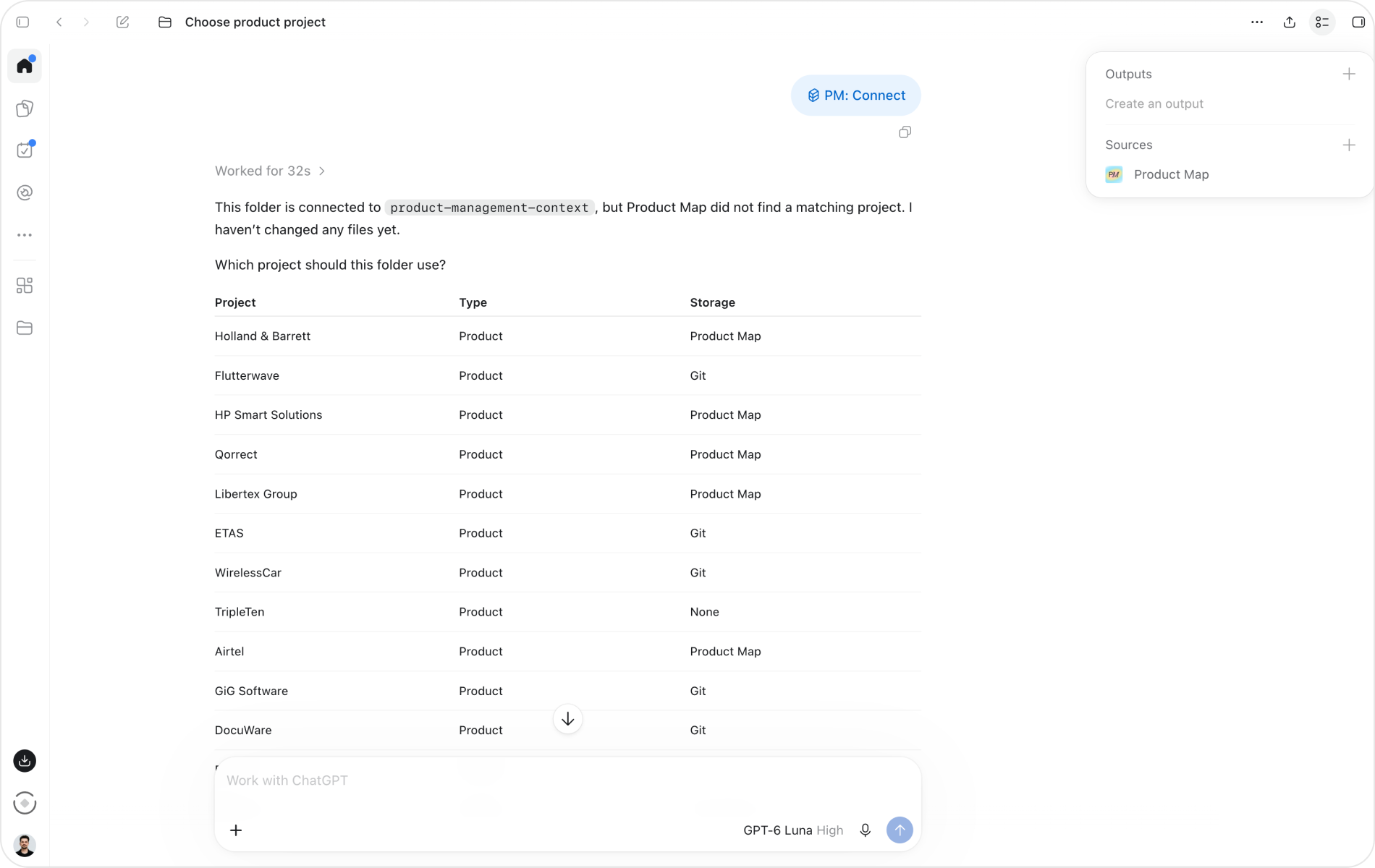
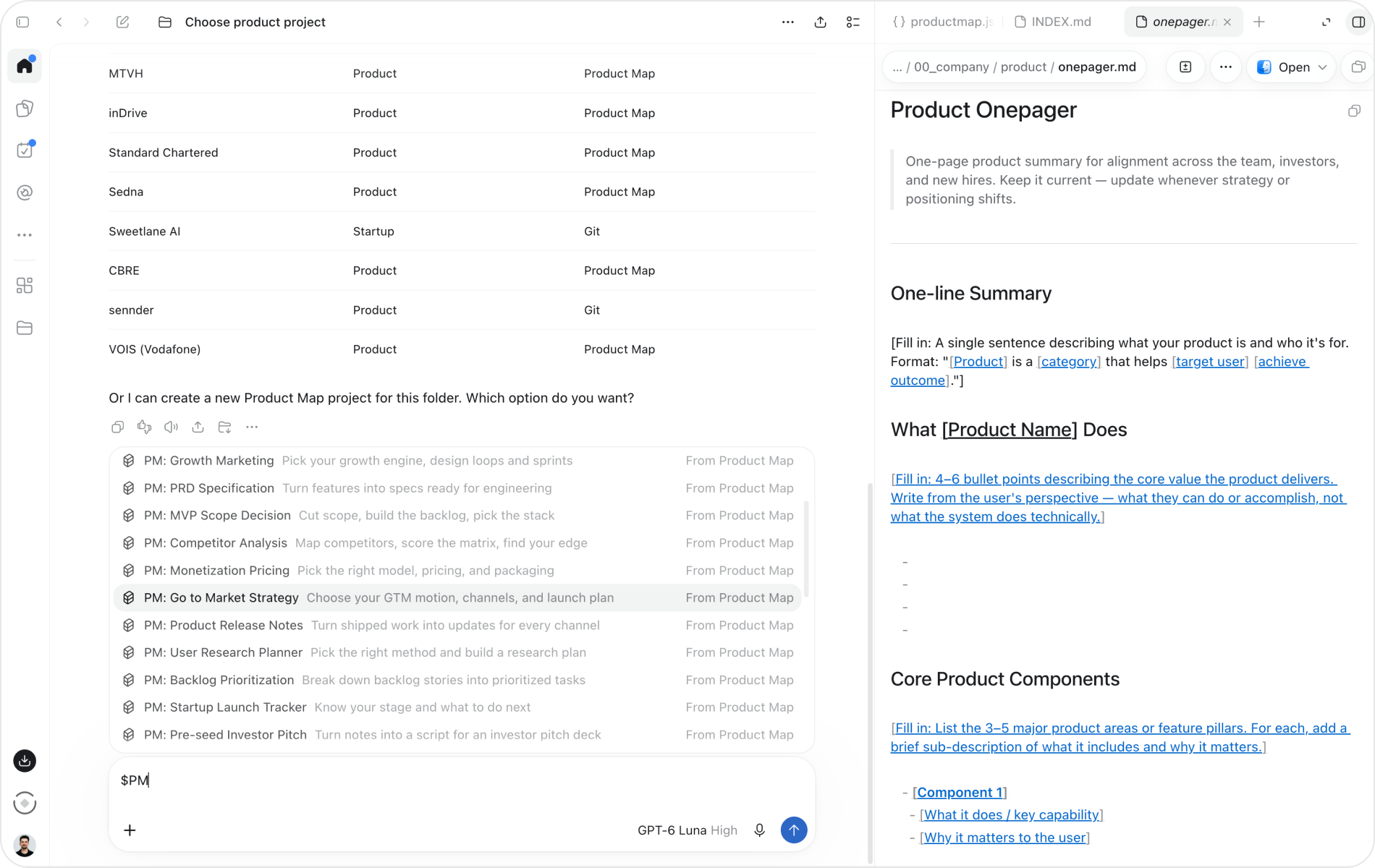
No match, and the assistant lists your projects with their type and storage, then asks which one this folder belongs to. It can also create a new project named after the folder. It never picks or creates one on its own, and it changes no files until you answer.
The storage column tells you where the context lives:
- Git: product knowledge is Markdown under
.productmap/in your repository, synced with Product Map. - Product Map: the context is stored on Product Map, so the project needs no repository at all.
Once you choose, the assistant writes the marker to .productmap/productmap.json. Commit the file and every clone of the repository, your teammates' included, resolves to the same project.
Your knowledge repo, in chat
ChatGPT works with a local folder, and the files open in a panel next to the conversation. In the screenshot below, the connection finishes on the left while INDEX.md, the entry point of the knowledge base, sits open on the right. The record and the chat about it share one window.
The folder follows the TASK framework: company facts, strategy, research, analysis, delivery, each in its own directory of plain Markdown. It's the layout from the product context repository guide.
Each agent run receives three inputs:
- The knowledge base: the project's one-pager, strategy, segments, and research.
- A brief: up to 1,500 characters the assistant writes about the work in progress, covering the task, the decisions already made, and the files in question.
- Attachments: up to 10 text files you point at.
You never paste the one-pager. Markdown also keeps the read cheap. The token benchmark measured one product overview at 649 tokens as Markdown and 12,715 as JSON.
Launch agents as $pm commands
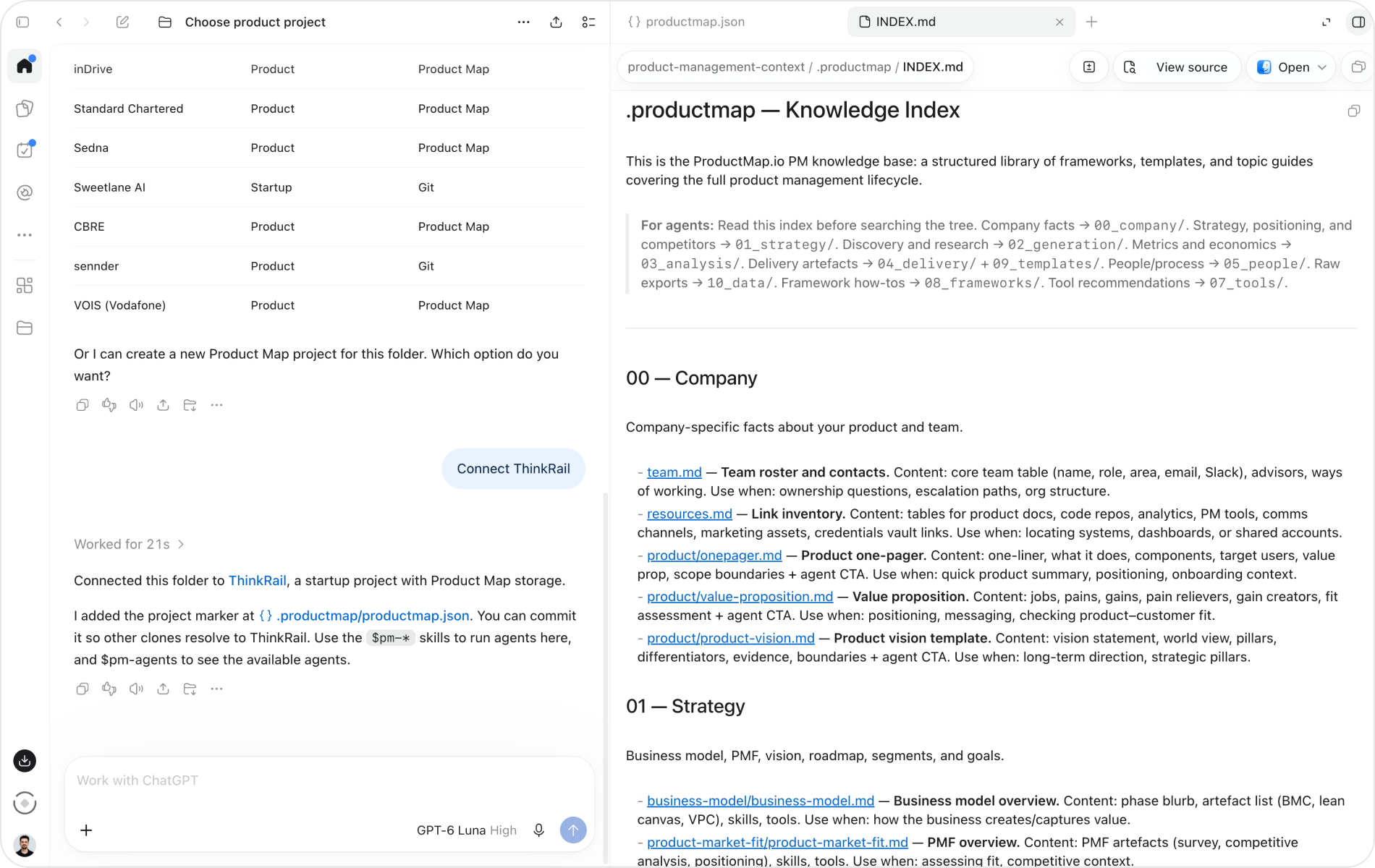
Type $pm in the composer and the picker lists every agent with a one-line job description. Choose by the job in front of you, then write the request in your own words.
Daily PM tasks
Thirteen agents for the weekly work of a product manager.
- Strategy and planning:
$pm-product-strategy-roadmapand$pm-backlog-prioritization. - Specs and delivery:
$pm-prd-specificationturns a feature into a spec engineers can build from.$pm-product-release-notesturns shipped work into updates for each channel. - Discovery and research:
$pm-product-discovery-ideation,$pm-user-research-planner, and$pm-customer-interview-planner. - Data and decisions:
$pm-data-driven-product-decisionsargues for or against a move with KPIs, analytics, and finance. - Market and growth:
$pm-competitor-analysis,$pm-market-research,$pm-growth-marketing, and$pm-digital-product-marketing. - Team:
$pm-team-collaboration-leadership.
Startup PM copilot
Nine agents for a founder or first PM covering the whole company.
- Idea and stage:
$pm-startup-idea-validationargues against the idea before arguing for it.$pm-startup-launch-trackernames your stage and the next step. - Customer and positioning:
$pm-ideal-customer-profile-icpand$pm-value-proposition-positioning. - Scope and money:
$pm-mvp-scope-decision,$pm-monetization-pricing, and$pm-unit-economics. - Launch and funding:
$pm-go-to-market-strategyand$pm-preseed-investor-pitch.
Agents chain. Every agent you call in one conversation takes its turn in the same Product Map chat, so the roadmap agent builds on the PRD the previous one wrote. Nothing gets pasted twice. The agents guide goes deeper on how to brief each one.
One command, one GTM plan
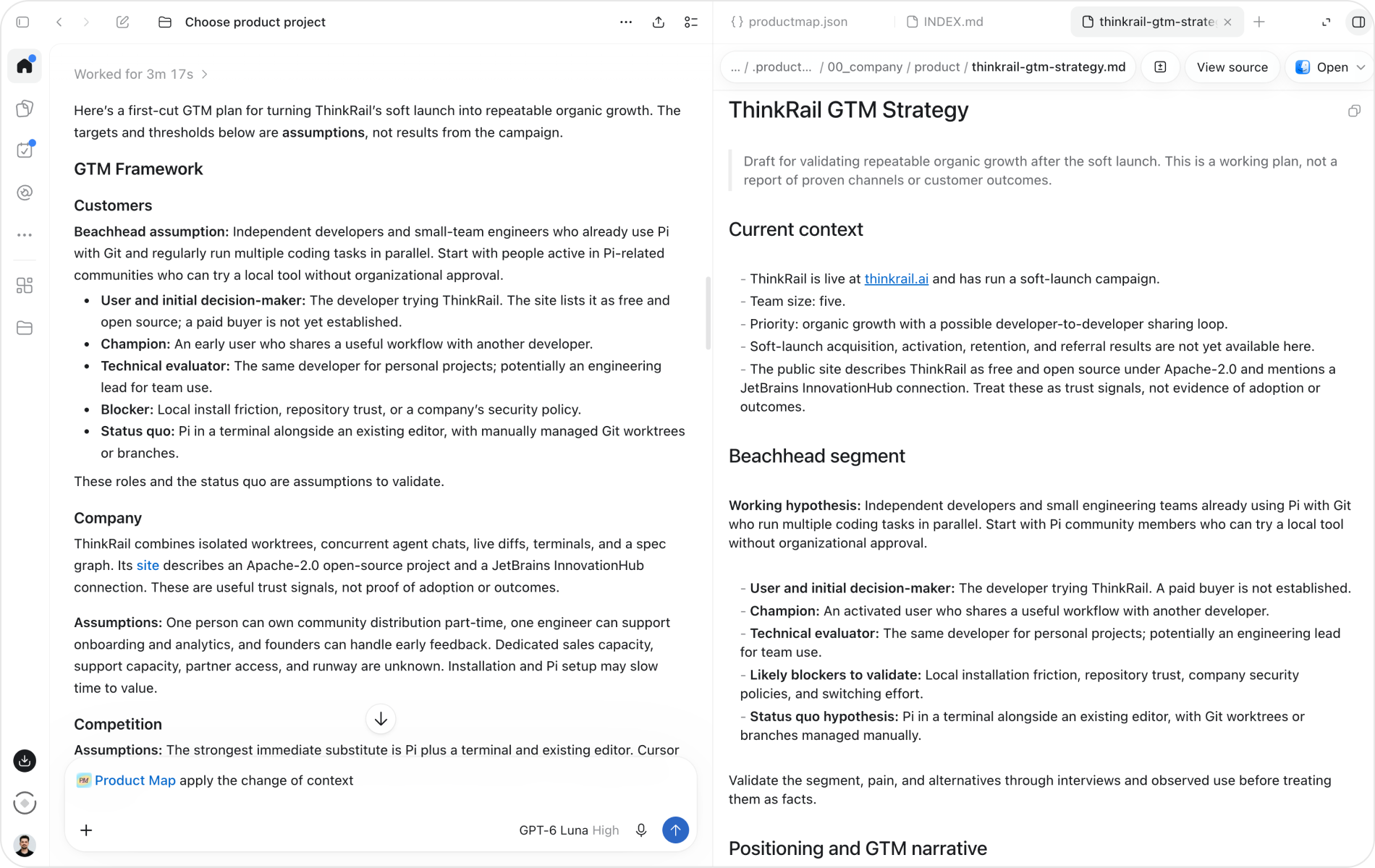
Take one run from start to finish. The project is a startup with a product already live. The request to $pm-go-to-market-strategy is three lines: the site is launched, a soft launch campaign went out, the team is five people, focus on organic growth.
The agent returns a GTM framework built on those facts. It names a beachhead segment, the user who decides, the champion, the technical evaluator, the blocker, and the status quo the product has to displace. Two details in the reply are worth a second look.
- Assumptions are labeled: the reply says its targets and thresholds are assumptions, not results from the campaign. A generic chat answer blends the two, and the blend ends up in a board deck.
- Context comes before the handoff: ChatGPT waits for Product Map to finish and checks whether the agent proposed project-context changes before it shares the draft.
On the right of the screenshot, the plan sits open as a Markdown file. It carries the same caveat at the top: a working plan, not a report of proven channels. The next message in the composer asks Product Map to apply the context change.
Review every context change
Agents propose. You decide. Each proposal arrives with a title and a full diff, and the assistant asks for one of three answers: accept, edit then accept, or discard.
What accept does depends on where the context lives.
- Git project: the assistant writes the file into
.productmap/, shows the diff, and commits it with the proposal title in the message. It pushes only when you ask. If the local file changed since the agent read it, you get a warning before anything is overwritten. - Project stored on Product Map: the change is applied there, with no repository involved.
Discard rejects the proposal on Product Map and stops. Local files and the Git index stay exactly as they were.
A request to preview is not approval. Ask to see pending changes and the assistant shows the diffs and waits. $pm-context opens the queue at any time, so a proposal you skipped on Tuesday is still there on Friday.
In a Git project, the product record gets the review flow engineering runs on code. History is git log, and a team sharing one context repository sees a name on every change.
Install it in three steps
- Install the plugin. Open Plugins in ChatGPT, find Product Map, and add it. In the Codex CLI, type
/plugins. The plugin page links straight to the listing. - Sign in. The browser opens the Product Map consent page, and you approve access with OAuth. In the Codex CLI, run
codex mcp login productmap. You need a Product Map account, and agents reach only the projects your account can access. - Connect and run. Open the folder with your product context, run
$pm-connect, then$pm-agentsto see the list. Launch one agent and review what it proposes.
Your documents stay where they are. Keep the context in your own Git repository, or store it on Product Map if you work without one.
Four surfaces, one record: decide who accepts changes
With this release, four surfaces propose changes to the same product record: ChatGPT, Codex, the editor plugin, and the web app. A head of product has three decisions to make before the team installs anything. None of them is about AI.
- Where the record lives. Git storage gives you branches, pull requests, and
CODEOWNERSon.productmap/. Storage on Product Map gives you zero setup and suits a founder or a team without a repository. Pick one per project and say so. A team split across both has two records. - Who accepts. Anyone with project access can run an agent, and every run can end in a proposal. Accepting is a product decision. Name the person who accepts changes to strategy, pricing, and the ICP, and let everyone else propose.
- How often the queue gets cleared. This is the failure nobody plans for. Agents run all week, proposals pile up, and nobody opens
$pm-context. The record stops moving while the chats move on, and by week three the agents answer from a product described a month ago.
The old stale wiki went out of date because nobody wrote to it. This one goes stale with 40 good edits waiting in a queue. Put the review on the calendar: 15 minutes before the weekly product sync, one person, every pending proposal accepted, edited, or discarded.
Start with one project
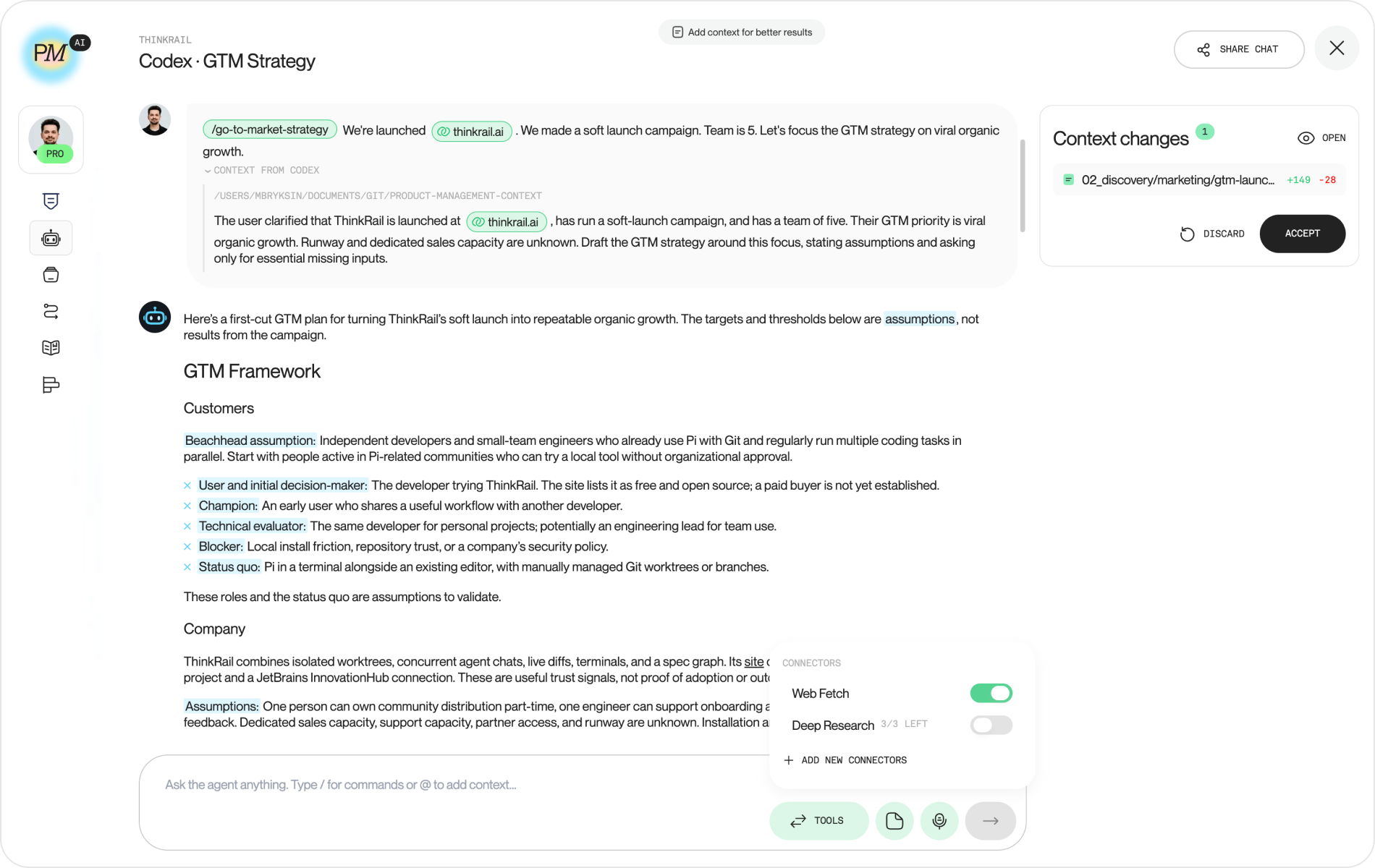
The chat you ran in ChatGPT or Codex shows up in the Product Map web app, titled with the place it came from. The brief the assistant wrote sits under your request, so a teammate sees exactly what the agent was told. The Context changes card holds the same proposal, 149 lines added and 28 removed, with Accept and Discard next to it.
A teammate who never opens Codex can read the reasoning, review the change, and pick the conversation up in the browser.
Create one project, connect one folder, and run one agent on a decision you have to make this week. Then read the first proposal it leaves behind. It shows you what your product record was missing.